
What is a QR code? How it works, what it holds and how to use one
What a QR code is, how your phone reads it, how much it can hold, static vs dynamic codes and how to scan one safely. Plain answers, backed by the standard.
Key takeaways
- A QR code is a 2D barcode: data is stored both across and down a grid of square modules, so it holds far more than a 1D barcode.
- The three big corner squares tell the scanner where the code is and which way up it sits; error correction lets it survive dirt or a logo.
- Codes come in 40 sizes (versions), from 21 x 21 to 177 x 177 modules; the more data you put in, the denser and harder to scan the code gets.
- A static code holds the destination itself and can never change; a dynamic code holds a short link you can re-point and count scans on.
- Anyone can make and print QR codes with no licence or fee; the word "QR Code" is a trademark of DENSO WAVE.
- Treat unexpected codes like unexpected links: check where a code goes before you open it.
A QR code is a square barcode your phone camera can read in a second, most often to open a web page. You see them on menus, posters, parcels, tickets and product packs. This guide explains what is inside one, how scanning works, the difference between static and dynamic codes, and how to use and scan them without nasty surprises.
What is a QR code, exactly?
QR stands for Quick Response. A QR code is a two-dimensional (2D) barcode: it stores data both horizontally and vertically in a square grid of dark and light squares called modules. A traditional barcode on a cereal box stores data in one direction only, which is why it can hold little more than a product number.
According to its creator, DENSO WAVE (then a division of DENSO CORPORATION), a two-person team led by Masahiro Hara developed the code over about a year and a half and announced it in 1994. The goal was a code that held much more information than a barcode and could be read quickly, hence “quick response”. The car industry adopted it early for production tracking, and phones made it a household object.
It is an open standard. DENSO WAVE lists the milestones as an AIM International standard in 1997, the Japanese standard JIS X 0510 in 1999, the international standard ISO/IEC 18004 in 2000 and a GS1 standard for mobile phones in 2011. DENSO WAVE holds the patent but declared it would not exercise it, which is a big part of why QR codes spread everywhere.
What does a QR code look like inside?
Every QR code has the same anatomy:
| Part | Where it is | What it does |
|---|---|---|
| Finder patterns | The three large squares in the corners | Let the scanner find the code and work out its angle, so it reads from any direction |
| Quiet zone | The blank margin around the code | Separates the code from everything else; the standard asks for 4 modules on every side |
| Data and error-correction modules | Everything in between | Hold your content plus extra recovery data |
| Format and version information | Small strips near the finder patterns | Tell the scanner how the code was built |
The size of the grid is called the version. There are 40 versions: version 1 is 21 x 21 modules, and each version adds 4 modules per side, up to version 40 at 177 x 177. The generator picks the smallest version that fits your content.
How does a phone read a QR code?
Scanning happens in a few steps, all in a fraction of a second:
- Capture. The camera takes a picture of the code.
- Locate. Software finds the three finder patterns, then corrects for angle, tilt and distance.
- Read. It samples each module as dark or light and turns the grid back into bits.
- Repair. Error correction fixes modules that are dirty, scratched or covered.
- Act. The phone decodes the content and offers an action: open a web page, join a Wi-Fi network, save a contact.
On recent iPhones and most Android phones, the built-in camera app does all of this. Point the camera at the code, hold still for a moment, and tap the link or banner that appears. You do not need a separate scanner app for ordinary codes.
What is error correction, and why can a code survive a logo?
QR codes add recovery data using a Reed-Solomon code, the same family of error correction used on music CDs and in space communications. You choose one of four levels when you make the code:
| Level | Roughly recoverable | Good for |
|---|---|---|
| L | 7% | Clean surfaces and the smallest code |
| M | 15% | The usual default |
| Q | 25% | Codes with a small logo or rough handling |
| H | 30% | Codes with a larger logo or harsh environments |
DENSO WAVE notes that M is the level chosen most often. Higher levels make the code more robust but add modules, so the same content needs a denser or bigger code. This is also how branded codes work: a logo in the middle covers some modules, and error correction recovers them. Our guide to putting your logo on a QR code covers how far you can push that.
How much can a QR code hold?
DENSO WAVE gives the maximum capacity of the largest code (version 40) as:
- 7,089 digits (numeric mode)
- 4,296 letters and digits (alphanumeric mode)
- 2,953 bytes (binary mode, which most web addresses use)
- 1,817 Kanji characters
Maximum capacity is not a target. Every extra character makes the modules smaller at a given print size, and small modules are what make codes fail. Here is what binary data fits in the smallest versions (from the published capacity tables):
| Version | Grid | Bytes at level L | Bytes at level M | Bytes at level H |
|---|---|---|---|---|
| 1 | 21 x 21 | 17 | 14 | 7 |
| 2 | 25 x 25 | 32 | 26 | 14 |
| 3 | 29 x 29 | 53 | 42 | 24 |
| 4 | 33 x 33 | 78 | 62 | 34 |
| 6 | 41 x 41 | 134 | 106 | 58 |
A 120-character web address with campaign tags needs version 7 or more at level M; a short link fits in version 2 or 3. That difference is why short links and QR codes work so well together, and why print size depends on content (see what size a QR code should be in print).
What can a QR code contain?
A QR code holds data, and the phone decides what to do with it based on its format. The common types are:
- Web address (URL): the most common by far; opens a page.
- Contact card (vCard): name, phone, email and company, saved to contacts in one tap.
- Wi-Fi login: network name, password and security type, so guests join without typing (how to make a Wi-Fi QR code).
- Text: a short message shown on screen.
- Email or SMS: a pre-filled message to a set address or number.
- Phone number, map location or calendar event. See QR codes for a location and event QR codes.
- Payment or app-store links, which are usually just URLs underneath.
BN Shortener, the link service behind Shortlen, offers 12 of these types in its dashboard (URL, vCard, Wi-Fi, text, email, SMS, phone, WhatsApp, location, calendar event, social profiles and a Feedback page with ratings and review links) and 25 through its API. For Wi-Fi logins, contact cards and calendar events, use a static code: only a static code makes the phone offer to join the network, save the contact or add the event; for anything you may change later, point a dynamic URL code at a web page.
What is the difference between a static and a dynamic QR code?
This is the most important choice you make, and the one most people get wrong on their first print run.
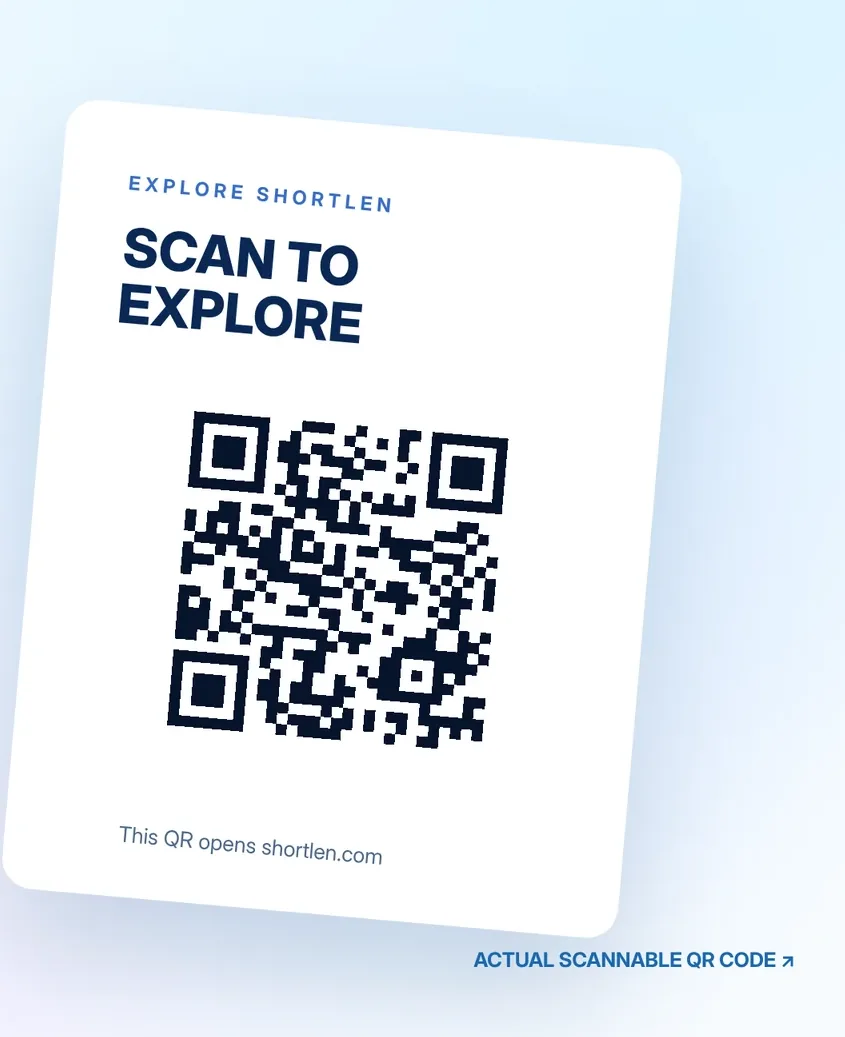
A static QR code stores the final content itself, for example https://example.com/spring-menu-2026. It works forever without any service in between, but it can never change. If the page moves, the code is dead, and you cannot count scans.
A dynamic QR code stores a short link, such as b1.lc/qr/Ab3dE9fG, that redirects to your page. Because the code only holds the short link, you can:
- change the destination after printing, without reprinting;
- count scans, with time, country and device;
- keep the code small and easy to scan, because the short link is only a few characters;
- add rules such as a password, an expiry date or a scan limit.
| Static | Dynamic | |
|---|---|---|
| Edit destination after printing | No | Yes |
| Scan counts and analytics | No | Yes |
| Code density | Grows with the length of the URL | Stays low (short link) |
| Depends on a service | No | Yes, the short-link service |
| Best for | Wi-Fi logins, permanent text, private one-offs | Marketing, packaging, menus, anything printed in volume |
The trade-off is that a dynamic code depends on the service that runs the short link. Pick a provider that keeps existing codes working even if you stop paying. BN Shortener’s rule is that plan limits only restrict creating new items, never serving existing ones. Read the full comparison in static vs dynamic QR codes.
Where are QR codes used?
- Marketing and print: posters, flyers, direct mail, business cards, shop windows.
- Restaurants and venues: menus, ordering, reviews, Wi-Fi.
- Packaging: product information, instructions, recycling, and increasingly retail checkout. The GS1 version, a QR code that carries a product barcode number inside a web address, is explained in our GS1 Digital Link QR code guide.
- Events and travel: tickets, boarding passes, check-in.
- Payments: pay-by-scan at counters and on bills.
- Operations: asset labels, inventory and the factory floor where it started.
How do I make a good QR code?
A checklist that prevents most failures:
- Use a dynamic code for anything printed. You will want to change the page or see results later.
- Keep the content short. A short link gives a low-density code that scans faster and smaller.
- Keep strong contrast, dark on light. The Nielsen Norman Group recommends a dark foreground on a light background and warns against inverted colours, which some scanners cannot read.
- Leave the quiet zone. Four modules of empty space on every side; do not crop it or print text into it.
- Size it for the distance. NN/g’s rule of thumb is 1 cm of code width for every 10 cm of scanning distance, with 2 x 2 cm as a practical minimum.
- Tell people what they get. NN/g advises adding context: “Scan for the full menu” beats a bare code or a vague “Learn more”.
- Export a vector file for print (SVG, PDF or EPS) so edges stay sharp at any size.
- Test before you print. Scan a proof with at least two different phones at the real distance.
BN Shortener checks part of this list for you: its Launch Check fails a code below 3:1 contrast, warns below 4.5:1, and flags inverted colours, transparent backgrounds and a logo larger than 20% with low error correction.
Are QR codes safe to scan?
A QR code cannot run code by itself; it is data, and the risk is the link inside. That is exactly why scammers like them: you cannot read a QR code by eye. The US Federal Trade Commission warned in December 2023 that scammers hide harmful links in QR codes, for example stickers over real codes on parking meters or codes in unexpected emails and texts. Its advice:
- If a code is in an unexpected place, inspect the URL before you open it, watching for misspellings or a switched letter.
- Do not scan codes in emails or texts you were not expecting, especially ones that push you to act now.
- If a message seems real, contact the company using a phone number or website you already know.
- Keep your phone updated and protect accounts with strong passwords and multi-factor authentication.
Free tools help. Our QR code scanner and the QR Code Decoder on b1.lc read a photo or screenshot of a code in your browser, without uploading it, and show what it contains before you open anything. For BN short links, adding a + to the end of the link (for example b1.lc/AbC9+) shows where it goes without visiting it.
If you publish codes, you are on the other side of this. Use a recognisable or branded domain in the link, print the destination address next to the code where you can, and keep the destination secure. BN Shortener scans every destination against threat feeds when a link is created and rescans active links daily.
How do I track QR code scans?
Only dynamic codes can be tracked, because each scan passes through the short link. A good tracker counts people, not bots, and shows when, where and on what device people scanned. BN Shortener records each scan’s country, city, device, browser and time, and shows totals, unique visitors and top countries per code. You can also add UTM tags to a URL code so scans appear correctly in Google Analytics. The step-by-step version is in how to track QR code scans.
Start with one dynamic code
If you are about to print a QR code, make it dynamic so you can fix the destination and see what happened afterwards. BN Shortener’s free plan includes 5 dynamic QR codes with scan analytics; Pro adds 250 dynamic codes and Business 2,500; start free today at b1.lc and see what each plan includes on pricing or the QR code feature page.
QR Code is a registered trademark of DENSO WAVE INCORPORATED.
Sources
- History of QR Code, DENSO WAVE (QRcode.com), undated. Checked 2026-10-23.
- Standardization of QR Code, DENSO WAVE (QRcode.com), undated. Checked 2026-10-23.
- Information capacity and versions of QR Code, DENSO WAVE (QRcode.com), undated. Checked 2026-10-23.
- Error correction feature, DENSO WAVE (QRcode.com), undated. Checked 2026-10-23.
- FAQ (licensing and trademark), DENSO WAVE (QRcode.com), undated. Checked 2026-10-23.
- QR code character capacities by version, Thonky.com, undated. Checked 2026-10-23.
- 13 QR-Code Usability Guidelines, Nielsen Norman Group, 2024-02-09. Checked 2026-10-23.
- Scammers hide harmful links in QR codes to steal your information, US Federal Trade Commission, 2023-12-06. Checked 2026-10-23.