
How to make a QR code for a location: Google Maps, Apple Maps or geo:
Make a QR code that opens a map: Google Maps and Apple Maps link formats, the geo: URI, which one opens what on iPhone and Android, and a smart link for both.
Key takeaways
- Google's cross-platform Maps URL opens the Google Maps app on Android and iOS when it is installed, and a browser everywhere else.
- Apple's unified Maps URLs (iOS 18.4 and later) open Apple Maps on Apple devices; Apple's documentation does not cover other platforms.
- A geo: code holds latitude then longitude; Android hands it to a map app, and Apple has said the iPhone Camera opens Maps for it, but test on current phones.
- Add a place ID when you mean a business, so the map opens the listing with hours and reviews, not just a pin.
- Use a dynamic code for events and pop-ups, so a venue change does not mean a reprint.
A location QR code saves people from typing an address into a map app: they scan and the map opens on the right spot. There are three ways to build one, and they behave differently on iPhone and Android. This guide shows the formats, what each opens on which device, and when a smart link that picks the right map app is worth it.
Which link should a location QR code hold?
| Option | Example | Android | iPhone | Computer |
|---|---|---|---|---|
| Google Maps URL | https://www.google.com/maps/search/?api=1&query=... | Google Maps app, or a browser if the app is missing or disabled | Google Maps app if installed, otherwise a browser | Google Maps in a browser |
| Apple Maps URL | https://maps.apple.com/place?coordinate=... | Not covered by Apple’s documentation: test | Apple Maps (unified URLs from iOS 18.4) | Apple Maps on a Mac with macOS 15.4 or later; other computers not covered |
| geo: URI | geo:48.8584,2.2945 | Handed to an installed map app | Apple said in 2017 the Camera opens Maps with a pin: test on current iOS | Not covered by these sources |
The Google column comes from Google’s Maps URLs documentation, the Apple column from Apple’s “Adopting unified Maps URLs” page and its iOS 11 developer talk, and the Android geo: row from Android’s developer guide to common intents. Where a source does not cover a case, the table says so.
Our recommendation: for a mixed audience, use a Google Maps URL. Google’s own page recommends its cross-platform URL, and it is the only option documented to open something useful on every device. Use a smart link if you want iPhone users in Apple Maps.
How do you build a Google Maps link for a QR code?
Google’s cross-platform format for a place is:
https://www.google.com/maps/search/?api=1&query=<address or coordinates>
Examples:
- Coordinates:
https://www.google.com/maps/search/?api=1&query=48.8584,2.2945 - Address:
https://www.google.com/maps/search/?api=1&query=1600+Amphitheatre+Parkway,+Mountain+View,+CA - A specific business: add
&query_place_id=and the place ID. Google says the place ID is the best guarantee of linking to the right place, and thatqueryis still required and used only if the place ID cannot be found.
For directions instead of a pin, the format is:
https://www.google.com/maps/dir/?api=1&destination=<address or coordinates>
Google’s page describes how these URLs behave: on Android, the URL launches the Maps app when it is installed and active, or a browser otherwise; on iOS, the app if installed, or a browser if not; on any other device, a browser. Spaces and special characters in addresses must be URL-encoded; our URL encoder and decoder does it for you.
How do you build an Apple Maps link?
Apple introduced unified Maps URLs that work across its devices from iOS 18.4, macOS 15.4 and watchOS 11.4. The useful ones for a QR code:
- A pin at coordinates:
https://maps.apple.com/place?coordinate=40.779092,-73.962932 - A pin with your own label: add
&name=Main%20Entrance - An address:
https://maps.apple.com/place?address=1000%20Fifth%20Ave,%20NY,NY,10028%20United%20States - Directions:
https://maps.apple.com/directions?destination=<address or coordinates>&mode=walking(modes: driving, walking, transit, cycling)
Apple’s page describes Apple platforms only and does not say what Android phones do with these links, so do not use an Apple Maps link alone for a general audience.
How does a geo: QR code work?
The geo URI is a standard, RFC 5870, published in 2010. Its basic form is geo: followed by latitude, longitude and optionally altitude, such as geo:48.2010,16.3695,183. Coordinates use WGS-84, the system GPS devices use, unless stated otherwise. The RFC warns that swapping latitude and longitude is a common mistake; latitude always comes first, and south and west are negative.
The ZXing barcode project, whose formats phone scanners follow, says a reader might open a local mapping application to the location, or a web mapping service. Android’s developer guide lists the formats map apps accept:
geo:47.6,-122.3shows the map at that point.geo:47.6,-122.3?z=11adds a zoom level, from 1 (the whole Earth) to 23.geo:0,0?q=34.99,-106.61(Treasure)shows a labeled pin.geo:0,0?q=1600+Amphitheatre+Parkway%2C+CAsearches for an address.
On the iPhone, Apple’s 2017 talk introducing QR scanning in the Camera showed a geo code: tapping the notification opened the Maps app with a pin dropped at the location. That talk is from iOS 11, and we found no current Apple page confirming it, so test before you print.
A geo: code needs no website and no internet connection to decode. Its weakness is that it is static and uncountable: you cannot change it after printing or see how many people scanned.
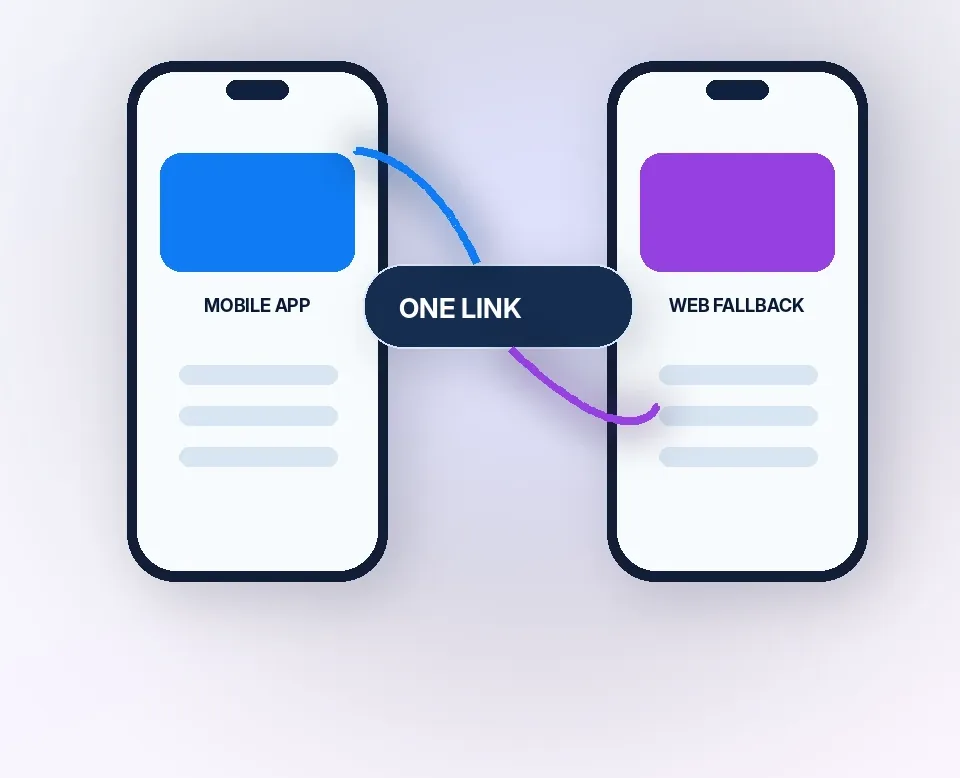
Can one code open the right map app on every phone?
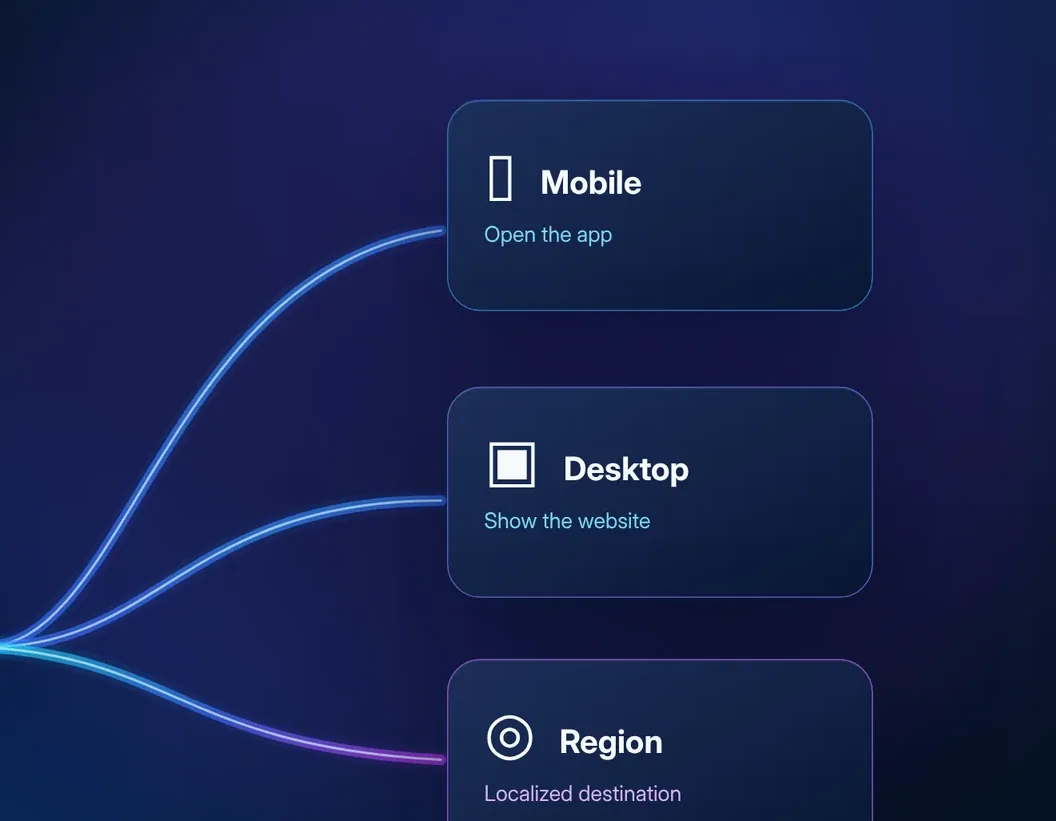
Yes, with smart rules. In BN Shortener you can add the rule directly to a dynamic QR code (or to a short link): if the operating system is iOS, send scans to the Apple Maps URL; everyone else gets the Google Maps URL, the main destination.
BN Shortener’s smart links support exactly this: rules can match on device type, operating system, country, language and more, and the first matching rule wins; developers can also try a pretend visitor with the API’s rule tester before printing. Smart rules are part of Pro ($15 a month). Our guide to smart links by device and country shows the setup in detail.
How do you find a place ID?
A place ID tells the map exactly which business you mean, so people land on the listing with its name, hours and reviews, rather than a bare pin that might sit on the building next door.
- Google: the Places API documentation includes a Place ID Finder: search for the place and it shows the ID. Add it to the link as
query_place_id=, and keep thequeryparameter as well, since Google uses it if the ID cannot be found. - Apple: Apple’s unified Maps URLs accept a
place-idparameter, for examplehttps://maps.apple.com/place?place-id=I521E602783BA9605(the Metropolitan Museum of Art in Apple’s own example), and Apple’s documentation points to a Place ID Lookup page on its developer site to find one.
For a spot that is not a listed business (a side entrance, a meeting point, a field at a festival), use coordinates instead, and add a label: name= in an Apple Maps link, or a label in brackets in an Android geo: code.
When should a location code be dynamic?
| Use | Static or dynamic | Why |
|---|---|---|
| Shop window, permanent address | Either | The place will not move; dynamic adds scan counts |
| Event, festival, conference | Dynamic | Venues and entrances change; switch to an “event over” page afterwards |
| Pop-up, market stall, food truck | Dynamic | Update the location each week without new signs |
| Delivery or rental instructions | Dynamic | Point to the exact entrance; fix it if drivers keep missing it |
| Trailhead, outdoor sign with no signal | Static geo: | Decodes offline; the map app may have offline maps |
With a dynamic code the printed pattern holds a short address, and you change where it leads in the dashboard. The static vs dynamic QR codes guide explains the trade-off.
How do you make a location QR code, step by step?
- Find the exact spot. Drop a pin on the entrance you want people to reach, not the center of the building or the car park, and copy its coordinates. For a business with a map listing, find its place ID so the listing opens.
- Build the link. Use the Google Maps format for a general audience; add an Apple Maps link too if you will use a smart link.
- Test the link on an iPhone and an Android phone, with and without the Google Maps app.
- Create the code. Paste the link into our free QR code generator for a static code, or create a dynamic code in BN Shortener so you can change it and count scans. BN’s QR builder also has a Location type that takes coordinates or an address and opens maps.
- Add a call to action and the address in text, such as “Scan for directions: 12 Harbor Road, back entrance”.
- Size and test the print. At least 2 x 2 cm and about 1 cm wider per 10 cm of distance; a sign read from across a car park needs to be large. See the QR code size guide.
Ideas for events and shops
- Events: put a directions code on tickets and confirmation emails, pointing to the entrance or the parking gate. After the event, switch the same code to photos or a feedback form.
- Shops: a code on flyers and business cards that opens your map listing, so people also see opening hours. Add one at the till for “find our other branch”.
- Deliveries and rentals: a code on the door sign or in the welcome pack that opens the exact entrance or the key box.
- Multiple locations: one code per branch, or one smart link that sends visitors to the branch in their city.
Common mistakes with location codes
- Latitude and longitude swapped. The pin lands in the ocean or another continent. Latitude always comes first.
- Too few decimal places. Two decimals can be off by hundreds of meters; keep five or six for a doorway.
- An address that matches several places. “Main Street 12” exists in many towns; include the city and country, or use a place ID.
- A long link copied from the browser bar, which can carry map position and other parameters you did not mean to print. Build the link in Google’s documented cross-platform format instead.
- An Apple-only link for a mixed audience, which Apple does not document for Android phones.
- No address in text, which leaves people stuck if the scan fails.
Location QR code checklist
- Coordinates point at the entrance, latitude first.
- Google Maps link for mixed audiences; Apple-only links only behind a smart rule.
- Place ID added for businesses.
- Tested on iPhone and Android, with and without the Google Maps app.
- Address printed in text beside the code.
- Dynamic code for anything that might move.
Start free
You can make your first editable, trackable location codes today: BN Shortener’s free plan includes 5 dynamic QR codes, and smart rules come with Pro and Business. Start free at b1.lc, and see the QR code features for design options.
Sources
- Get started with Maps URLs, Google for Developers, undated. Checked 2026-10-23.
- Adopting unified Maps URLs, Apple Developer Documentation, undated. Checked 2026-10-23.
- Common intents: Maps, Android Developers, undated. Checked 2026-10-23.
- RFC 5870: A Uniform Resource Identifier for Geographic Locations ('geo' URI), IETF (RFC Editor), 2010-06. Checked 2026-10-23.
- QR Code Recognition on iOS 11, Apple Developer (video), 2017. Checked 2026-10-23.
- Barcode Contents: geo, ZXing project wiki (GitHub), undated. Checked 2026-10-23.