How to make QR codes in Excel and Google Sheets: formulas, add-ins or bulk tools
Make QR codes from a spreadsheet: the IMAGE formula in Excel and Google Sheets, what it sends to outside servers, add-ins, and bulk tools that export a ZIP.
Key takeaways
- Neither Excel nor Google Sheets makes QR codes by itself; the formula method asks an outside QR service to draw each code.
- Every link in the formula is sent to that service, which may log your IP address and referrer, so keep private links out of it.
- Excel's IMAGE needs an https address and blocks redirected URLs; Google Sheets' IMAGE does not support SVG or images hosted on drive.google.com.
- Short links make the formula simpler, because they have no ? or & characters that need encoding.
- For printing, use a bulk QR tool that outputs real image files (PNG or SVG) with a manifest matching files to rows.
You have a spreadsheet of products, tickets, rooms or staff, each with a link, and you need a QR code for every row. Excel and Google Sheets can get you there, but not on their own: the popular formula method asks a website to draw each code, which has privacy and printing trade-offs most tutorials skip. This guide covers the three ways to do it, the exact formulas, what each one sends where, and how to choose.
Can Excel or Google Sheets make a QR code on their own?
No. Neither has a QR function. What both have is an IMAGE function that shows a picture from a web address inside a cell. If that web address belongs to a QR service that draws a code on request, you get a QR code per row. The three routes are:
| Method | How it works | Good for | Watch out for |
|---|---|---|---|
| IMAGE formula | Each cell asks a QR service to draw a code from the row’s link | A quick visual check of a few links | Links go to an outside server; images are cell-sized |
| Add-in or extension | A plug-in draws codes inside the spreadsheet | People who must stay inside Excel or Sheets | Review what data the add-in can access |
| Bulk QR tool | You paste or upload the list and download a ZIP of image files | Printing, labels, packaging, private lists | One extra step outside the sheet |
How do you make a QR code with a formula in Google Sheets?
Google’s help gives the syntax as IMAGE(url, [mode], [height], [width]). Mode 1, the default, “resizes the image to fit inside the cell, maintaining aspect ratio”. Mode 4 lets you set a custom height and width.
Many tutorials use goQR.me’s free API, whose documentation gives the address https://api.qrserver.com/v1/create-qr-code/ with a data parameter for the content and a size parameter such as 300x300. With a link in cell A2:
=IMAGE("https://api.qrserver.com/v1/create-qr-code/?size=300x300&data="&A2)
Fill the formula down and each row shows its code. Google’s help adds a few limits: SVG is not supported, images hosted on drive.google.com cannot be used, “no mode causes the cell to be resized to fit the image”, so make the rows taller yourself.
How do you make a QR code with a formula in Excel?
Microsoft’s syntax is IMAGE(source, [alt_text], [sizing], [height], [width]), and the source must be “The URL path, using an “https” protocol, of the image file.” Sizing 0 fits the image in the cell and keeps its proportions.
=IMAGE("https://api.qrserver.com/v1/create-qr-code/?size=300x300&data="&A2, "QR code for "&A2, 0)
The second argument is alt text, which helps anyone using a screen reader. Microsoft lists IMAGE for Excel for Microsoft 365 (Windows and Mac), Excel 2024 (Windows and Mac), Excel for iPhone and Excel for Android phones. Its help also notes that Excel blocks redirected URLs and URLs that need authentication, and that it returns #BLOCKED! when your security settings block the image. You may need to allow linked images when Excel asks.
Why do links with ? or & break the formula?
The link becomes part of another web address, the QR service’s. A & inside your link starts a new parameter for the QR service, so the code stops at that point and the rest of your link is lost. A # cuts it off completely. The fix is to percent-encode the link before adding it.
In Excel for Windows, wrap the cell in ENCODEURL: ...&data="&ENCODEURL(A2). Microsoft notes that “The ENCODEURL function is not available in Excel for the web or Excel for Mac.” Elsewhere, encode links before pasting them, for example with our free URL encoder and decoder.
There is a simpler route: use short links. A short link such as b1.lc/spring-menu has no ?, & or #, so it goes into the formula as it is. It also makes the code less dense, which helps it scan at small sizes. Long links with UTM tags are exactly the ones that break, and exactly the ones a short link hides.
What does the formula send to the QR service?
Everything in the link, every time the sheet loads the images. That is the part most tutorials leave out. goQR.me’s own documentation is open about it: the provider records each request’s origin, the referrer and IP address, and says it does not record the contents of the QR codes. Other services have their own policies, and some say nothing.
Before you use the formula method, ask:
- Are any links private: customer-specific pages, unreleased products, internal tools, discount codes?
- Does your company allow sending this data to an outside service?
- Will the service still be online next year, when someone opens the file?
goQR.me also says there is no request limit but it reserves “the right to reject API requests”, and asks heavy users to contact it above 10,000 requests a day. If the service goes away or rejects you, every image in the sheet breaks.
How should you lay out the sheet?
A tidy sheet saves time whichever method you choose:
| Column | Example | Why |
|---|---|---|
| Name | SKU-1042 or Room 12 | Names each image file and appears in the manifest |
| Destination | The full page address | What the code should open |
| Short link | b1.lc/sku-1042 | What goes into the code; easy to repoint later |
| QR (optional) | The IMAGE formula | A visual check while you work |
Keep the name column unique, since duplicate names produce confusing files, and keep destinations on their own column so you can change them without touching the codes.
What about QR add-ins for Excel and Sheets?
Both Microsoft and Google run add-on stores, and several add-ins promise QR codes inside the sheet. They can be convenient for people who must stay in the spreadsheet, but treat them like any software that reads your data:
- Check the permissions it asks for. An add-in that can “see, edit and delete all your spreadsheets” can read more than the column you want encoded.
- Check who makes it and whether there is a privacy policy that says where your data goes.
- Check whether codes are made locally or by sending your links to the publisher’s server, which brings back the same question as the formula method.
- Check your company’s rules. Many organizations restrict add-ins for exactly these reasons.
If an add-in fails any of these, export the column and use a tool that runs in your browser instead.
When should you use a bulk QR tool instead?
For anything you print. Spreadsheet images are sized to cells and redrawn on demand, while printers want real files at a known size, preferably vector (SVG, PDF or EPS) so they stay sharp. DENSO WAVE, which created the QR code, also requires “a four-module wide margin at all sides of a symbol”, which a cell crop can easily cut.
The workflow is short:
- Keep a column with a name for each row (product code, room, ticket number) and a column with the link.
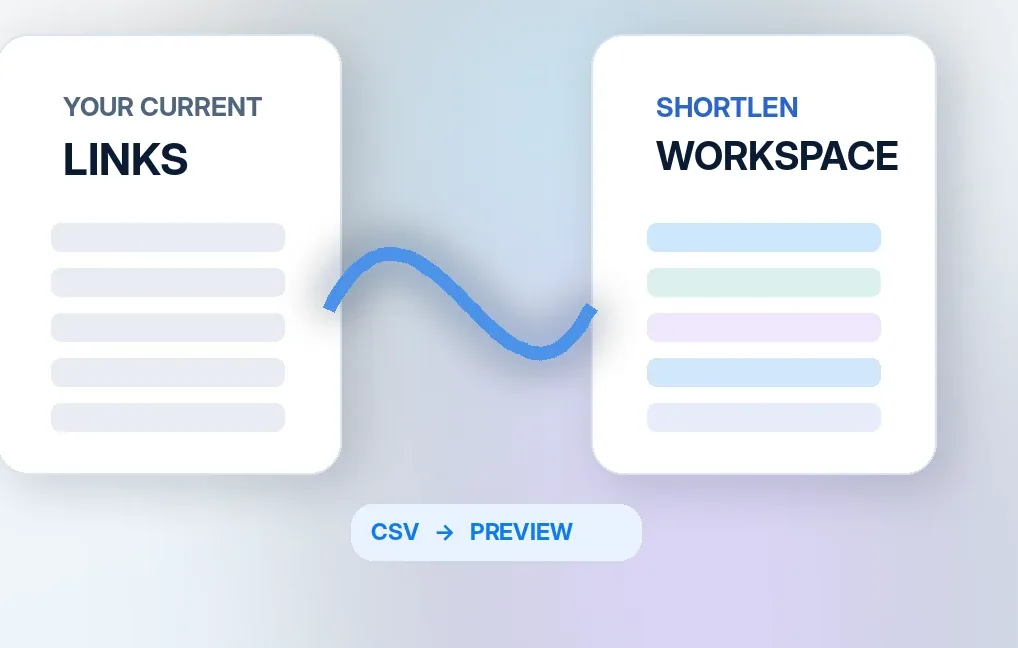
- Export as CSV, or copy the two columns.
- Paste them into a bulk QR tool and choose the format, size and colors.
- Download one ZIP with one file per row, named after the name column.
- Use the manifest to check that every file matches its row before printing.
Our free bulk QR code generator takes up to 500 lines of links, or name and link pairs, and downloads one ZIP of PNG or SVG files with a codes.csv manifest. The list is processed in your browser and never uploaded.
Should the codes be static or dynamic?
A formula, and most free bulk tools, make static codes: each holds the full link forever. That is fine for links that never change. If the destinations might change, or you want scans counted per code, make dynamic codes, which hold a short link you can repoint later. See static vs dynamic QR codes for the trade-offs.
In a BN Shortener account, you can upload a CSV of up to 2,000 rows (links or contact cards) and get dynamic codes. Download up to 200 at once as a ZIP, or up to 5,000 as a background export kept for 24 hours, in PNG, JPEG, WebP, SVG, PDF or EPS. Every ZIP includes a codes.csv so you can match files to rows. The free plan includes 5 dynamic QR codes; Pro and Business include more. Our guide to bulk shortening links from a CSV shows how to prepare the file.
What is the checklist before printing codes from a sheet?
- Every link opens the right page on a phone.
- Links with ?, & or # were encoded, or replaced by short links.
- No private link went through an outside QR service.
- The codes are image files at print size, not cell screenshots.
- Each file is named after its row, and the manifest matches.
- A clear margin of four modules surrounds every code.
- You scanned a printed sample of several rows with an iPhone and an Android phone.
Read QR code size for print to choose the printed size, or use the QR code size calculator.
Start free
Make up to 500 codes now with the free bulk QR code generator, which runs in your browser. When you need codes you can change and track, start free at b1.lc: the free plan includes 5 dynamic QR codes, and Pro is $15 a month ($144 a year). See all QR code features.
Sources
- IMAGE function, Microsoft Support, undated. Checked 2026-10-24.
- ENCODEURL function, Microsoft Support, undated. Checked 2026-10-24.
- IMAGE function, Google Docs Editors Help, undated. Checked 2026-10-24.
- QR code generator API: create-qr-code, goQR.me, undated. Checked 2026-10-24.
- Points for setting QR Code symbol size (module size and margin), DENSO WAVE (QRcode.com), undated. Checked 2026-10-24.