
Link management for agencies: a workspace per client, clear reports
Agencies juggle many brands, many domains and many people. Keep each client's links in its own workspace on its own domain, give each person only the access they need, and send clients numbers they can trust.
Updated
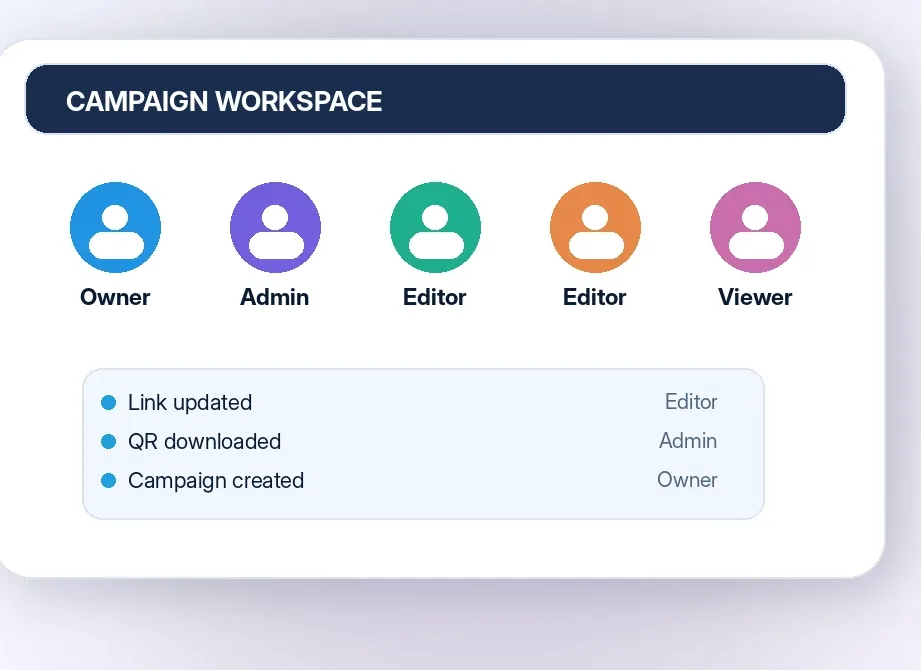
Switch between client workspaces without sharing passwords.
Owner, admin, editor and viewer, applied on the very next request.
Each brand's links on its own domain, with automatic SSL. Business includes 10.
Shared stats pages, CSV and PDF exports, scheduled email reports and an audit log.
How should an agency organise links for several clients?
There are three sensible set-ups, and many agencies mix them. Larger clients own their workspace: they hold the account and the plan, and invite your people. With agency mode on Business, the agency creates up to 10 client workspaces (unlimited on Enterprise) that run on its own plan, stays admin of each, and invites client staff as read-only viewers. Smaller clients can live inside the agency's own workspace, separated by campaign, link folder and domain. Either way, a person can belong to many team workspaces and switch between them, while their sign-in, password, two-step sign-in and sessions stay their own.
| Client owns the workspace | Agency-managed client workspace | Client inside the agency workspace | |
|---|---|---|---|
| Who pays | The client, on its own plan | The agency: client workspaces run on the agency's plan, with usage counted together | The agency |
| Separation | Fully separate links, domains, analytics and audit log | A separate workspace per client, created by the agency, which stays admin | A campaign, a link folder and a custom domain per client |
| Client access | The client's own team | Client staff are invited as read-only viewers | A viewer seat or a shared stats page |
| When the contract ends | The client keeps everything; the owner removes your team | Export the client's links and hand them over | Export the client's campaign (CSV or JSON) and hand it over |
| Best for | Retainers, regulated brands, large teams | Agencies running many brands (Business includes 10 client workspaces, Enterprise unlimited) | Small clients and short projects |
What can each person on the account do?
Roles keep juniors productive and the client's settings safe. Changes and removals take effect on the next request, so someone who leaves the agency loses access straight away. Invitations go by email with a role, editor by default, and are valid for 7 days. Business includes 5 seats per workspace (the owner, members and pending invitations count); Enterprise has unlimited seats plus single sign-on and SCIM.
| Role | Give it to | Can do |
|---|---|---|
| Owner | The client, or the agency for its own workspace | Everything, including billing; the only role that makes or removes admins |
| Admin | The account lead | Everything except billing; invites editors and viewers; sees the audit log |
| Editor | Campaign managers and designers | Links, QR codes, bio pages, campaigns, Launch Check and Guardian; not billing, domains, webhooks, security, messaging or the team |
| Viewer | The client's marketing manager | Read only |
How do I run each client's links on its own domain?
Add each brand's short domain, such as go.clientbrand.com, under Integrations > Custom Domains: a CNAME to b1.lc, a TXT record to prove ownership, and the SSL certificate is issued and renewed automatically. Pro includes 3 domains and Business 10, per workspace. Each domain can have its own home page, Link not found page and Expired link page, so a mistyped link lands on the client's site, not on yours.
Set a default domain on each client's campaign so new links never land on the wrong brand, and give the campaign a UTM preset so tags stay consistent. Launch Check fails a link whose custom domain is unverified or whose SSL is not active, which catches a domain the client's IT team changed without telling you.

How do I report link results to clients?
Every number counts people, with bots and link previews filtered out, so the clicks you report hold up when the client compares them with their own web analytics. Pick the report format that suits each client.
| Report | What the client gets | Plan |
|---|---|---|
| Shared stats page | A link to live totals, a daily chart, top countries, devices, browsers and referrers; no personal data; switch it off any time | Any link |
| Email reports | Daily, weekly or monthly summary with top links, QR scans, countries and devices | Set up in Settings |
| PDF report | A one-page A4 summary of clicks, visitors, countries, devices and browsers | Pro and higher |
| CSV of every click | Time, country, city, device, referrer and UTM tags, filtered by period or segment | Pro and higher |
| Campaign analytics and export | Clicks, unique visitors, top links and goal progress per campaign, exported as CSV or JSON | Pro and higher |
| API and webhooks | Stats and events for your own dashboards | API on every plan |
How do I see who changed a client's link?
Each link keeps a history of every change: old value, new value, who and when, with one-click rollback per field. On Business and Enterprise the audit log adds the account-wide view for owners and admins: sign-ins, link and QR changes, API keys, domains, webhooks and team changes, filtered by date, action and person, and exported as CSV or NDJSON (up to 100,000 rows). Workspace owners can also get a daily team activity email that lists what each member did; nothing is sent on quiet days.
When a client moves to you from another shortener, import its links from a Bitly, Rebrandly, Short.io, TinyURL or Dub CSV: up to 1,000 rows per import, a dry run first, old codes kept where they are free, and a mapping file of old and new links. See switching shorteners.
Get started
- Start free
Create your agency account at b1.lc; it becomes your own workspace.
- Set up each client
Have larger clients create their own workspace and invite you, or add a campaign and domain per client in yours.
- Invite the team
Invite people by email as admin, editor or viewer. Give client contacts the viewer role.
- Import existing links
Bring each client's links over from a CSV export, with a dry run and an old-to-new mapping file.
- Agree the report
Set up a shared stats page, an email report or a monthly PDF and CSV export for each client.
Frequently asked questions
Still unsure? Ask us at sales@shortlen.com.
What is agency mode?
On Business, the agency can create up to 10 client workspaces (unlimited on Enterprise). They run on the agency's plan with usage counted together, the agency stays admin of each one, and client staff are invited as read-only viewers who see their own links and reports.
Can one person work in several client workspaces?
Yes. A person can belong to many workspaces and switch between them, while their own sign-in, password, two-step sign-in and sessions stay theirs.
How many team members are included?
Business includes 5 seats per workspace, counting the owner, members and pending invitations. Enterprise has unlimited seats.
Can a client see results without editing anything?
Yes. Invite them as a viewer, or send a shared stats page that needs no sign-in and shows only totals, never personal data.
Which plan has the audit log?
Business and Enterprise. Owners and admins can filter it by date, action and person and export it as CSV or NDJSON. Enterprise adds a SIEM API.
Can each client's links use their own domain?
Yes. Pro includes 3 custom domains and Business 10, with SSL issued automatically and a home, not-found and expired page per domain.
What happens to a client's links when our contract ends?
If the client owns the workspace, they keep everything and remove your team. If the links are in your workspace, export them as a BN export or CSV; the client can import that file into its own account and keep the same codes where they are free.
Free tools for this
Features you will use
Guides
Try it on your next link
The Free plan includes a custom domain, 5 dynamic QR codes, a bio page and click analytics. No credit card.