
QR codes and short links for restaurants, cafes and bars
Print a menu code once and point it at a new menu whenever prices or dishes change. Add codes for Wi-Fi, reviews and WhatsApp orders, and see how many guests actually scan each one.
Updated
Swap the menu page or PDF behind a printed code at any time, with no reprint.
One code per table, window or flyer, so you can see which spots get scanned.
A Wi-Fi card for guests and a code that opens your review page on the way out.
A link or code that opens a WhatsApp chat with your number and a ready order message.
Should every table have its own QR code?
Only if you want to know which tables, windows or flyers get scanned. One shared menu code is the simplest set-up and fits the Free plan easily. Each one gets its own scan analytics: scans, unique visitors, mobile and desktop, by date, country and device. That tells you, for example, whether the terrace or the street-window poster brings more people to the menu.
For many codes, upload a CSV: up to 2,000 rows (links or vCards) become dynamic codes in one go, all sharing one design. Download 200 at once, or up to 5,000 as a background export, each ZIP with a codes.csv. Folders and tags keep a large set tidy, for example one folder per location.
| Set-up | Codes needed | What you learn | Plan that fits |
|---|---|---|---|
| One menu code everywhere | 1 | Total menu scans by day and device | Free (5 dynamic codes) |
| Menu, Wi-Fi, reviews, WhatsApp, flyer | 5 | Which job guests use most | Free |
| One code per table, 20 tables | 20 or more | Scans per table and area | Pro (250 dynamic codes) |
| Several locations, every table | Hundreds | Scans per site, folder and table | Business (2,500 dynamic codes) |
Can one code show the breakfast menu in the morning and dinner at night?
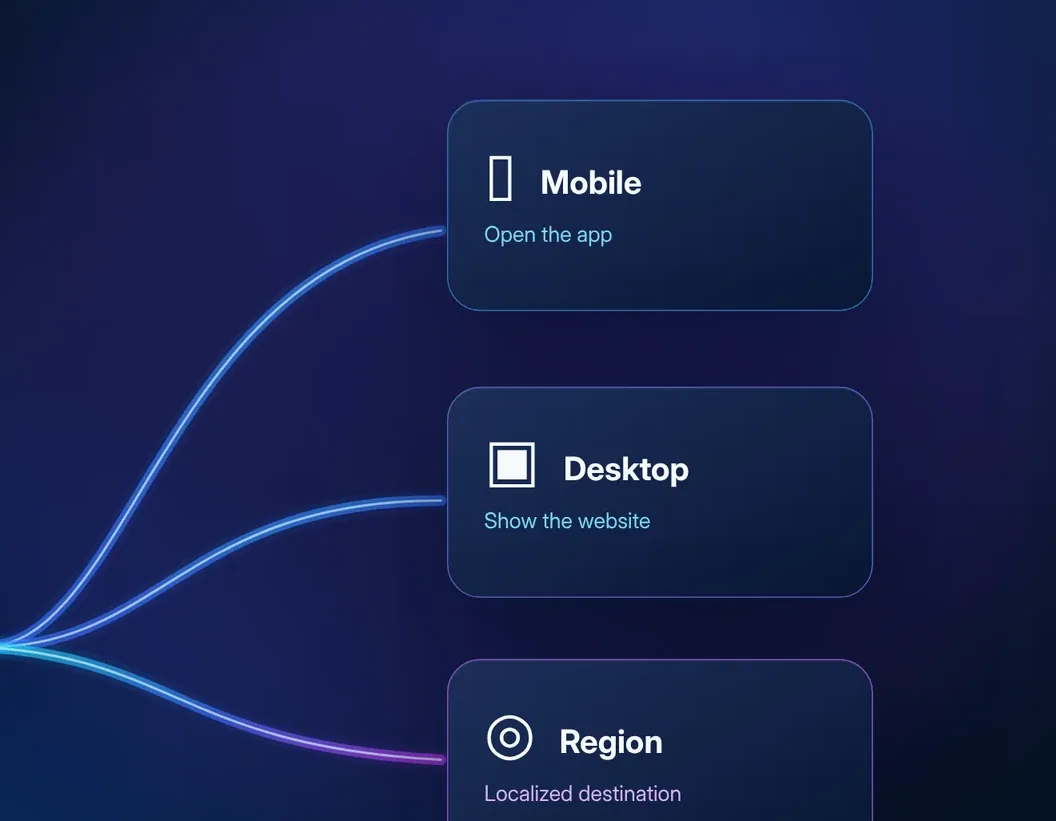
Yes, on Pro and higher, with smart links. Add rules to the menu link on the hour of day in your time zone: before 11:00 send guests to the breakfast menu, from 11:00 to 17:00 to lunch, and after that to dinner. The same rules can use the visitor's browser language, so a guest whose phone is set to Arabic or French can land on that version of the menu if you have one.
For a menu that only runs on certain dates, such as a holiday set menu, the link's Schedule tab sets a start and end time and a fallback page for visits outside those dates.
Which other QR codes are worth printing?
Most venues need a few more codes beyond the menu. Some work best as dynamic codes in the dashboard, others as free static codes from our tools.
| Job | How to build it | Good to know |
|---|---|---|
| Guest Wi-Fi | The free Wi-Fi QR code generator, or a static WiFi code in the dashboard | Keep Wi-Fi codes static: only a static code makes the phone offer to join the network. Change the password and you print a new card. |
| Reviews | A URL code pointing at your review page | Put it on the bill folder or receipt. Scan counts show whether anyone uses it. |
| Feedback and reviews | The Feedback QR type in the dashboard | A rating page in English or Arabic that shows your review links to every guest (no review gating, as Google requires). Each answer is emailed to you, sent as the qr.feedback webhook and listed in the Feedback viewer. |
| WhatsApp orders | The WhatsApp type in the dashboard, or the free WhatsApp link generator | Add a pre-filled message such as "Hi, I'd like to order for pickup" so the guest only has to press send. |
| Bookings | A short link or code to your booking page | Use it on takeaway bags, flyers and your Instagram bio. |
How do restaurants use short links outside the venue?
TikTok allows one link in your profile and Instagram only a few. A bio page at b1.lc/@yourname holds everything behind it: menu, booking, delivery apps, WhatsApp ordering, a Google Map block with your address and an email sign-up for offers. The Free plan includes one bio page, and its analytics show which button guests tap most.
For posts, delivery-app listings and printed flyers, use a short link on your own domain, such as eat.yourplace.com/brunch, so people recognise it as yours. The Free plan includes one custom domain. Add UTM tags with the UTM builder so Google Analytics can tell flyer visits from Instagram visits.
Get started
- Create a free account
Start free at b1.lc. No card is needed, and the Free plan includes 5 dynamic QR codes.
- Make the menu code
Go to Links > QR Codes, choose URL, paste your menu address and keep the default dynamic code switched on.
- Design it for the table
Add your colours, logo and the View Menu frame. Raise error correction to Q or H if you added a logo.
- Check and print
Run Launch Check, download SVG or PDF for the printer, and test-scan the proof from about 30 cm with two phones.
- Add Wi-Fi, review and WhatsApp codes
Build each one, place them where guests need them, and watch the scan counts for a couple of weeks.
Frequently asked questions
Still unsure? Ask us at sales@shortlen.com.
Do I need to reprint my QR codes when the menu changes?
Not with a dynamic code. You change the destination in the dashboard and the printed code follows. Only a static code, which stores the menu address itself, needs a reprint.
Can I put a PDF menu behind a QR code?
Yes. Point a dynamic code at the PDF's address. On Pro and higher you can also upload the PDF as a file link and point the code at that.
How many QR codes do I get for free?
The Free plan includes 5 dynamic QR codes, 100 new short links a month, one custom domain and one bio page. Pro raises dynamic codes to 250 and Business to 2,500.
Will my QR codes stop working if I change plan?
No. Plan limits only restrict creating new items. Codes you already made keep working and stay editable after a downgrade or cancellation, and no ads are added.
What size should a table QR code be?
Big enough to scan from where the guest sits, with a clear quiet zone around it. Our guide on QR code size for print gives the rules, and Launch Check advises a test scan from about 30 cm with two phones.
Can a QR code open a WhatsApp chat for orders?
Yes. The WhatsApp type takes your number and a pre-filled message, so the guest opens a chat with the order text ready to send. With several order numbers, a short link's rotation can send each guest to a different WhatsApp number, only during opening hours and with a daily cap per number.
How do I collect ratings and reviews with a QR code?
Use the Feedback QR type. Guests rate their visit on a page in English or Arabic, and your Google or other review links are shown to everyone, whatever the rating, so there is no review gating. Each answer is emailed to you and appears in the Feedback viewer.
Free tools for this
Features you will use
Guides
Try it on your next link
The Free plan includes a custom domain, 5 dynamic QR codes, a bio page and click analytics. No credit card.