
Donation links and QR codes that show which channel brings donors
Every appeal goes out by email, social posts, printed letters and events at once. Tag each channel's link, follow clicks through to donations, and know where to spend next year's small budget.
Updated
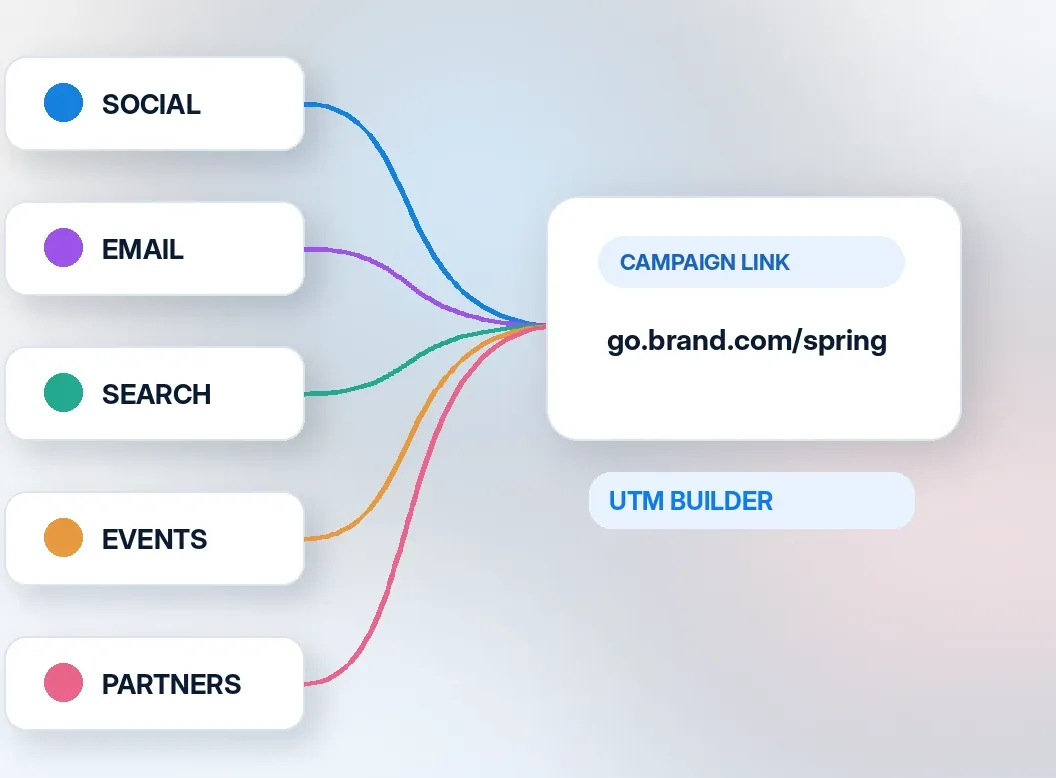
The same donation page, a different tagged link for email, social, print and events.
Report donations from Stripe or your site and see value per link and campaign.
Codes on table cards and posters that you can point at a thank-you page afterwards.
Links such as give.yourcharity.org/winter on the Free plan.
How do I see which channel brings in donors?
Make one link per channel, all pointing at the same donation page, each with its own UTM tags. Your web analytics then splits visits and gifts by source, and each short link's own analytics count the people who clicked it, with bots and link previews kept out. Build the tags with the free UTM builder, or tag a whole appeal at once with the bulk UTM builder.
Agree the spelling once and stick to it, or "Facebook", "facebook" and "fb" will show up as three sources in the report. The dashboard's UTM builder can force lower case and turn preferred spellings into one, and Launch Check warns when a link breaks those rules.
| Channel | utm_source | utm_medium | Example short link |
|---|---|---|---|
| Appeal email | newsletter | give.yourcharity.org/winter-email | |
| Facebook and Instagram posts | facebook / instagram | social | give.yourcharity.org/winter-social |
| Printed appeal letter | letter | give.yourcharity.org/winter | |
| Gala table cards (QR) | gala | qr | QR code to give.yourcharity.org/gala |
| Partner newsletters | partner name | referral | give.yourcharity.org/winter-partners |
How do I count donations, not just clicks?
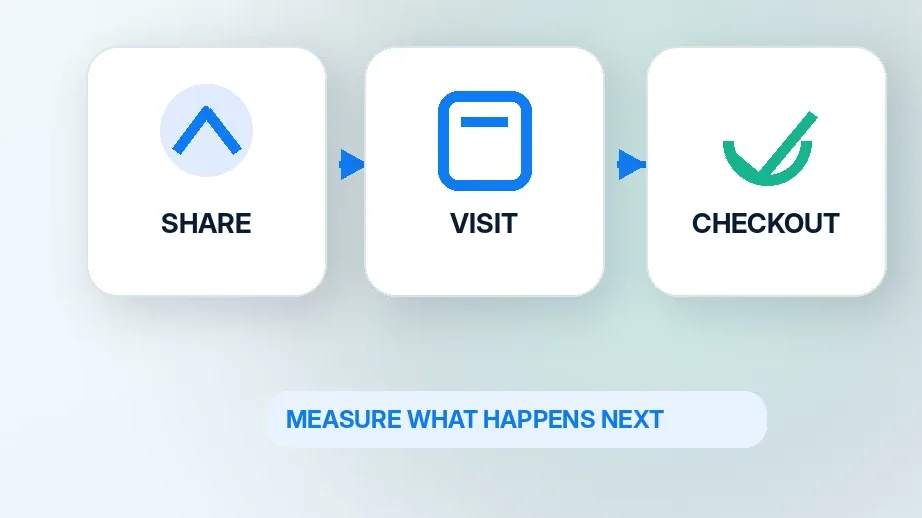
Clicks show interest; gifts show what worked. With conversion tracking on, each click by a person carries a signed click code to your donation page, and the gift is reported back with its value and currency. If donations are paid through Stripe Checkout or Payment Intents, paste your Stripe webhook signing secret and paid sessions become conversions with no code. Otherwise, add a script tag and one line to the thank-you page, or report from your own server.
Gifts are attributed to the last click within a window of 1-90 days (30 by default), which suits appeals where people read the letter on Monday and give on Friday. The Conversions page shows the links that convert, conversions per 100 people and value by currency.
What can a nonprofit do on the Free plan?
A lot. The Free plan needs no card, and a custom domain is included, so your links carry your charity's name from day one. Pro adds campaigns, donation tracking and protection for the donation page.
| Job | Feature | Plan |
|---|---|---|
| Links on your own domain, such as give.yourcharity.org/winter | Branded links | Free (1 domain, 100 new links a month) |
| Count people who clicked each link | Analytics | Free |
| QR codes for events, posters and letters | Dynamic QR codes | Free (5), Pro (250) |
| One page with donate, volunteer and newsletter sign-up | Bio page | Free (1) |
| Check every link before the appeal goes out | Launch Check | Free |
| Group an appeal's links with a goal and budget | Campaigns | Pro and higher |
| See donations and value per link | Conversion tracking | Ask us which plan includes it |
| Backup page if the donation site goes down | Link Guardian | Pro (25 links) |
How do QR codes work at fundraising events?
Put a dynamic QR code on each table card, poster and collection point that opens the donation page with the event's UTM tags already added; the dashboard adds them to the destination on every scan. Use a frame such as Scan Me or a custom line like "Give tonight", and download SVG or PDF for the printer. Separate codes for the stage screen and the table cards tell you which one guests used.
After the event, point the same codes at a thank-you page with the total raised, so anyone who scans a leftover card the next week still lands somewhere useful. On giving days, a Link Guardian monitor on the donation link watches the page every 15 minutes and can move visitors to a backup page, such as a simple form, if it goes down.
How do I show results to the board and donors?
Turn on a shared stats page for a link and send the address to the board: it shows totals, a daily chart and top countries and devices, never personal data, and you can switch it off at any time. On Pro, each campaign shows clicks, unique visitors and progress against a goal in clicks, conversions or value, and a budget field keeps the cost next to the result. Email reports can arrive daily, weekly or monthly, and a PDF report or a CSV of every click is available on Pro and higher.
Get started
- Start free
Create an account at b1.lc. No card is needed.
- Add your domain
Connect a subdomain such as give.yourcharity.org with a CNAME to b1.lc and a TXT record.
- Make one link per channel
Point each at the donation page with its own UTM tags, and run Launch Check on each.
- Print event codes
Create dynamic QR codes for table cards and posters, with the event's tags on the destination.
- Count gifts
On Pro, connect Stripe or add the website script so donations are counted per link and campaign.
Frequently asked questions
Still unsure? Ask us at sales@shortlen.com.
Can a nonprofit use its own domain for free?
Yes. The Free plan includes one custom domain, with the SSL certificate issued and renewed automatically, plus 100 new links a month, 5 dynamic QR codes and one bio page.
Can I track donations made through Stripe?
Yes. Paste your Stripe webhook signing secret on the Conversions page; paid Checkout Sessions and successful Payment Intents then count as conversions with their value.
What UTM tags should a charity use?
Keep utm_source for where the link sits (newsletter, facebook, letter), utm_medium for the type (email, social, print, qr) and utm_campaign for the appeal. Our guide to UTM naming conventions gives a full scheme.
Do QR codes stop working after the event?
Not unless you set an expiry or switch them off. A dynamic code can be repointed to a thank-you page so leftover cards still work.
What happens to our links if we downgrade?
They keep working. Plan limits only stop new items being created; every link, QR code and page you made stays live and editable, and no ads are added.
Can volunteers help manage links?
Yes. The Business plan includes a team workspace with 5 seats and roles, so volunteers can create links as editors without access to settings or the domain.
Free tools for this
Features you will use
Guides
Try it on your next link
The Free plan includes a custom domain, 5 dynamic QR codes, a bio page and click analytics. No credit card.