
UTM naming conventions: a template your whole team can follow
UTM naming conventions that keep GA4 reports clean: lowercase rules, a source and medium dictionary, a campaign pattern you can copy, and how to enforce it.

Key takeaways
- UTM values are case sensitive in reports: Google's own help says utm_source=google is different from utm_source=Google, so one typo splits a campaign into two rows.
- Write a dictionary of allowed sources and mediums, and choose mediums GA4 already understands (email, cpc, social, display, affiliate, referral, sms).
- Mediums such as qr or print do not match any GA4 default channel and land in Unassigned unless you add a custom channel group.
- Use one campaign pattern (date first, then the name) so campaigns sort and filter cleanly.
- Never tag links between pages of your own site; the click overwrites the visitor's real source.
- Rules in a document drift. Rules in your link tool (allowed values, preferred spellings, lowercase) and a check before sending are what keep the data clean.
A UTM naming convention is the difference between a campaign report you can trust and one you have to clean by hand every Monday. The tags themselves are simple; the trouble is that five people tag links five slightly different ways, and analytics counts every spelling as a different thing. This guide gives you the rules, a dictionary you can copy, and a way to enforce it so the convention survives contact with a real team.
What is a UTM naming convention?
It is a written agreement about the values that go into your UTM parameters: which words are allowed, how they are spelled, which separator you use and in what order the parts of a campaign name appear. The parameter names themselves are fixed (utm_source, utm_medium, utm_campaign, utm_term, utm_content); the convention covers everything after the equals sign.
A good convention has three parts:
- Format rules that apply to every value: lowercase, one separator, no spaces or special characters.
- A dictionary of allowed values for
utm_sourceandutm_medium, with the preferred spelling of each. - A pattern for
utm_campaign(and optionallyutm_content) so names are built the same way every time.
If you are new to the tags themselves, start with how to tag links with UTM parameters and come back.
Why do inconsistent UTM values break your reports?
Because reports group by exact text. Google’s own help page on campaign URLs says it plainly: values are case sensitive, and utm_source=google is different from utm_source=Google. The same goes for spelling. Here is what one channel looks like when four people tag it:
| What was typed | How it shows up in a source report |
|---|---|
utm_source=facebook | |
utm_source=Facebook | Facebook (a second row) |
utm_source=fb | fb (a third row) |
utm_source=facebook.com | facebook.com (a fourth row) |
Each row carries a slice of the traffic, so the channel looks smaller than it is, and nobody adds the rows back together reliably. Campaign names suffer even more, because they are typed fresh for every launch.
There is a subtlety worth knowing. GA4’s default channel definitions are not case sensitive, so Email and email both land in the Email channel. But the source, medium and campaign rows underneath stay separate. The channel total looks right while every drill-down is split, which is exactly the kind of error that survives into a board deck.
The format rules every value should follow
These rules apply to all five parameters. Put them at the top of your convention document.
- Lowercase only. No exceptions for brand names or acronyms:
linkedin,cpc,bfcm. - One separator: hyphens.
black-friday, notblack_fridayorblackfridayorBlack Friday. Underscores are fine if your team already uses them everywhere; mixing the two is what hurts. - No spaces, no special characters. Spaces become
%20or+depending on the tool, and characters like&,?,#and=break the query string itself. - Plain words, not codes.
newsletterbeatsnl01. A new hire should understand a report without a lookup table. - Short but complete. Long enough to be unambiguous, short enough to read in a report column.
- Always set source, medium and campaign. Google’s help says to always use those three; anything missing shows up as
(not set).
Which utm_medium values does GA4 understand?
utm_medium decides which channel a visit lands in, so it is the one value you should never improvise. GA4 sorts manually tagged traffic with fixed rules. The table below summarises the medium rules from Google’s Default channel group page as we read it on 23 October 2026 (some channels also look at the source, such as a list of social or search sites):
| Medium you set | GA4 default channel |
|---|---|
email (also e-mail, e_mail) | |
social, social-network, social-media, sm | Organic Social |
cpc, ppc, retargeting, or anything starting with paid | Paid Social, Paid Search, Paid Video or Paid Shopping depending on the source; Paid Other if the source is not recognised |
display, banner, expandable, interstitial, cpm | Display |
affiliate | Affiliates |
referral, app, link | Referral |
sms | SMS |
audio | Audio |
organic | Organic Search |
anything containing video | Organic Video (unless it is paid) |
ending in push, or containing mobile or notification | Mobile Push Notifications |
ai-assistant | AI Assistant |
Two practical consequences:
- Pick mediums from this table where you can.
utm_medium=newsletterlooks sensible but matches no channel;utm_medium=emailwithutm_source=newsletterlands in Email. - Know what falls through. Common offline mediums such as
qr,print,flyeroreventmatch none of the rules, so that traffic shows as Unassigned. That is fine as long as you add a custom channel group for it. Google says custom channel groups can be applied to reports retroactively, and a standard property can have two of them on top of the default group.
A naming convention template you can copy
Adapt the values to your channels, but keep the structure. Treat this as illustrative: it is a starting point, not a standard.
| Parameter | Rule | Allowed values (examples) |
|---|---|---|
utm_source | The specific site, sender or publication. One value per platform. | google, facebook, instagram, linkedin, tiktok, youtube, newsletter, partner-acme, whatsapp, qr-flyer |
utm_medium | The channel type. Only values from the dictionary. | email, social, cpc, paid-social, display, affiliate, referral, sms, qr |
utm_campaign | yyyy-mm- + campaign name, hyphens only. | 2026-11-black-friday, 2026-q4-webinar-series, always-on-brand |
utm_content | What tells two links in the same message apart. | hero-button, footer-link, video-v2, carousel-3 |
utm_term | Paid keyword or audience, only for paid placements. | url-shortener, lookalike-1pct |
Why put the date first in the campaign name? Because campaign reports sort alphabetically, and 2026-11- keeps a year of launches in order. Use a fixed prefix such as always-on- for campaigns that never end, so they cluster together instead of getting a new date each month.
A fully tagged link built with this template looks like this:
https://www.example.com/sale?utm_source=newsletter&utm_medium=email&utm_campaign=2026-11-black-friday&utm_content=hero-button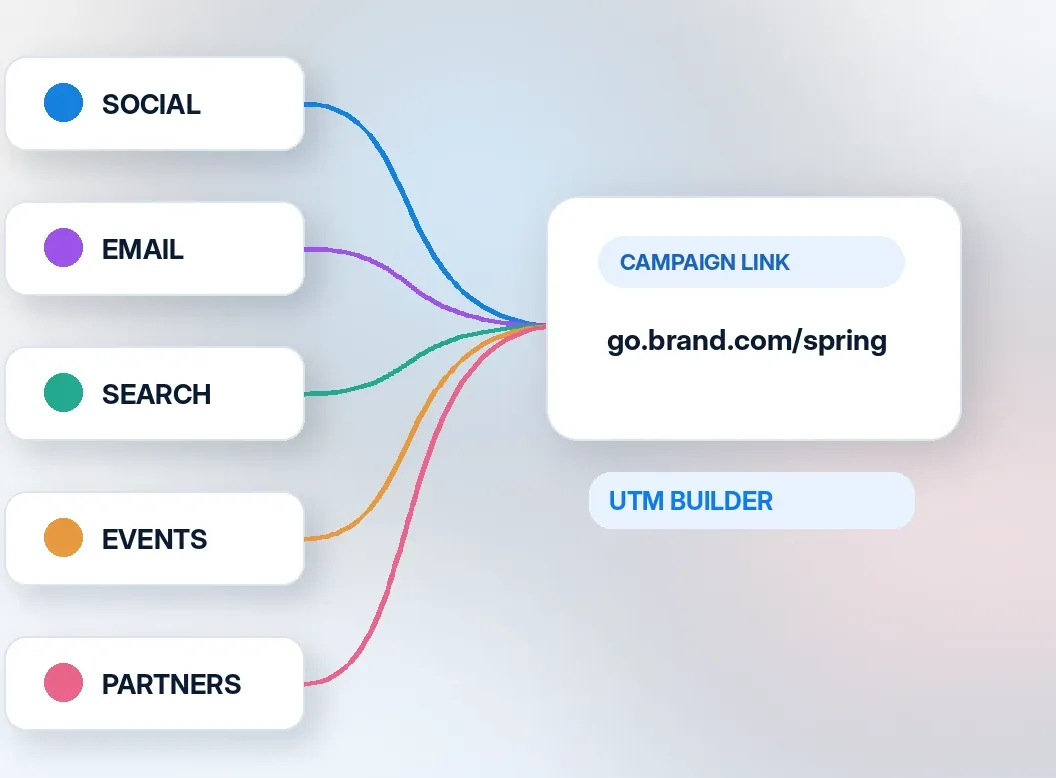
Write the dictionary down, with preferred spellings
The dictionary is where most conventions fail, because people know the rule (“lowercase”) but not the list. For each source and medium, record the one preferred value and the spellings people are likely to type instead:
| Preferred | Also seen (map to the preferred value) |
|---|---|
facebook | fb, facebook.com, meta |
instagram | ig, insta |
linkedin | li, linked-in |
email | e-mail, newsletter (as a medium) |
cpc | ppc, paid-search |
Google’s own example uses short sources such as fb and insta. Short or long does not matter; having exactly one per platform does.
How do I enforce a UTM convention across a team?
A document alone does not hold. People copy an old link, an agency uses its own habits, or someone types in a hurry. Enforcement means making the right value the easy one and catching the wrong one before it is sent.
- Publish the convention in one place that everyone can find: format rules, the dictionary and the campaign pattern. Name an owner who approves new values.
- Build links with a builder, never by hand. The free UTM builder assembles and encodes the link in your browser, has a clean-up option (lowercase, spaces to underscores; swap them for hyphens if hyphens are your separator) and offers preset sources and mediums.
- Save presets for repeat campaigns. In BN Shortener’s UTM Builder you save named presets, and a campaign can have a default preset, so a new link in that campaign starts with the right tags.
- Turn your dictionary into rules. BN Shortener’s naming rules let you set, for each of the five parameters, the allowed values, preferred spellings (for example
fb=facebook, ig=instagram) and a Lowercase switch that is on by default. - Check every link before it goes out. Launch Check’s UTM check then warns about links that break the rules, with the fix (“utm_source=fb should be facebook”). It also warns on duplicate or empty tags and a missing core tag, and points out other links with exactly the same tagged destination, whose clicks would be mixed in reports.
- Audit monthly. Open your source/medium report, sort alphabetically and look for near-duplicates. Each one is either a new value for the dictionary or a mistake to map in a custom channel group.
What are the most common UTM mistakes?
Use this as a checklist when you review someone else’s links:
- Tagging internal links. A UTM on a banner that links from your blog to your pricing page records a new campaign touch for someone already on your site and overwrites how they really arrived.
- Mixed case or mixed separators (
Black-Friday,black_fridayandblack-fridayin the same campaign). - Medium used as a source (
utm_source=email) or a source used as a medium (utm_medium=facebook). - A new medium invented for one campaign (
utm_medium=promo-blast), which lands in Unassigned. - Tags on a URL that redirects and drops the query string. Uplifter’s guide warns that redirects can strip UTMs. Test the final landing page and confirm the tags arrive.
- Personal data in a tag. Never put an email address or a name into a UTM value; the link may be forwarded and the value is stored in analytics.
- Two identical tagged links for different placements. If the hero button and the footer link carry the same tags, you cannot tell them apart. Add
utm_content. - Long, scary links in print or SMS. Shorten the tagged URL so people see a clean link and the tags still travel with the click.
Where should the tags live: on the destination or on the short link?
Put the tags on the destination URL, then shorten it. The short link stays clean (go.yourbrand.com/bf26) while the full tagged URL does the tracking. Two things make this work well:
- Your shortener must keep the query string exactly. BN Shortener’s UTM Builder keeps the rest of the destination’s query string as it is and only replaces UTM keys.
- One short link per placement. A link in the newsletter and a link on a printed flyer should be two short links with different
utm_sourceorutm_contentvalues, even if they go to the same page. Grouping them into a campaign keeps the reporting tidy; see UTM builder and campaigns.
A short link’s own click counts are a useful second opinion here. When your analytics tool and your link analytics disagree wildly, a tag is usually missing or the landing page is dropping it. For more on reading those numbers, see how to track clicks on a short link.
A one-page convention you can paste into your wiki
Format: lowercase, hyphens only, no spaces or special characters, plain words. Required: utm_source, utm_medium, utm_campaign on every external link. Never on internal links. utm_medium: only email, social, cpc, paid-social, display, affiliate, referral, sms, qr. New values need the owner’s approval. utm_source: one value per platform from the dictionary. utm_campaign: yyyy-mm-name, or always-on-name. utm_content: describes the placement (hero-button, footer-link). Tools: build with the UTM builder or a saved preset; every link passes the UTM check before sending. Owner: one named person; monthly audit of source/medium.
Start with clean data from the first link
A convention costs an hour to write and saves hours of cleanup every month after. If you want the rules enforced where links are actually made, start free at b1.lc: the UTM Builder and Launch Check are on every plan, including Free, and you can see what each plan adds on the pricing page.
Sources
- URL builders: Collect campaign data with custom URLs, Google Analytics Help, undated. Checked 2026-10-23.
- Default channel group, Google Analytics Help, undated. Checked 2026-10-23.
- Custom channel groups, Google Analytics Help, undated. Checked 2026-10-23.
- A guide to UTM naming conventions, Uplifter, undated. Checked 2026-10-23.