How to track print ads with QR codes: one code per placement, read the results
Measure magazines, flyers, posters and mail: one QR code and UTM set per placement, a worked example, GA4 settings for print traffic and cost per scan.
Key takeaways
- One code per placement is the whole method: a code shared by two ads cannot tell you which one worked.
- Tag each code's destination with utm_source, utm_medium and utm_campaign at least, in lowercase; GA4 treats Print and print as different values.
- GA4's default channel group has no print or QR channel, so traffic tagged medium=print lands in Unassigned until you add a custom channel.
- Compare three numbers per placement: scans, sessions and conversions; then work out cost per scan and cost per conversion.
- Print a short vanity URL and an offer code too, so people who type or call are counted as well.
Print still works, but it has always been hard to measure: nobody clicks a magazine page. A QR code gives print a measurable path, as long as you set it up so each placement reports separately. This guide shows the setup, a worked example with every tag filled in, the GA4 setting most teams miss, and how to turn the numbers into a decision about where to spend next time.
Why does each placement need its own code?
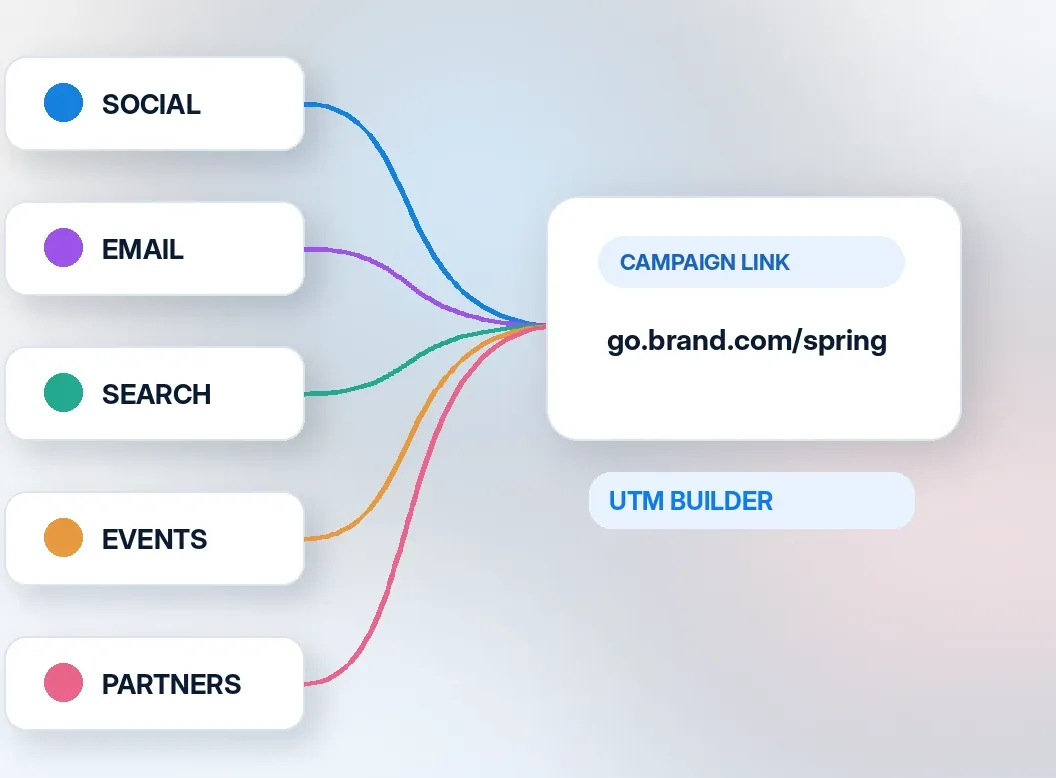
Because the code is your only signal of where a visit came from. If the same code runs in a magazine, on a flyer and on a poster, a spike in scans tells you print is working but not which print. The fix costs nothing: give every placement, and every creative version you want to compare, its own code.
A placement is any combination you might buy again or drop: a publication and an issue, a poster site, a mail drop, a flyer run. If you would make a different decision about it, it gets its own code.
How should you tag print links with UTM parameters?
Google’s GA4 help lists the parameters and says to always use utm_source, utm_medium and utm_campaign. For print, a consistent scheme looks like this:
| Parameter | What it means for print | Example values |
|---|---|---|
utm_source | The publication, venue or list | citymag, bus-shelters, mailing-oct |
utm_medium | The channel, the same for all print | print |
utm_campaign | The offer or campaign | spring_sale_2026 |
utm_content | The placement or creative version | back-cover, ad-a, shelter-12 |
Two rules from Google’s help matter in practice. Parameter values are case sensitive, so utm_source=CityMag and utm_source=citymag become two rows; use lowercase throughout. And parameters you leave empty show up as “(not set)” in reports. Our guide to UTM naming conventions has a full scheme, and the UTM builder or bulk UTM builder will tag a whole placement list at once.
Do not put the long tagged URL straight into the code. More characters mean a denser pattern and smaller modules. Instead, make a dynamic code whose destination carries the tags. In BN Shortener, a URL QR code has optional campaign source, medium and name fields that are added to the destination on every scan, also for dynamic codes, and you can save your print tags as a UTM preset to reuse them. For many placements, create the codes from a CSV with bulk QR and download them as one ZIP with a codes.csv.
A worked example: one campaign, five placements
A shop runs a spring sale across five print placements. All figures below are illustrative.
| Placement | Code name | utm_source | utm_content | Cost (illustrative) | Scans | Sessions | Orders |
|---|---|---|---|---|---|---|---|
| City magazine, back cover | spring-citymag | citymag | back-cover | $1,200 | 240 | 205 | 12 |
| City magazine, inside page | spring-citymag-inside | citymag | inside-p14 | $600 | 70 | 61 | 2 |
| Flyers at the store | spring-flyer | store-flyer | flyer-a | $150 | 95 | 82 | 9 |
| Bus shelters, 4 sites | spring-shelters | bus-shelters | shelter-all | $2,000 | 110 | 88 | 3 |
| Direct mail to customers | spring-mail | mailing-oct | postcard | $900 | 310 | 270 | 31 |
All five share utm_medium=print and utm_campaign=spring_sale_2026.
Now divide:
| Placement | Cost per scan | Cost per order |
|---|---|---|
| Magazine back cover | $5.00 | $100 |
| Magazine inside page | $8.57 | $300 |
| Store flyers | $1.58 | $16.67 |
| Bus shelters | $18.18 | $666.67 |
| Direct mail | $2.90 | $29.03 |
In this illustration, direct mail and store flyers clearly earn their cost, the back cover is reasonable, and the bus shelters do not. That might be the location or the creative; the next step would be to test one shelter with a different design before dropping the format. NN/g notes that QR codes suit places where people can stop: it calls them a poor fit for roadside billboards passed quickly, and recommends a short, memorable URL there instead.
How do you design the code into the ad?
Tracking only works if people scan, so the code has to earn its place on the page.
- Give a reason to scan. NN/g’s first guideline is that people need enough context about what a code does before they will scan it. “Scan for 20% off this week” works; a bare code in the corner does not.
- Size it for how the ad is read. NN/g’s rule is about 1 cm of code width per 10 cm of distance, and at least 2 x 2 cm. A magazine held at 30 to 40 cm needs a 3 to 4 cm code; a poster read from 2 m needs about 20 cm. The QR code size guide has the full chart.
- Keep it dark on light, with a clear margin, and away from the fold or the binding of a magazine.
- Match the landing page to the ad. The page should repeat the offer in the ad’s words and work on a phone. A generic home page wastes the scan.
- Show the vanity URL under the code for people who prefer to type.
Before the run, check each code and its page. BN Shortener’s Launch Check tests print quality (contrast, inverted colors, logo size) for every code that uses a link, along with the destination’s speed, mobile rendering and UTM tags.
How do you make print traffic visible in GA4?
GA4’s default channel group sorts sessions into channels such as Email, Paid Search, Display and Referral, using rules on source and medium. None of those rules matches print or qr. Google’s page says “Unassigned” is the value used when no other channel rule matches, so your print sessions land there unless you act.
The fix is a custom channel group. Google’s help sets out the steps:
- In Admin, under Data display, open Channel groups (you need Editor access).
- Click Create new channel group to start from a copy of the default group.
- Add a new channel called Print, with the condition that the medium exactly matches
print. - Move it above the catch-all channels: traffic goes into the first channel whose conditions it matches.
- Save. Google says custom channel groups can be applied to reports retroactively.
Standard properties can have two custom channel groups besides the default one. Then read the Traffic acquisition report by Session source/medium and Session campaign to see each placement.
How do you read the results?
Look at three numbers for each placement, in this order.
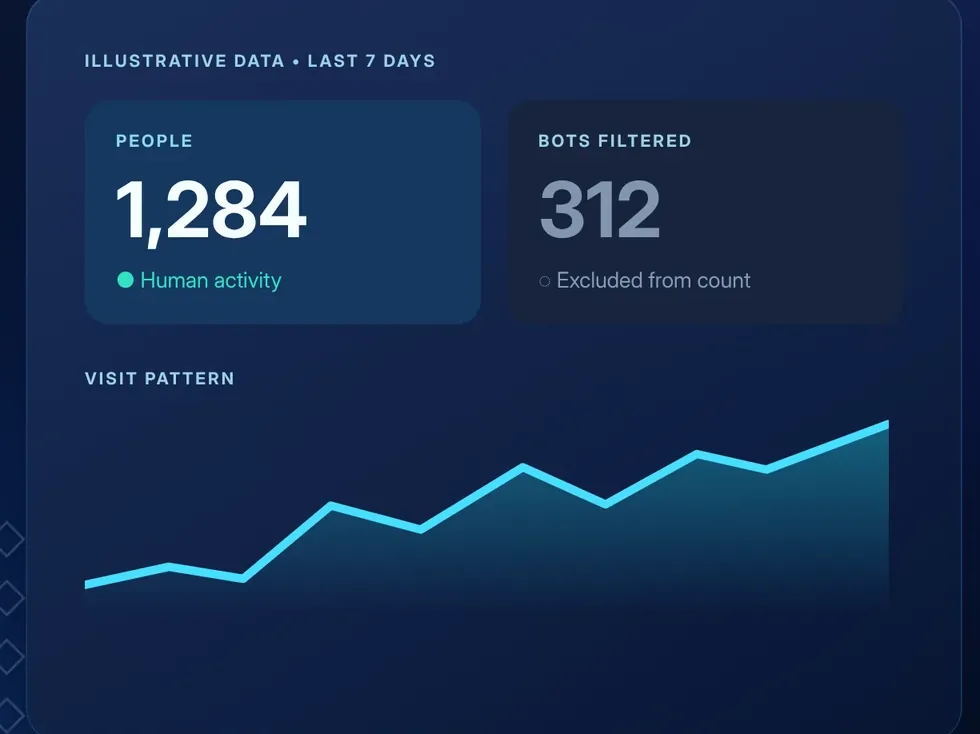
Scans. Counted by the link service when the redirect runs. BN Shortener’s scan analytics show total scans and unique visitors per code, scans by date, top countries and device types, and its counts are people only, with bots filtered out. Scans tell you whether the placement was seen and acted on.
Sessions. Counted by your analytics when the landing page loads. Expect fewer sessions than scans: consent choices, blockers and people who close the page early all reduce them. A placement with many scans and few sessions may have a slow or broken landing page; check it.
Conversions. Orders, sign-ups or bookings attributed to the campaign. This is the number that pays for the ad. If your analytics records conversions by campaign and content, you can read them per placement directly. BN Shortener’s conversion tracking can also tie sales and sign-ups back to the short link.
Then compute cost per scan and cost per conversion, as in the example. Look at scans by date as well: a magazine spike that fades after a week is normal; a poster that never takes off probably has a placement or design problem. Our guide on how to track QR code scans explains which scan numbers to trust.
How do you count people who do not scan?
Some readers will type the address instead, or call. Catch them with two backstops:
- A vanity URL per placement. Print a short, readable address under each code, such as
go.yourbrand.com/springfor the magazine andgo.yourbrand.com/mailfor the postcard. Each is its own short link with its own tags, so typed visits are attributed too. A branded link on your own domain is easier to remember and to trust. - An offer code per placement. A discount code such as CITYMAG10 is redeemed at checkout or over the phone, and catches people who never visit the landing page at all.
Mistakes that ruin print tracking
- One code reused across placements.
- Tags in mixed case or with spaces, which split one placement into several rows.
- Changing tags halfway through the campaign.
- A static code with the full tagged URL, which makes the pattern dense and the code harder to scan.
- A landing page that is not built for phones.
- No custom channel, so all print traffic hides in Unassigned.
- Judging a monthly magazine after two days.
Print tracking checklist
- One dynamic code per placement and creative version, named after it.
utm_source,utm_medium=print,utm_campaignandutm_contenton every destination, in lowercase.- A custom channel for print in GA4.
- A vanity URL and an offer code printed with each code.
- The cost of each placement recorded before the results come in.
- Scans, sessions and conversions compared side by side after the campaign.
- Cost per scan and cost per conversion for every placement.
Start free
You can set up a full print campaign with tagged, trackable codes today. BN Shortener’s free plan includes 5 dynamic QR codes and 100 new links a month, with UTM fields built into the QR builder; Pro adds 250 dynamic codes for larger campaigns. Start free at b1.lc. See UTM campaigns for the details.
Sources
- [GA4] Collect campaign data with custom URLs, Google Analytics Help, undated. Checked 2026-10-23.
- [GA4] Default channel group, Google Analytics Help, undated. Checked 2026-10-23.
- [GA4] Custom channel groups, Google Analytics Help, undated. Checked 2026-10-23.
- 13 QR-Code Usability Guidelines, Nielsen Norman Group, 2024-02-09. Checked 2026-10-23.