
UTM campaign tracking for every short link: presets, rules and reports
Tag every link the same way, every time. Build UTM links in seconds, let naming rules catch “fb” before it splits your reports, save presets for each channel, and group links into campaigns with goals and their own analytics.
Updated
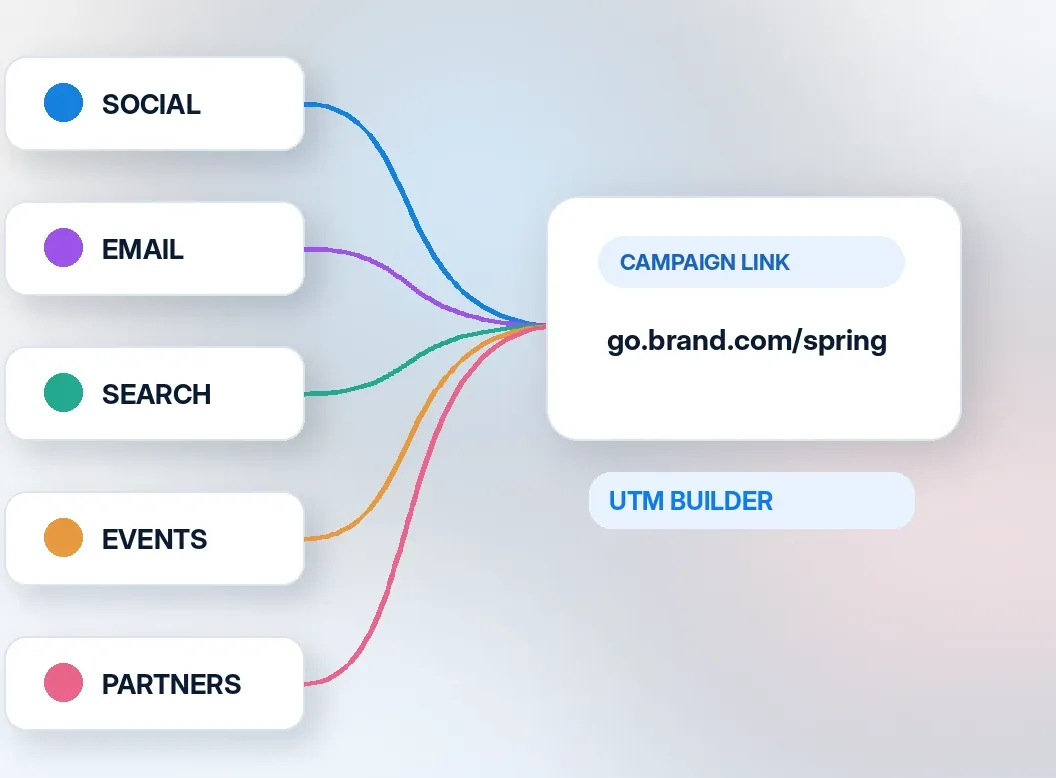
Five UTM fields, the rest of the query string kept exactly, and a short link made in one click.
Allowed values, preferred spellings and lowercase, checked on every link by Launch Check.
Save a channel's tags once and reuse them; campaigns can have a default preset.
Folders of links with goals, budgets, dates and people-only analytics.
What do the five UTM parameters mean?
UTM parameters are plain tags at the end of a URL. Analytics tools such as Google Analytics read them to group visits by channel and campaign. Three are the core of any tagging plan; the other two are for detail. In BN Shortener's builder each value can be up to 100 characters and utm_campaign is required.
| Parameter | What it records | Example |
|---|---|---|
| utm_source | Who sent the visit | newsletter, facebook, linkedin, qr |
| utm_medium | The kind of channel | email, social, cpc, sms, print |
| utm_campaign (required) | The campaign or promotion | spring-sale-2026 |
| utm_term | The paid keyword or audience | running-shoes |
| utm_content | Which version or placement | header-button, footer-link |
How does the UTM builder work?
Open Links > UTM Builder, paste the destination and fill in the tags. Only the UTM keys are replaced; everything else in the destination's query string is kept exactly, so product IDs, filters and ad-platform parameters survive. Create short link turns the result into a threat-scanned short link titled UTM - followed by the campaign name, and Launch Check runs on it automatically.
Need a tagged URL without an account? Use the free UTM builder. The public builder on b1.lc runs in your browser, sends nothing you type to BN, and has a clean-up option (lower case, spaces to underscores) and ready source and medium presets.
How do I stop inconsistent UTM tags from splitting my reports?
Most analytics tools treat Facebook, facebook and fb as three different sources, so one careless link quietly splits a channel's numbers. The Naming rules card fixes this at the source. For each of the five parameters you set:
- Allowed values, comma separated (empty means any value is allowed).
- Preferred spellings, such as fb=facebook, ig=instagram: any of these spellings should become the preferred value.
- Lowercase, on by default, so Email and email never split again.
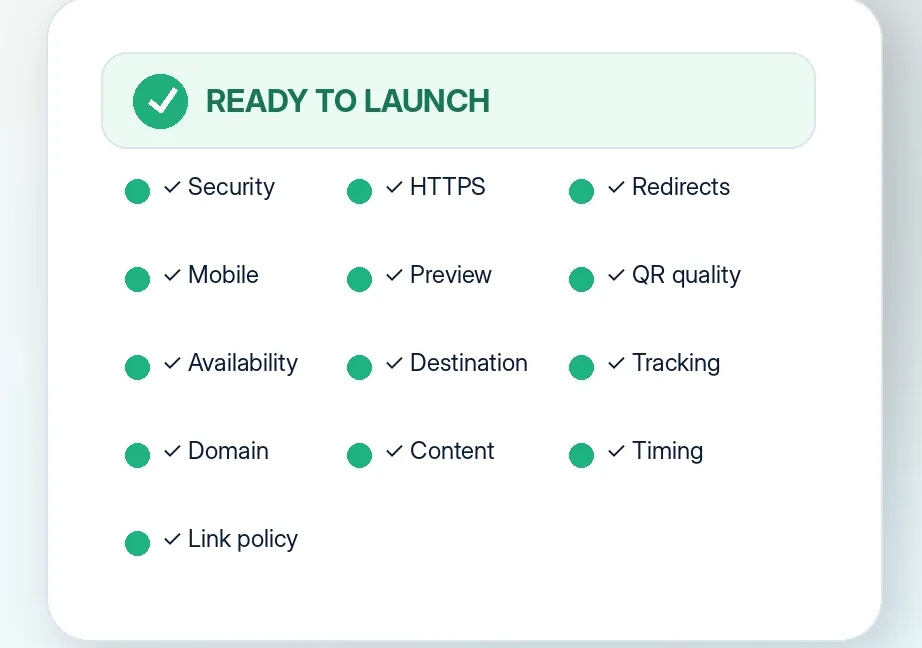
- Launch Check's UTM check then warns about any link that breaks a rule, with the fix spelled out (utm_source=fb should be facebook).
- It also points out other links with exactly the same tagged destination, whose clicks would be mixed together in your reports.
- Warnings also cover duplicate or empty tags, a missing source, medium or campaign, and tags that differ from the campaign's preset.
Can I save UTM tags and reuse them?
Yes. Save named presets (for example Newsletter weekly or LinkedIn paid) with a name of up to 100 characters and a description of up to 1,000. Presets are sorted by most used and show their use count and last use, so the team's real conventions rise to the top. A campaign can have a default preset, and the bn command line, the WordPress plugin and the API all accept a preset when they create links.
How do campaigns work?
Campaigns group links for reporting under Links > Campaigns, and they can be nested (a quarter, then each launch inside it). Start from a template (Marketing Campaign, Product Launch, Social Media, Email Campaign, Affiliate Program or Event) or set the fields yourself. To simply keep My Links tidy, without campaign settings or reports, use link folders, which every plan has.
| Field | What it does |
|---|---|
| Goal type and value | A target in clicks, conversions or value, with progress shown for click goals |
| Budget | What you plan to spend |
| Start and end date | The campaign's window |
| Default domain | Which domain new links in the campaign use |
| UTM preset | The tags new links in the campaign get |
| Pixels | Up to 50 of your retargeting pixels for every link in it |
| Colour, icon, notes | Find it fast; keep the brief next to the links |
How do I see a campaign's results?
Each campaign has its own analytics over 1-365 days (30 by default), counting people only: total clicks, unique visitors, active links, daily clicks and visitors, and the top 10 countries, devices and links. Inside every link's analytics the Traffic Sources tab breaks clicks down by UTM source, medium and campaign and their combinations.
- Add or remove up to 1,000 links per action, and see uncategorised links in their own view.
- Run Launch Check on a whole campaign before it goes out.
- Export a campaign as CSV or JSON.
- When a campaign ends, deleting it either releases its links or moves them to Trash.
- Turn on Pass visitors' link parameters on so click IDs such as gclid and fbclid reach your landing page and ad platforms can match conversions.
How to set it up
- Set your naming rules
In Links > UTM Builder, open the Naming rules card and set allowed values and preferred spellings (fb=facebook) for each parameter.
- Save presets
Save a preset for each recurring channel, such as your weekly newsletter or LinkedIn ads.
- Create the campaign
In Links > Campaigns, create a campaign from a template, set its goal, dates, default domain and default UTM preset.
- Build the links
Paste each destination into the UTM Builder, pick the preset, adjust utm_content per placement and click Create short link.
- Check and launch
Run Launch Check on the whole campaign and fix any UTM warnings before you send.
- Read the results
Open the campaign's analytics for clicks, visitors and goal progress, and each link's Traffic Sources tab for the UTM breakdown.
Limits by plan
| Free | Pro | Business | Enterprise | |
|---|---|---|---|---|
| New links per month | 100 | 1,000 | 10,000 | Unlimited |
| Campaigns | — | Yes | Yes | Yes |
| Pixels per campaign | — | 50 | 50 | 50 |
| Free public UTM builder (no account) | Yes | Yes | Yes | Yes |
Prices and every plan's limits are on the pricing page. Limits only restrict creating new items: what you already made keeps working.
Frequently asked questions
Still unsure? Ask us at sales@shortlen.com.
Which UTM parameters are required?
In BN Shortener's builder, utm_campaign is required. Most teams also always set utm_source and utm_medium; Launch Check warns when one of these three core tags is missing. utm_term and utm_content are optional.
Should UTM values be lowercase?
Yes. Most analytics tools treat Facebook and facebook as different sources. The Lowercase naming rule is on by default, and Launch Check notes mixed case or spaces in tags.
Will the UTM builder break my existing URL parameters?
No. Only the UTM keys are replaced; the rest of the destination's query string is kept exactly as it was.
What is the difference between a campaign and utm_campaign?
utm_campaign is a tag in the URL that your analytics tool reads. A BN Shortener campaign is a folder of links with a goal, budget, dates, default domain, preset and pixels, and its own click report. Use both.
Do I need UTM tags if the shortener already counts clicks?
Yes, if you report in Google Analytics or a similar tool. The short link's analytics show what happened before the visit; UTM tags carry the source into your site's analytics so sessions and sales are credited to the right channel.
Should I put UTM tags on links within my own website?
No. UTM tags are for links that bring people in from outside. Tagging internal links overwrites the original source of the visit in most analytics tools.
Can I add UTM tags to QR codes?
Yes. A URL QR code has optional campaign source, medium and name fields, added to the destination on every scan, also for dynamic codes. utm_medium=qr or print is a common choice.
Works well with
Guides
Try uTM builder & campaigns today
The Free plan includes a custom domain, 5 dynamic QR codes, a bio page and click analytics. No credit card.