
A/B test landing pages behind one short link
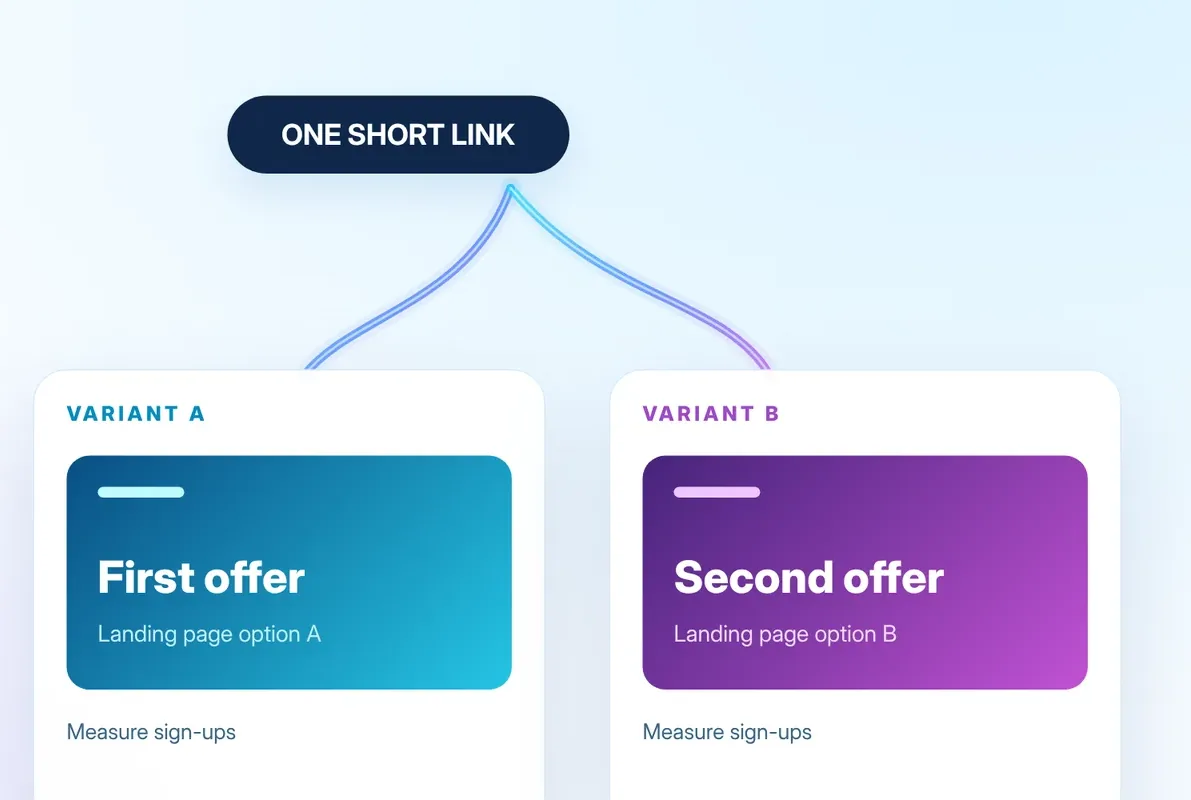
Share one link and let it split visitors between two or more landing pages. BN Shortener counts people, not bots, keeps each visitor on the same variant, and tells you in plain words when a page has actually won.
Updated
Two-sided z-tests, Bonferroni correction and 95% Wilson confidence intervals, not a bar chart and a guess.
A returning visitor sees the same variant, without anything stored on their device.
Bots and link previews are served a page but never counted in the results.
"Send all traffic to B" makes the winner the link's destination, logged in its history.
Why run the test on the short link?
Most landing-page tests need code on the page or a testing tool in the site. A link-level test needs neither: the short link itself decides which page a visitor sees, so you can compare two completely different pages, two domains, or a page against a sign-up form, without touching either. It works anywhere the link goes: an email, an ad, a QR code on a poster, a bio.
Because the split happens before the page loads, every channel that carries the link feeds the same experiment, and the result is tied to the link you already track in analytics.
What can I set on a test?
Each test has a name and description, a traffic split, a confidence level and a minimum sample. The dashboard creates two-variant tests (A is the control, B the challenger); the API allows 2 to 10 variants for multi-page tests.
- One test runs on a link at a time.
- Variant URLs are threat-scanned like every other destination.
- Launch Check loads each variant before you send, so a broken B never goes out.
| Setting | Options | Default |
|---|---|---|
| Split | 50/50, or weighted 0-100 per variant | 50/50 |
| Variants | 2 in the dashboard, 2-10 through API v3 | 2 |
| Confidence level | 80% to 99.9% | 95% |
| Minimum visitors per variant | Any number | 100 |
| Conversion parameter | bn_ab, a name you choose, or off | bn_ab |
| States | Draft, running, paused, completed | Draft |
How does BN Shortener decide which variant won?
Each challenger is compared with the control using a two-sided z-test on its conversion rate. When there are several challengers, a Bonferroni correction tightens the bar for each comparison, because testing many variants at once raises the chance that one looks better by luck. Every rate comes with a 95% Wilson confidence interval, which stays honest at small samples and low conversion rates.
For each variant you see the lift in percent, the p-value, and an estimate of how many more visitors are needed to reach 80% power. The verdict per variant is one of collecting data, better, worse or no difference, and the test as a whole recommends winner, control wins or keep running.
| You see | What it tells you |
|---|---|
| Lift % | How much higher or lower the variant converts than the control |
| p-value | How surprising the difference would be if the pages performed the same |
| Confidence interval | The plausible range for each variant's true conversion rate |
| Visitors still needed | Roughly how much more traffic it takes to reach 80% power |
| Recommendation | Winner, control wins, or keep running |
How are conversions counted?
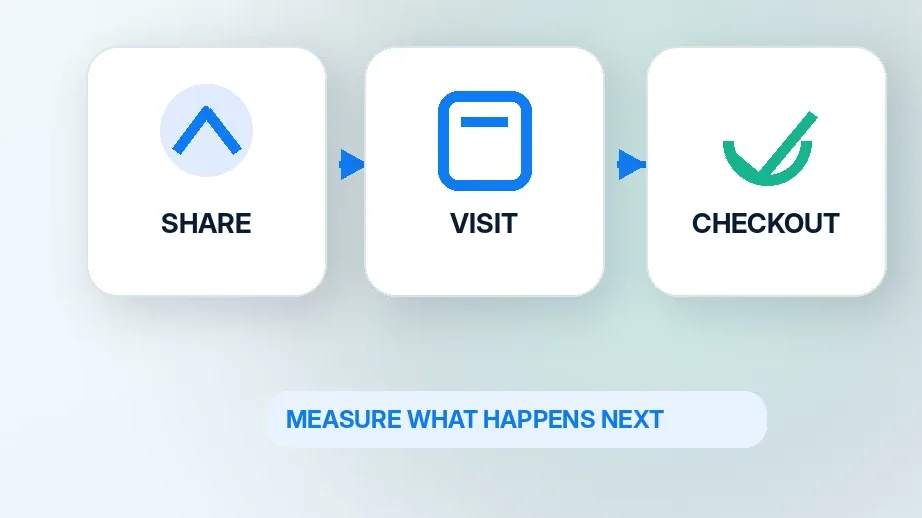
When a person clicks, the link adds a signed ?bn_ab= token to the variant's address (you can rename the parameter or turn it off). When that visitor signs up or buys, report the conversion from your server through API v3 or from the browser, with an event name, a value and currency, and an event ID that removes duplicates. Bots and link previews never receive a token, so they cannot convert.
Verified conversions are also forwarded to the link's server-side pixels, so Meta or GA4 see the same sale, and each one fires the conversion.tracked webhook.
How do I run a test that gives a trustworthy answer?
The statistics protect you from most mistakes, but a few habits make the answer worth acting on. The guide how to A/B test a short link walks through a full example.
- Change one thing. Two pages that differ in headline, price and layout tell you which page won, not why.
- Decide the sample first. Keep the minimum visitors per variant and resist stopping the moment B looks ahead; early leads often fade.
- Run whole weeks. Weekday and weekend visitors behave differently, so cover both.
- Measure the real goal. Report the sign-up or purchase, not a page view, so the winner is the page that earns.
- Pause, do not tinker. If a variant breaks, pause the test while you fix the page, rather than changing what a running test compares.
- Mind rotation. A running A/B test takes priority over link rotation on the same link, so rotation is off until the test ends.
What happens when the test ends?
Choose Send all traffic to X and the winning page becomes the link's destination, recorded in the link's history so you can see when and why it changed. If the challenger did not beat the control, choose End test, keep the control. Either way the short link, its QR codes and everything already printed or sent keep working.
How to set it up
- Open the link
In Links > My Links, choose Edit on the link you will share, and open the A/B Tests tab.
- Create the test
Name it, enter variant A (the control) and variant B, and choose a 50/50 or weighted split.
- Set the bar
Keep the 95% confidence level and 100 visitors per variant, or adjust them for your traffic.
- Report conversions
Make sure your site or server reports conversions using the bn_ab token, with an event ID for de-duplication.
- Start and check
Start the test, run Launch Check to load both variants, then share the link.
- Promote the winner
When the recommendation says winner, choose Send all traffic to that variant; otherwise end the test and keep the control.
Limits by plan
| Free | Pro | Business | Enterprise | |
|---|---|---|---|---|
| A/B tests | — | Yes | Yes | Yes |
| Running tests per link | — | 1 | 1 | 1 |
| Variants per test | — | 2 (dashboard), 2-10 (API) | 2 (dashboard), 2-10 (API) | 2 (dashboard), 2-10 (API) |
| Server-side pixels for conversions | — | Yes | Yes | Yes |
Prices and every plan's limits are on the pricing page. Limits only restrict creating new items: what you already made keeps working.
Frequently asked questions
Still unsure? Ask us at sales@shortlen.com.
Which plan includes A/B tests?
A/B tests are on Pro and higher, listed with smart links and pixels. Pro is $15 a month ($144 a year) and Business $49 a month ($468 a year); see pricing. Start free at b1.lc and upgrade any time.
Will a visitor see a different page each time they click?
No. Assignment is sticky: a returning visitor sees the same variant. BN Shortener does this without storing anything on the visitor's device.
Do bots and link previews skew the results?
No. Bots and link previews are served a page so the link works for them, but they are not counted in the test and never receive a conversion token.
How long should I run a test?
Until it reaches the minimum visitors per variant and the recommendation moves off keep running. The results show an estimate of the visitors still needed for 80% power, which tells you how far away an answer is.
Can I test more than two pages?
Yes, through API v3, which accepts 2 to 10 variants per test. Each challenger is compared with the control, with a Bonferroni correction so that testing many pages does not produce false winners.
Can I A/B test a QR code?
Yes. A dynamic QR code points at a short link, so a test on that link splits scanners between the variants. See dynamic QR codes.
What is the difference between an A/B test and a smart link?
An A/B test splits similar visitors at random to learn which page performs better. A smart link sends different visitors to different pages on purpose, by device, country, language or time. A link can use either.
Works well with
Guides
Try A/B tests today
The Free plan includes a custom domain, 5 dynamic QR codes, a bio page and click analytics. No credit card.