How to track traffic from ChatGPT and other AI assistants
See visits from ChatGPT, Claude, Perplexity, Gemini and Copilot in GA4 and in your link analytics, why some show as Direct, and how to count them properly.
Key takeaways
- ChatGPT adds utm_source=chatgpt.com to the links it cites, so many of its visits are labelled even when the referrer is missing.
- Google's default channel group in GA4 lists an AI Assistant channel; a custom channel group with an exact list of domains gives you a version you control.
- Visits from assistant apps often lose the referrer and show up as Direct, so every AI number you see is a floor, not the full total.
- A short link you control fills part of the gap: BN Shortener shows people who clicked it from ChatGPT, Claude, Perplexity, Gemini, Copilot and six other assistants.
- Measure what the visits do (sign-ups, sales), not just how many arrive; AI referrals are small but often high intent.
AI assistants have become a traffic source in their own right: people ask ChatGPT, Claude or Perplexity a question, get an answer with links, and click through. The visits are usually few but well informed, and most analytics setups either mislabel them or hide them in Direct. This guide shows how to find them in Google Analytics 4, why some will always be missing, and how a tracked short link fills part of the gap.
Where does ChatGPT traffic show up in analytics?
A click from an AI assistant reaches your site in one of three states, and each one lands in a different place in your reports:
| How the click arrives | What your analytics sees | Where it usually lands in GA4 |
|---|---|---|
From the assistant’s website, with a referrer (for example chatgpt.com or perplexity.ai) | The referring domain | AI Assistant channel, or Referral in older or custom setups |
With utm_source=chatgpt.com but no referrer | The UTM source only, no medium | Source chatgpt.com, medium (not set) or (none) |
| From a mobile app, or a URL copied out of an answer | Nothing at all | Direct |
The first two are measurable. The third is the “dark” part of AI traffic: MO Agency notes that the ChatGPT apps open links in the system browser and strip the referrer, and Orbit Media makes the same point about app-based visits in general. You cannot recover those visits after the fact, which is why every AI number in this guide is a floor.
Does ChatGPT add UTM parameters to links?
Yes. When ChatGPT cites a page, the link carries utm_source=chatgpt.com. That one tag is what makes ChatGPT easier to measure than most assistants: even when the browser drops the referrer, the URL still says where the click came from.
Two details matter in practice:
- Only the source is set. There is no
utm_mediumorutm_campaign, so GA4 may show the session aschatgpt.com / (not set). Filter on the session source, not only on the channel. - The tag lands on whatever URL was cited. If ChatGPT cites your short link, the tag is added to the short link, not to your landing page. Whether it then reaches the landing page depends on your shortener (more on that below).
The other assistants do not document a UTM tag in the same way, so for Claude, Perplexity, Gemini, Copilot and the rest you rely on the referrer.
How do I see ChatGPT traffic in Google Analytics 4?
Start with a quick look, then make it permanent.
The quick check (two minutes):
- Open Reports > Acquisition > Traffic acquisition.
- Pick a long date range, such as the last 90 days.
- Change the primary dimension to Session source / medium.
- Type
chatgptin the search box above the table. Then tryperplexity,claude,geminiandcopilot.
You will usually see a few rows per assistant: one with medium referral, one with (not set) from the UTM-only visits, and sometimes ai-assistant (see the next section).
The permanent view: check the AI Assistant channel. Google’s help page for the GA4 default channel group now lists an AI Assistant channel, described as “the channel by which users arrive at your site from sources like ChatGPT”, with Gemini, DeepSeek, Copilot and Grok as further examples. Its rule is medium-based: the medium is set to ai-assistant when the referrer matches Google’s list of AI assistants. Switch the primary dimension to Session default channel group and look for that row.
Google’s list is Google’s, not yours, and it can change. If you want a definition you control, build a custom channel group.
How do I build a custom AI channel group in GA4?
A custom channel group lets you put every assistant you care about into one channel, in a fixed order, and apply it to past data in your reports. According to Google’s help page, a standard property can have 2 custom channel groups besides the default one, each with up to 50 channels, and you need Editor access or above.
- Go to Admin > Data display > Channel groups and copy the default group.
- Add a new channel and name it, for example, AI assistants.
- Add a condition on Source, choose matches regex, and paste a list of exact domains:
^(.*\.)?(chatgpt\.com|chat\.openai\.com|claude\.ai|perplexity\.ai|gemini\.google\.com|copilot\.microsoft\.com|meta\.ai|chat\.deepseek\.com|grok\.com|chat\.mistral\.ai|poe\.com|you\.com)$- Click Reorder and drag the new channel above Referral (and above Organic Search if you like). GA4 puts each session in the first channel it matches, top down, so a channel below Referral never receives anything.
- Save, then open Traffic acquisition and choose your channel group as the primary dimension.
Why a list of exact domains? Google’s own example for an AI channel is deliberately broad: it starts with ^.*ai and includes patterns such as .*gpt.*, so check that it does not sweep up unrelated sources. A list of domains is easy to read, easy to audit and easy to extend when a new assistant appears. Google’s page makes the same point: update the pattern when assistants or their URLs change.
Two notes from Google’s documentation: channel definitions are not case sensitive, and a custom channel group applies retroactively in reports and explorations, but only going forward in audiences.
Which AI assistants can send you traffic?
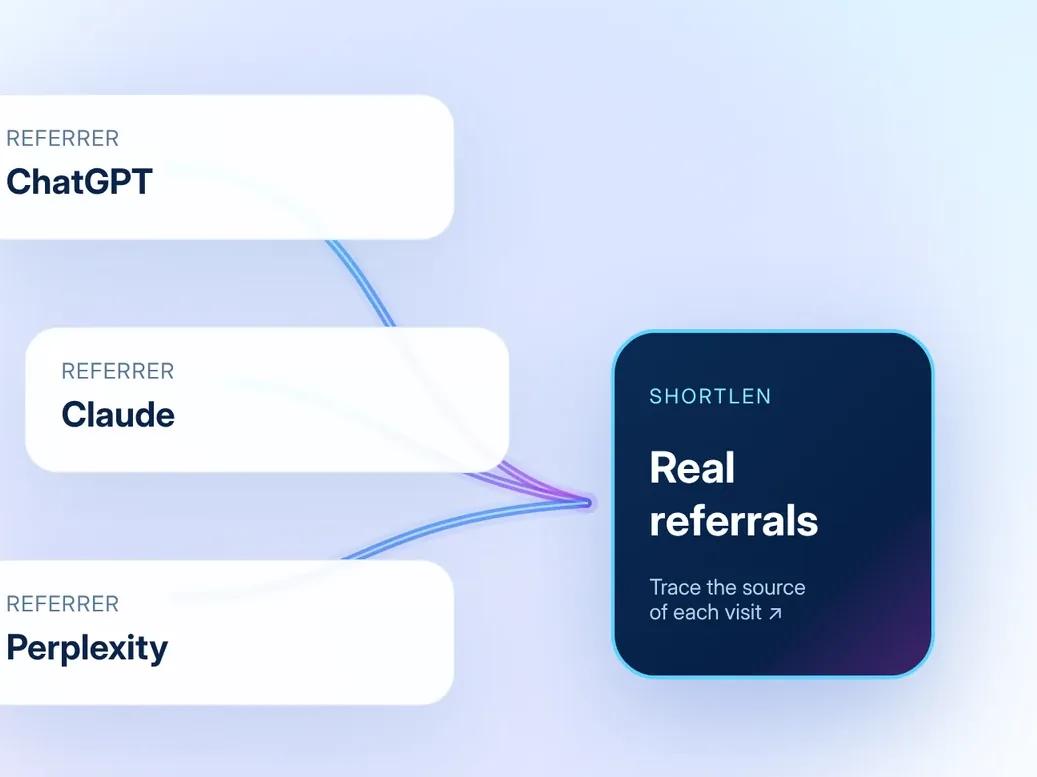
The table lists the main assistants, the web domain a referral usually comes from, and how they can be recognized. Domains change; check your own source report before you rely on a pattern.
| Assistant | Typical referring domain | Recognized by |
|---|---|---|
| ChatGPT | chatgpt.com (older: chat.openai.com) | Referrer, and utm_source=chatgpt.com |
| Claude | claude.ai | Referrer |
| Perplexity | perplexity.ai | Referrer |
| Gemini | gemini.google.com | Referrer |
| Microsoft Copilot | copilot.microsoft.com | Referrer |
| Meta AI | meta.ai | Referrer |
| DeepSeek | chat.deepseek.com | Referrer |
| Grok | grok.com | Referrer |
| Le Chat (Mistral) | chat.mistral.ai | Referrer |
| Poe | poe.com | Referrer |
| You.com | you.com | Referrer |
Google AI Overviews and AI Mode are not on the list on purpose. Google’s help page says they are excluded from the AI Assistant channel and counted as Organic Search, because the click starts on a Google results page.
How do I track AI traffic to links I share, not just my site?
GA4 only sees visits that reach a page with your tag on it. A lot of what gets cited in AI answers is not your homepage: a sign-up link, a PDF, a partner page, a product in a marketplace, a link in a public post. For those, the link itself has to do the measuring.
With BN Shortener (the service behind Shortlen, at b1.lc), each short link has a From AI assistants card in its analytics. It counts people who clicked the link in an answer from ChatGPT, Claude, Perplexity, Gemini, Microsoft Copilot, Meta AI, DeepSeek, Grok, Le Chat (Mistral), Poe or You.com. A visit is recognized from the referrer or from the utm_source the assistant adds, so a ChatGPT click that arrives without a referrer but with utm_source=chatgpt.com still counts. Developers get the same breakdown as ai_assistants in the API link stats.
Three settings make the numbers more useful:
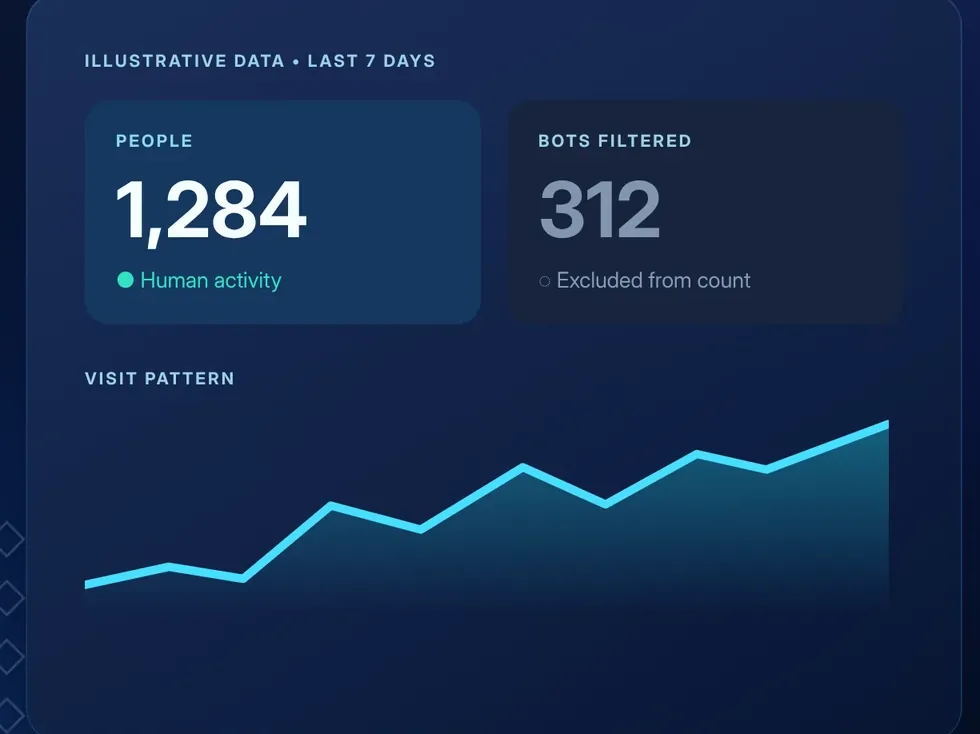
- Count people, not bots. BN Shortener records bots, crawlers and link previews separately and leaves them out of the totals by default. When an assistant or a chat app fetches a link to build a preview, that request should not look like a visitor. You can still see the bot count on its own.
- Pass the tag on to your site. In the link editor, set Visitor’s link parameters to “Pass them on”. Then a
utm_source=chatgpt.comadded to the short link reaches the landing page, and GA4 sees it too. If the destination already has autm_source, the destination’s own value wins. - Tag the link for your campaigns. Build the destination with the free UTM builder so the visit is grouped with the right campaign, and follow consistent UTM naming conventions so
chatgpt.comtraffic is not split across five spellings.
For the full picture of what a link records, see how to track clicks on a short link and the analytics feature page.
Why is AI traffic always undercounted?
Even with every setting above, some AI-driven visits stay invisible. It helps to know which ones, so you do not draw the wrong conclusions:
- App clicks with no referrer. The assistant opens the link in the phone’s browser and the referrer is lost. If the link carried no tag, the visit is Direct.
- Copy and paste. People copy a URL or a brand name out of an answer. A pasted URL is Direct; a brand searched on Google afterwards is Organic Search.
- Mentions without links. An assistant may recommend you without linking to you at all. That influence shows up later as branded search or Direct, never as AI referral traffic.
- Assistants built into search. Visits from Google’s AI Overviews and AI Mode are counted as Organic Search.
A practical way to live with this: track the measurable part consistently, watch the trend rather than the absolute number, and compare it with movement in Direct and branded search on the same pages.
What should I measure besides visits?
AI referrals tend to be small in volume, so judging them on visits alone undersells them. Look at what those visitors do:
- Key events and conversions. In GA4, add your sign-up or purchase key events to the Traffic acquisition report filtered to your AI channel.
- Landing pages. In an exploration, put landing page in rows and session source in columns. You will see which of your pages assistants cite, which is a useful brief for your content team.
- Conversions per link. If you share a short link, turn on conversion tracking so a sale or sign-up is tied back to the click. See how to track conversions from short links.
How do I get more traffic from ChatGPT in the first place?
Tracking only measures what you earn. A few basics decide whether you are cited at all:
- Let OpenAI’s search crawler in. OpenAI’s crawler documentation says OAI-SearchBot is used to surface websites in ChatGPT’s search features, and sites that opt out are not shown in its search answers. Check your robots.txt. GPTBot, the training crawler, is a separate decision.
- Answer specific questions on specific pages. Assistants quote pages that answer a question directly, with facts they can lift: numbers, steps, definitions and tables.
- Keep cited links alive. An answer may keep pointing at a URL for months. If that page moves, the click dies. A short link you can re-point, and a monitor on its destination, keeps it working; see link rot and broken links.
Start measuring AI referrals
Set up the GA4 check today; it takes a few minutes. (To share a chat itself, see shortening a ChatGPT, Claude or Gemini share link.) For the links you share outside your own site, you can start free at b1.lc: every plan includes click analytics with the From AI assistants card, people counted apart from bots, and the UTM builder. Pro is $15 a month ($144 a year) and Business $49 a month ($468 a year); the pricing page shows what each includes.
Sources
- [GA4] Default channel group, Google Analytics Help, undated. Checked 2026-10-23.
- [GA4] Custom channel groups, Google Analytics Help, undated. Checked 2026-10-23.
- Overview of OpenAI crawlers, OpenAI, undated. Checked 2026-10-23.
- How to Track AI Referral Traffic (and Leads) in GA4, Orbit Media Studios, 2024-12-04, updated 2026-07-07. Checked 2026-10-23.
- How to Track AI Traffic and Referrals in Google Analytics 4, MO Agency, 2026-04-20. Checked 2026-10-23.