
How to link to a YouTube timestamp and make a subscribe link
Link to a YouTube video at an exact time with Share > Start at, set start and end times in embeds, add chapters, and build a channel subscribe link that you can test.
Key takeaways
- YouTube's Share box has a Start at option: tick it, enter the time and copy; the link opens the video at that moment.
- Embedded players take start and end in seconds, and YouTube measures end from the beginning of the video, not from start.
- Chapters come from timestamps in the description: the first must be 00:00, you need at least three in order, and each chapter at least 10 seconds.
- Your channel link is youtube.com/@ plus your handle; the popular ?sub_confirmation=1 subscribe prompt is not in YouTube's help, so treat it as a bonus and test it.
- Put a short link in front of timestamp and channel links you print or pin, so you can swap the video later and count clicks by channel.
Most people never watch the first minute of a tutorial they were sent. They want the part that answers their question. A timestamp link drops them straight there, and a subscribe link turns a happy viewer into a subscriber with one tap. This guide shows how to make both, how to control start and end times in embedded players, how chapters work, and which parts YouTube documents and which are folk knowledge you should test. The free YouTube link generator writes both for you.
How do you link to a specific time in a YouTube video?
YouTube’s Share box has the option built in. Its help page says: “To link to a specific part of the video, check this box and enter the start time before you copy the link.”
- Open the video and pause at the moment you want, or note the time.
- Click Share under the video.
- Tick Start at. YouTube fills in the current time; change it if needed, for example 2:30.
- Click Copy.
The copied link carries the start time, so it opens the video at that moment. If you are linking to a video you watch on a phone, the share sheet in the app can differ, so check the link before you send it.
How do you set start and end times in an embedded video?
For a video embedded on your own website, the player takes parameters. Google’s documentation for the embedded player, last updated 15 October 2026, defines:
| Parameter | What Google says | Example |
|---|---|---|
start | “causes the player to begin playing the video at the given number of seconds from the start of the video” | start=150 begins at 2:30 |
end | the time, “measured in seconds from the start of the video”, when the player should stop | end=210 stops at 3:30 |
The detail people miss: end counts from the beginning of the video, not from start. To play 2:30 to 3:30, use start=150&end=210, not end=60.
Add the parameters to the embed address, for example https://www.youtube.com/embed/VIDEO_ID?start=150&end=210. Convert minutes to seconds first: minutes times 60, plus the seconds.
How do you convert a time to seconds?
The embed parameters take seconds only, so convert first: hours times 3,600, plus minutes times 60, plus the seconds.
| Time in the video | Seconds | Parameter |
|---|---|---|
| 0:45 | 45 | start=45 |
| 2:30 | 150 | start=150 |
| 10:05 | 605 | start=605 |
| 1:02:00 | 3720 | start=3720 |
The Share box’s Start at field takes the time as you see it in the player, such as 2:30, so you only need seconds for embeds.
Which moment should you link to?
A timestamp link is a promise: “the answer starts here”. A few habits make it land:
- Start a second or two early, so the viewer hears the start of the sentence rather than the middle of a word.
- Say what they will see in the message: “2:30 shows the setting you asked about” works better than a bare link.
- Link the answer, not the intro. If the useful part is at 6:10, that is the link, even if you love the opening.
- Use an end time in embeds when you only want to show one clip on your page, so the player stops before the next topic.
How do chapters and description timestamps work?
Chapters split a video into named sections in the progress bar, and every chapter title is itself a timestamp link. You create them by listing times in the description. YouTube’s help sets three rules:
- “Make sure that the first timestamp you list starts with 00:00.”
- “Your video should have at least three timestamps listed in ascending order.”
- “The minimum length for video chapters is 10 seconds.”
A description that works:
- 00:00 Intro
- 00:45 What you need
- 02:30 Setting it up
- 05:10 Common mistakes
Chapters help viewers who skim, and they give you ready-made timestamp links to share: copy the chapter’s time into the Start at box.
How do you make a YouTube subscribe link?
Start with your channel address. YouTube describes handles as “short and unique channel identifiers”, and your handle becomes your channel’s address: youtube.com/@ followed by the handle, as in YouTube’s own example, youtube.com/@youtubecreators. That plain link is what you should share on cards, in email signatures and on other platforms.
Many creators add ?sub_confirmation=1 to the end of the channel address, for example youtube.com/@yourhandle?sub_confirmation=1. It is widely shared as a way to open a subscribe prompt when the page loads. We found no YouTube help page that documents it, so:
- Treat the prompt as a bonus, not a promise; YouTube can change it at any time.
- Test it signed in and signed out, on a computer and in the YouTube app on a phone.
- Make sure the link still works as a normal channel link if no prompt appears.
| Link | Format | Documented by YouTube? |
|---|---|---|
| Video at a time | Share > Start at > Copy | Yes |
| Embedded start and end | ?start=SECONDS&end=SECONDS | Yes |
| Chapters | Timestamps in the description, first at 00:00 | Yes |
| Channel | youtube.com/@handle | Yes |
| Subscribe prompt | youtube.com/@handle?sub_confirmation=1 | Not in the help pages we checked |
When should you put a short link in front of a YouTube link?
YouTube’s own share links are short enough for a chat. A short link of your own earns its place when the link lives somewhere you cannot edit later:
- Print. A flyer, a product box or a slide where a QR code leads to “the 2-minute setup video”. If you re-upload a better video, change the short link’s destination and every printed code follows.
- Pinned posts and bios. A link that should always lead to your latest video, or the best moment in it.
- Tracking your own channels. YouTube Studio shows traffic sources inside YouTube. A short link per channel (newsletter, packaging, a partner’s site) shows which of your own placements sent each viewer. Read how to track clicks on a short link for the method.
Shorten the full link with the timestamp in it; the short link redirects to the whole address, start time included. Our guide on how to shorten a YouTube link covers the basics, and the YouTube link shortener page has examples.
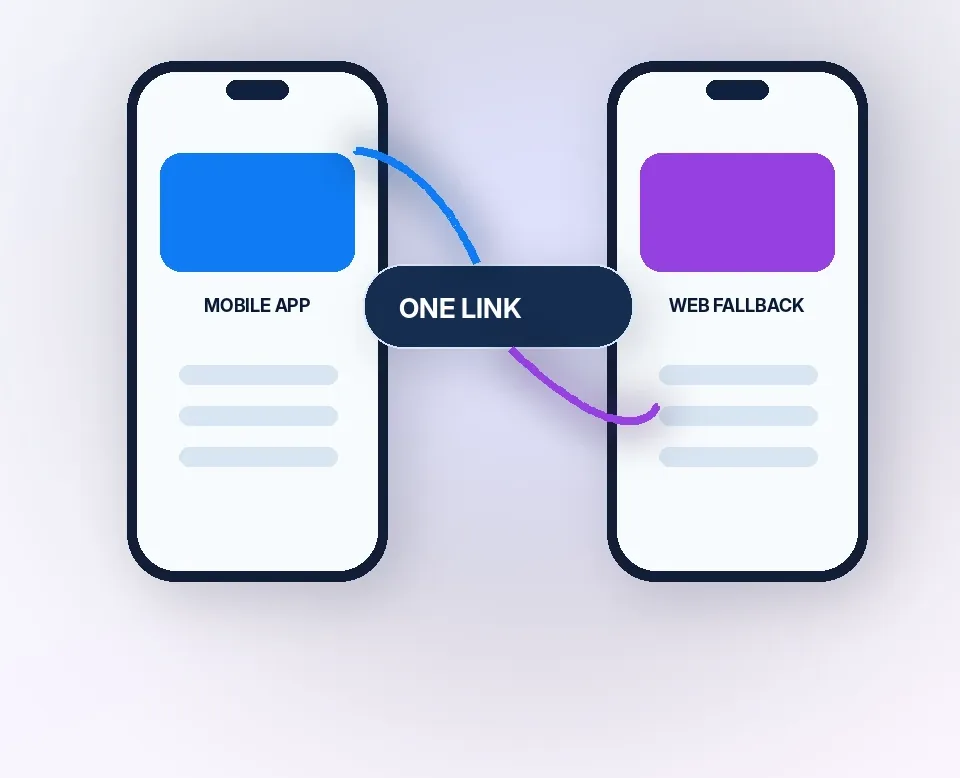
On phones, people may prefer the YouTube app to the browser. BN Shortener’s app links can try to open a chosen app at a set screen and fall back to the web page or store page; test whether the YouTube app already opens your plain link before adding anything.
Where do timestamp and channel links work best?
| Place | Link to use | Why |
|---|---|---|
| Reply to a customer question | Timestamp link to the answer | They watch 30 seconds instead of 10 minutes |
| Help center article | Embed with start and end | Shows only the relevant clip on your page |
| Video description | Chapters from 00:00 | Viewers jump to the part they need |
| Newsletter | Short link to a timestamp | Counts clicks and can be repointed |
| Printed manual or packaging | Dynamic QR code to a short link | Swap in a better video later without reprinting |
| End of a talk or slide deck | Channel link with your handle | Easy to remember and type |
| Social bio | Channel link, or a link page with your latest videos | One tap to everything |
If you collect several videos and links in one place, a link page works well for a bio or a printed code. BN Shortener’s bio pages include a video embed block for YouTube, so a chosen video can play right on the page, next to buttons for your channel, your newsletter and anything else you want viewers to find.
How do you use a timestamp link in a QR code?
Nielsen Norman Group’s QR guidelines fit video well: say what the code leads to, link to the specific content rather than a homepage, and make sure the destination works on phones. A code that opens a two-minute setup clip at the right second is exactly that.
Put the timestamp link behind a short link, then make a dynamic QR code from it, so you can change the video or time after printing. Write what people will get next to the code (“Scan to watch the setup, 2 minutes”). See our YouTube QR code page for layouts, and static vs dynamic QR codes for why dynamic is right here.
What is the checklist for YouTube links?
- Timestamp links opened at the right second on a computer and a phone.
- Embed
endvalues count from the start of the video. - Description chapters start at 00:00, have at least three entries and are at least 10 seconds apart.
- Your channel link uses your handle:
youtube.com/@yourhandle. - Any subscribe-prompt link was tested signed in and signed out.
- Printed or pinned links go through a short link you can change.
- Each channel has its own short link or UTM tags if it leads to your own site.
Start free
Start free at b1.lc to put short, trackable links and dynamic QR codes in front of your videos: the free plan includes 100 new links a month and 5 dynamic QR codes. For tagged links to your own site, use the free UTM builder.
Sources
- Share videos & channels, YouTube Help, undated. Checked 2026-10-24.
- YouTube Embedded Players and Player Parameters, Google for Developers, 2026-10-15. Checked 2026-10-24.
- Video chapters, YouTube Help, undated. Checked 2026-10-24.
- Understand your YouTube handle, YouTube Help, undated. Checked 2026-10-24.
- 13 QR-Code Usability Guidelines, Nielsen Norman Group, 2024-02-09. Checked 2026-10-24.