
Mailto links: syntax, subject and body, and why they don't open
How to write a mailto link with several recipients, cc, bcc, subject and body, how to encode spaces and line breaks, and how to fix mailto links that won't open.
Key takeaways
- The format comes from RFC 6068: mailto: plus addresses separated by commas, then ?field=value pairs joined by &.
- Encode every value: spaces as %20, line breaks as %0D%0A, and & or ? inside a value as %26 and %3F.
- A mailto link opens the visitor's default email app, so it fails for people who use webmail without setting it as the handler.
- Fix it per system: Windows Default apps, Mac Mail's Default email reader menu, or the browser's protocol handler permission for webmail.
- Bcc addresses are visible in the link itself, and published addresses attract spam, so think before putting either on a public page.
A mailto link opens a new email with the address, subject and even the message already filled in. It is the oldest trick on the web for getting people to write to you, and it still breaks in confusing ways: a stray space cuts off the subject, an ampersand swallows the body, and on many computers clicking it does nothing at all. This guide covers the exact syntax, the encoding rules, and how to fix mailto links on each system.
What is a mailto link?
A mailto link is a web link that starts with mailto: instead of https://. When someone clicks it, the browser hands it to the email app set as the default, which opens a new message. MDN, Mozilla’s reference for web developers, puts it simply: links using the mailto: scheme “open a new outgoing email message rather than linking to a resource or page.”
The scheme is defined in RFC 6068, published by the IETF in October 2010. Its basic form is:
mailto: + addresses + optional ?field=value&field=value
In HTML, a basic link looks like <a href="mailto:sales@example.com">Email sales</a>.
What can a mailto link fill in?
| Part | How to write it | Example |
|---|---|---|
| Recipient | After mailto: | mailto:sales@example.com |
| Several recipients | Commas between addresses | mailto:anna@example.com,sam@example.com |
| Subject | subject= | ?subject=Price%20list |
| Copy | cc= | &cc=boss@example.com |
| Blind copy | bcc= | &bcc=archive@example.com |
| Message | body= | &body=Hello%20team |
| No recipient | mailto: with fields only | mailto:?subject=Read%20this |
The first field comes after a question mark, and every other field after an ampersand. Order does not matter. MDN notes that the address is optional: a plain mailto: with a subject and body opens a message with no recipient, which works as a “share by email” link.
A full example with every field:
mailto:sales@example.com?cc=boss@example.com&bcc=archive@example.com&subject=Quote%20request&body=Hello%2C%0D%0AI%20would%20like%20a%20quote.
How do you encode spaces and line breaks?
Every value must be percent-encoded, because a mailto link is a URL. RFC 6068 is specific:
- “all spaces SHOULD be encoded as %20”. Some tools write spaces as +, which many email apps show as a literal plus sign.
- Line breaks in the body “MUST be encoded with “%0D%0A"".
- Characters with a meaning in the link must be encoded inside values:
&as%26,?as%3F,#as%23,=as%3D, and%itself as%25. A comma in the body is safest as%2C.
| You want | Write |
|---|---|
| A space | %20 |
| A new line | %0D%0A |
| An ampersand (Q&A) | %26 (Q%26A) |
| A question mark | %3F |
| A percent sign | %25 |
The most common bug is an unencoded & in the subject. subject=Q&A session ends the subject at “Q” and creates a field called “A session” that the email app ignores. Our free email link generator builds the link and encodes every field, and the URL encoder and decoder checks a link you wrote by hand.
Why do mailto links not open?
A mailto link does not send email itself. It asks the operating system or browser to open the default email app. If that app is missing, not set up, or not the one the person actually uses, nothing useful happens. The usual symptoms:
- Nothing happens. No default email app is set.
- The wrong app opens. For example, a desktop mail app the person never set up, when they use webmail.
- The subject or body is cut off. An unencoded
&,#or?in a value. - Plus signs instead of spaces. The link used + instead of %20.
- Line breaks are missing. The body used a raw new line or
\ninstead of %0D%0A.
The first two are settings on the visitor’s device, which you cannot change for them. That is why a visible address or a form next to the link matters: it gives everyone a way to reach you, whatever their setup. The last three are bugs in the link itself, and you can fix them once.
How do you fix mailto links on each system?
These fixes come from each vendor’s own help, as published on 24 October 2026.
| System | Where to set the default | Steps |
|---|---|---|
| Windows 11 | Settings > Apps > Default apps | Search for the link type (type mailto), select it and choose the app |
| Mac | Mail > Settings > General | Pick the app in the “Default email reader” menu; Mail needs an account set up first |
| Chrome with webmail | Settings > Privacy and security > Site settings | Allow sites to ask to handle protocols, then accept the webmail site’s prompt |
| iPhone and Android | System settings | Recent versions let you choose a default email app; menu names vary by version |
Windows. Microsoft’s help says to open Settings, then Apps, then Default apps, and to “type the file extension or protocol you wish to change”. Type mailto, select the result and choose your email app.
Mac. Apple’s steps: install the email app you want, make sure Mail is “set up to use an email account” (you can remove that account later), then go to Mail > Settings > General and pick your app from the “Default email reader” menu. If it is not listed, choose Select and find it.
Chrome and webmail. Chrome lists protocol handlers as a site permission: “Sites can handle tasks when you select certain links, like create a message in your email client.” Change it under Settings > Privacy and security > Site settings. If your webmail site never asks, check that it is not on the blocked list for that permission.
What are some mailto examples you can copy?
Replace the example addresses with your own. Each one is fully encoded.
A sales enquiry with a subject:
mailto:sales@example.com?subject=Pricing%20question
A support request with a prefilled body on two lines:
mailto:support@example.com?subject=Help%20with%20my%20order&body=Order%20number%3A%20%0D%0AWhat%20went%20wrong%3A%20
Two recipients and a copy to a manager:
mailto:anna@example.com,sam@example.com?cc=manager@example.com&subject=Project%20update
A “share by email” link with no recipient:
mailto:?subject=Worth%20a%20read&body=I%20thought%20you%20would%20like%20this%3A%20https%3A%2F%2Fexample.com%2Fguide
In the last example, the link inside the body is encoded too, so its own / and : characters cannot confuse the email app. Short links make this easier: a short address has fewer characters to encode and is less likely to wrap badly in the message.
How do you add a mailto link in common tools?
The link is the same everywhere; only the place you paste it changes.
| Tool | How |
|---|---|
| HTML | <a href="mailto:sales@example.com">Email sales</a>, as in MDN’s example |
| Markdown | [Email sales](mailto:sales@example.com) |
| Word, Google Docs, slides | Select the text, insert a link, and paste the full mailto: address |
| Email signatures | Most signature editors accept a mailto: link on your address |
| Website builders | Choose “email” as the link type, or paste the mailto: address as the URL |
Two habits help everyone. Use link text that says what happens, such as “Email our sales team”, so nobody is surprised when an email window opens. And show the address itself somewhere on the page, so people whose click does nothing can copy it. Our guide on how to name a hyperlink covers wording in more depth.
Should you use a mailto link or a contact form?
Both have a place.
| Mailto link | Contact form | |
|---|---|---|
| Setup | None | Needs a form and a place to receive messages |
| Works without a default email app | No | Yes |
| Visitor keeps a copy in their sent mail | Yes | Usually not |
| Exposes your address to spam harvesters | Yes | No |
| Can track clicks | Only if you count clicks yourself | Yes, by submissions |
RFC 6068 itself warns about bcc: it “removed prohibition against Bcc: header fields, but added a warning about their visibility and harvesting for spam.” Anything in the link, including a bcc address, can be read by anyone who views the page source.
If you use a link page, BN Shortener’s bio pages include a contact form block that emails each message to your account address, alongside normal buttons.
Can you put a mailto link in a QR code or a short link?
In a QR code, yes. The ZXing project, whose formats phones follow, lists email as a content type and advises creating “a proper mailto: URL from the address”. Scanning opens a new email with the fields filled in. Use a static code for email, since there is no web page to open; our free QR code generator has an email option. See static vs dynamic QR codes for when each type fits.
For a link in a text message or social post, a mailto link is often not clickable. Link to a web page with a clear email button or a form instead, and track it with a short link and UTM tags.
What is the checklist before you publish a mailto link?
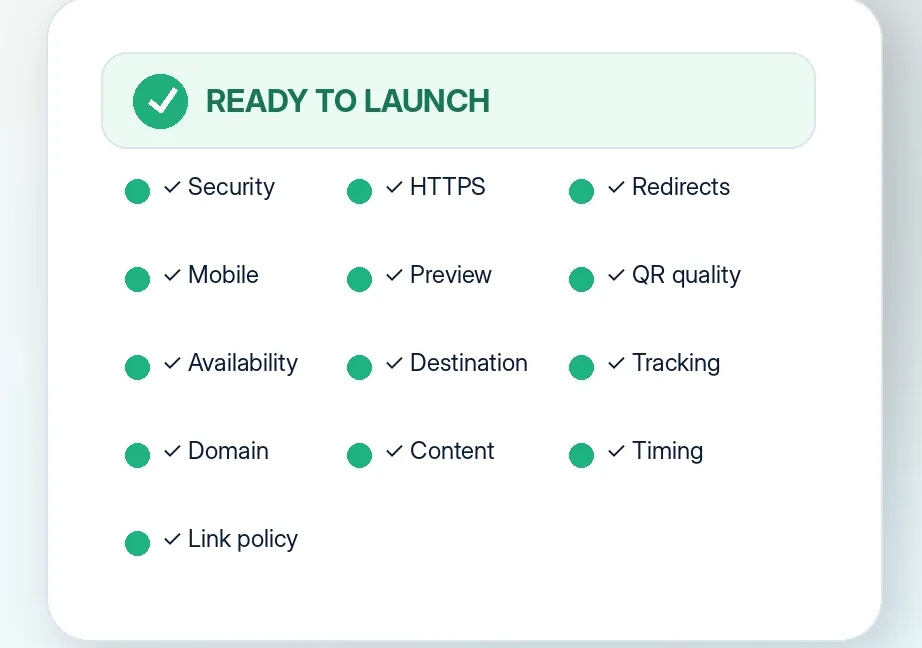
- The address is right, and is a role address rather than a personal one.
- Several recipients are separated by commas, with no spaces.
- The first field starts with ?, the rest with &.
- Spaces are %20, line breaks %0D%0A, and & inside text is %26.
- You clicked it on Windows, Mac and a phone, and the subject and body arrived whole.
- The page also shows the address as text, for people whose click does nothing.
- Nothing in the link (including bcc) is private.
Read our guide on how to name a hyperlink for wording that tells people the link opens an email.
Start free
Build a mailto link now with the free email link generator. If you also want short, trackable links for the pages around it, start free at b1.lc: the free plan includes 100 new links a month, 5 dynamic QR codes and one bio page.
Sources
- RFC 6068: The 'mailto' URI Scheme, IETF (RFC Editor), 2010-10. Checked 2026-10-24.
- Creating links: email links, MDN Web Docs, undated. Checked 2026-10-24.
- <a>: The Anchor element, MDN Web Docs, undated. Checked 2026-10-24.
- Change default apps in Windows, Microsoft Support, undated. Checked 2026-10-24.
- Change the default web browser or email app on Mac, Apple Support, undated. Checked 2026-10-24.
- Change site settings permissions, Google Chrome Help, undated. Checked 2026-10-24.
- Barcode Contents: e-mail address, ZXing project wiki (GitHub), undated. Checked 2026-10-24.