How to shorten a YouTube link (with timestamps, playlists and tracking)
Get a short YouTube link with youtu.be, start a video at a set time with ?t=, share playlists and channels, and see when a branded short link works better.
Key takeaways
- YouTube's own short form is youtu.be/VIDEO_ID; in our test it redirected to the full youtube.com/watch address with the same video and start time.
- Tick Start at in the Share panel, or add ?t=SECONDS, to open a video at a set moment; 2:30 is t=150.
- Playlists are identified by a list= value and channels by an @handle such as youtube.com/@yourchannel.
- A youtu.be link cannot be edited or tracked by you; a branded short link can be re-pointed to a newer video and counts every click.
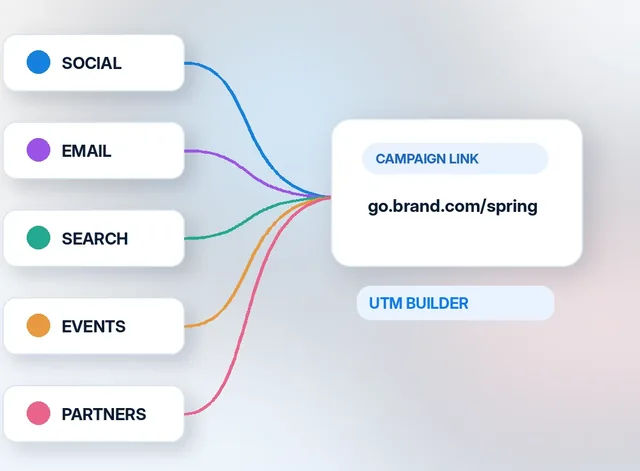
- Use one short link per place you share (description, email, QR code on merch) to see which one sends viewers.
YouTube already has a short link: the youtu.be address you get from the Share button. For most quick shares that is all you need. This guide shows how to get it, how to start a video at a specific moment, how to share playlists and channels, and when a branded short link of your own does a better job. For timestamp and subscribe links in depth, see how to link to a YouTube timestamp; the free YouTube link generator writes them for you, and the YouTube link shortener page covers branded, tracked links.
How do I get a short YouTube link?
YouTube’s help page “Share videos and channels” gives the steps on a computer:
- Start watching the video on youtube.com.
- Under the video, click Share.
- Click Copy to copy the link.
On Android, YouTube’s help page says to tap Share under the video player and then Copy link.
YouTube’s short domain is youtu.be. Each watch page declares https://youtu.be/ plus the video’s ID (such as dQw4w9WgXcQ) as its short link in the page’s HTML (we checked on 23 October 2026), and the link you copy from the Share panel normally takes that short form.
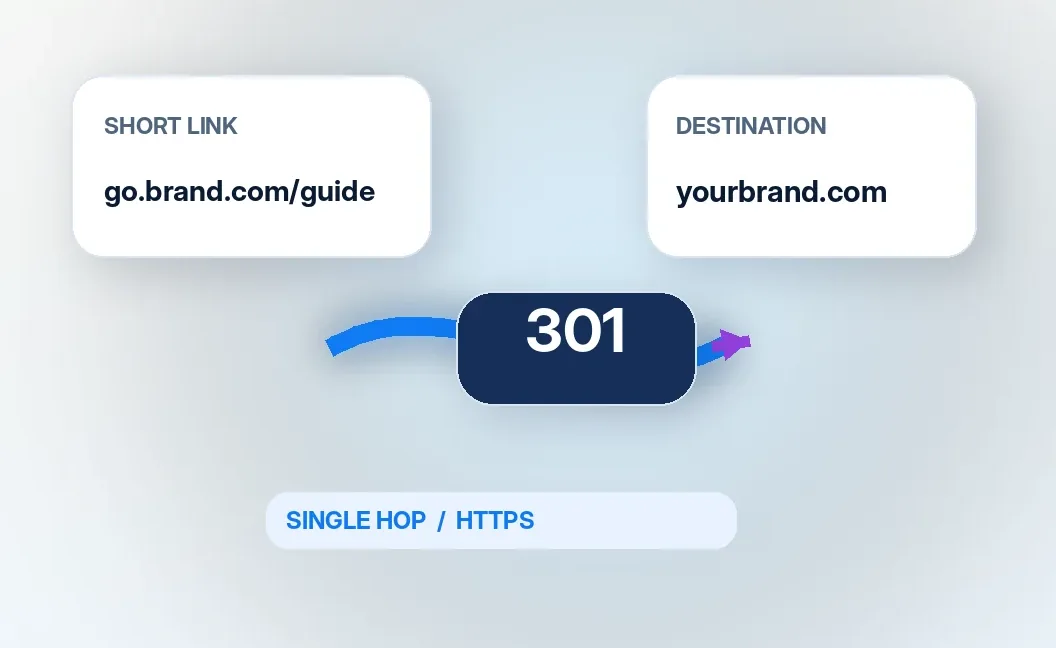
A youtu.be link is a redirect. When we tested https://youtu.be/dQw4w9WgXcQ?t=150 on 23 October 2026, it answered with a redirect to https://www.youtube.com/watch?t=150&v=dQw4w9WgXcQ&feature=youtu.be, the full watch page with the same video and start time.
| Link type | Example | Use it for |
|---|---|---|
| Short share link | youtu.be/VIDEO_ID | Chats, posts, anywhere length matters |
| Full watch link | youtube.com/watch?v=VIDEO_ID | Documents, where a readable domain helps |
| With a start time | youtu.be/VIDEO_ID?t=150 | Pointing at one moment in a long video |
| Playlist | youtube.com/playlist?list=PLAYLIST_ID | A series or a course |
| Channel handle | youtube.com/@yourhandle | Your channel in a bio or signature |
How do I link to a specific time in a YouTube video?
The Share panel has a Start at box. YouTube’s instructions: “To link to a specific part of the video, check this box and enter the start time before you copy the link. For example, to start the video at 2 minutes and 30 seconds, check the box and enter ‘2:30.’”
You can also add the time by hand. The value is in seconds:
- On a
youtu.belink, add?t=150:youtu.be/VIDEO_ID?t=150. - On a full watch link, which already has a
?, add&t=150:youtube.com/watch?v=VIDEO_ID&t=150.
Quick conversions: 1:00 is 60, 2:30 is 150, 10:00 is 600, 1:02:00 is 3720.
For an embedded player on your own site, Google’s player documentation uses a different parameter, start, also in whole seconds, and notes that the player starts at the closest keyframe, so playback may begin slightly before the time you set.
How do I share a YouTube playlist or channel?
Playlists. YouTube’s help page on playlists explains how to create one and set its privacy; a private playlist is only visible to you, so make it public or unlisted before you share it. A playlist link carries a list= value with the playlist’s ID. Open the playlist page and copy the address from the browser, or use its Share button.
Channels. YouTube’s handle page says handles “start with the ’@’ symbol”, are between 3 and 30 characters, are not case-sensitive, and can be used “outside of YouTube to promote your channel”. Your channel link is youtube.com/@yourhandle. Two practical notes from the same page:
- Legacy personalised channel URLs keep working.
- If your handle uses characters other than A-Z, 0-9 and the separators
_ - ., “some apps and websites outside of YouTube may not properly display or support your youtube.com/@myHandle link”. A Latin-character short link in front of it avoids that.
When is a branded short link better than youtu.be?
youtu.be is short and free, but it belongs to YouTube. You cannot see how many people clicked the copy you shared, and you cannot change which video it opens. A short link of your own, such as go.yourbrand.com/setup-guide, fixes both.
| youtu.be link | Your own short link | |
|---|---|---|
| Length | Short | Short |
| Shows your brand | No | Yes, on your own domain |
| Click count per place you shared it | No | Yes |
| Change the video later | No, the ID is in the link | Yes, edit the destination |
| Works on printed material long term | Only for that one video | Yes, re-point when the video is replaced |
| Start time | ?t= | Keep ?t= in the destination |
Situations where a branded link pays off:
- Printed material. A QR code on packaging or a poster that opens a how-to video. When you film a better version, re-point the link instead of reprinting. Our guide to static vs dynamic QR codes explains why.
- Courses and onboarding emails. Link to “the setup video” and swap in the updated one each year; old emails keep working.
- Comparing placements. One link in the video description of another channel, one in your newsletter, one on your website. Each gets its own count.
- Localised versions. With smart links (Pro, $15 a month), one link can send visitors to different videos by country or language. See smart links by device and country.
How do I make and track a short YouTube link?
With BN Shortener (the service behind Shortlen, at b1.lc):
- Copy the YouTube link, with a start time if you need one.
- Create a short link with it as the destination, and pick a readable alias, such as
b1.lc/setup-2026or, on your own domain,go.yourbrand.com/setup. Aliases can be 3 to 50 characters. - Make a separate short link for each place you will share it.
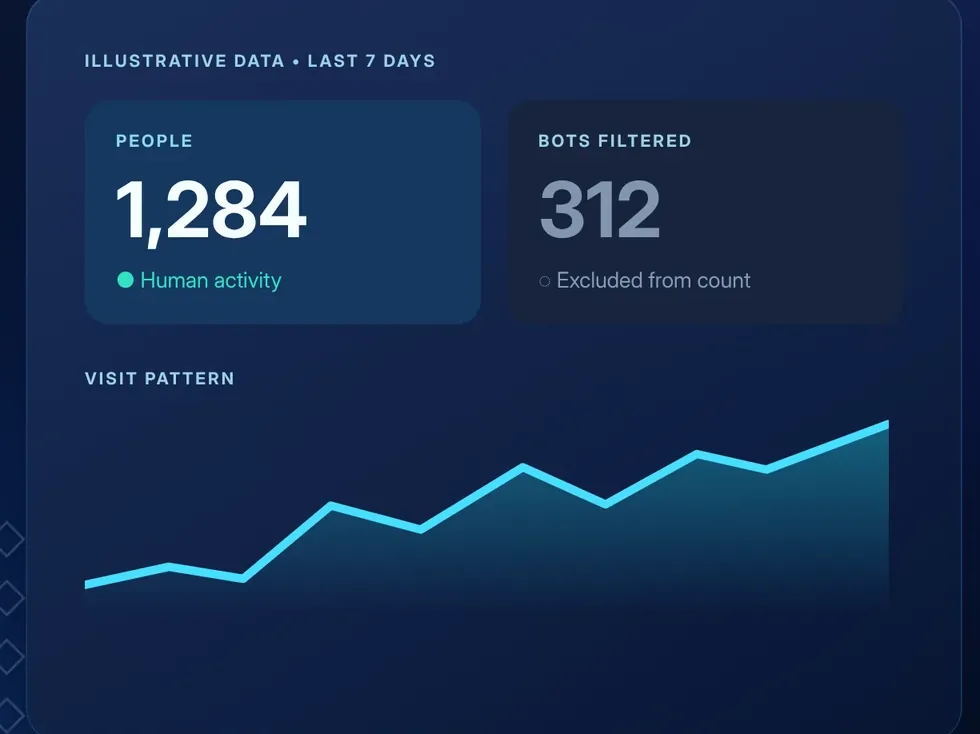
- Read the analytics. BN Shortener counts people by default and keeps bots and link previews apart, so a chat app fetching the link to build its card does not count as a view. You see countries, devices, referrers and the time of day.
- When the video changes, edit the destination. BN Shortener keeps a history of every change, so you can roll back.
A note on UTM tags: they are read by web analytics on your own pages. YouTube is not your page, so UTM tags on a YouTube link will not show up in your Google Analytics. Count clicks on the short link instead, and keep UTM tags for the links in your video descriptions that lead to your own site. For those, use the free UTM builder and see how to tag links with UTM.
What about links from YouTube to your own site?
The other direction matters just as much: the links in your video descriptions and on your channel that send viewers to your website. YouTube’s help page on managing your channel lists channel profile links among the settings you can change, and every video description can carry links.
For those, tag and shorten:
- Tag the destination. Google’s documentation of the GA4 default channel group says a visit is Organic Video when the source is on its list of video sites (it names YouTube) or when the medium matches
video. A consistent set isutm_source=youtube,utm_medium=video,utm_campaignfor the series andutm_contentfor the video. The free UTM builder builds it; see how to tag links with UTM for the method. - Shorten it. A short link such as
go.yourbrand.com/kit-ep12is readable in a description and easy to say out loud in the video. - One link per video. Then the short link’s analytics show which video sends visitors, and your web analytics shows what they did next.
- Re-point old links. Descriptions on old videos keep getting views for years. When a product or page changes, edit the short link instead of editing dozens of descriptions.
Which link should I use where?
| Where you share | Best link | Why |
|---|---|---|
| A chat or social post, one-off | youtu.be with ?t= if needed | Short and free; nothing to maintain |
| An SMS | A short link | Every character counts; check length with the SMS character counter |
| An email to customers | A branded short link | Shows your brand, counts clicks, can be re-pointed |
| Print, packaging, posters | A dynamic QR code or short link | Survives a new video without a reprint |
| Your website | The embedded player or full link | Visitors stay on your page |
| Your bio or signature | youtube.com/@handle, or a short link to it | Readable and stable |
YouTube link checklist
- The video, playlist or channel is public or unlisted, not private.
- The start time is in seconds (
t=150), with?on youtu.be links and&on watch links. - Printed and long-lived links use a short link you can re-point.
- Each placement has its own short link.
- Your channel link uses your @handle.
- You tested the link on a phone, where it should open the YouTube app or the mobile site.
Start free
For a quick share, youtu.be is enough. For links you will print, email to customers or need to measure, start free at b1.lc: the Free plan includes 100 new short links a month, one custom domain, 5 dynamic QR codes and click analytics. Pro is $15 a month ($144 a year) and Business $49 a month ($468 a year); see the pricing page and the branded links feature page.
Sources
- Share videos and channels, YouTube Help, undated. Checked 2026-10-23.
- Learn about YouTube handles, YouTube Help, undated. Checked 2026-10-23.
- Create & manage playlists, YouTube Help, undated. Checked 2026-10-23.
- Manage your YouTube channel's profile, YouTube Help, undated. Checked 2026-10-23.
- [GA4] Default channel group, Google Analytics Help, undated. Checked 2026-10-23.
- YouTube Embedded Players and Player Parameters, Google for Developers, undated. Checked 2026-10-23.