Link rot: why links break and how to find, fix and prevent broken links
38% of 2013 web pages are gone. What causes link rot, what broken links cost you, and a practical system to find, fix and prevent them, including printed links.

Key takeaways
- Link rot is normal, not rare: a quarter of pages that existed between 2013 and 2023 were no longer accessible in October 2023 (Pew Research).
- Most links break because one page was moved or deleted on a working site, not because the whole site died.
- Fix internal breaks with 301 redirects; fix links you published elsewhere by changing where they point, which only works if you control the link.
- Printed links and QR codes cannot be edited, so they should go through a short link or dynamic QR code you can repoint.
- Monitoring the destination, with a backup page ready, turns a silent outage into an alert and a two-minute fix.
Every link you publish starts decaying the day you share it. Pages get renamed in a redesign, products are discontinued, campaigns end, domains lapse, and the link that worked in your launch email now lands on an error. This guide covers how common link rot is, what causes it, what it costs, and a practical system to find, fix and prevent broken links, including the ones you printed and can no longer edit.
What is link rot?
Link rot is the gradual failure of links to reach the pages they were meant to reach. The visitor clicks and gets a “page not found” error, a server that does not answer, a parked “domain for sale” page or an unrelated home page.
Three related terms are worth separating:
- Broken link: one link that no longer works.
- Link rot: the process that produces broken links over time.
- Content drift: the link still works, but the page now says something different from what you linked to.
How common is link rot?
More common than most teams assume. Pew Research Center sampled just under 1 million web pages that existed between 2013 and 2023 (from Common Crawl snapshots) and checked which still loaded in October 2023. Its findings, published 17 May 2024:
| Finding (Pew Research Center, 2024) | Figure |
|---|---|
| Pages that existed at some point from 2013 to 2023 and were no longer accessible | about a quarter |
| Pages from 2013 no longer available | 38% |
| Pages from 2023 no longer available | 8% |
| News pages with at least one broken link | 23% |
| Government pages with at least one broken link | 21% |
| Wikipedia pages with at least one dead link in References | 54% |
Pew also notes that in most cases the page was lost because “an individual page was deleted or removed on an otherwise functional website”, not because the whole site went offline. That matters: the sites you link to are probably still there; the specific page is what moved.
Backlinks decay too. An Ahrefs study (updated 2 February 2024) found that “since January 2013, 66.5% of the links pointing to the 2,062,173 websites we sampled have rotted.”
What causes link rot?
- Restructuring and redesigns. A new CMS or URL scheme changes every path, and nobody maps the old ones.
- Deleted content. Discontinued products, expired promotions, removed blog posts.
- Expired domains. A campaign microsite’s domain is not renewed and every link on it dies at once.
- Platform shutdowns. A service hosting your links closes. Google’s goo.gl shortener stopped serving links that had no activity in late 2024 after 25 August 2025 (active links were kept), and Firebase Dynamic Links shut down on the same date, after which Google says clicked links “will return a HTTP 404 status response”.
- Certificates and hosting. An expired SSL certificate or a misconfigured server makes a page unreachable even though it still exists.
- Typos and bad copies. A link can be broken before anyone clicks it.
- Expiry you set yourself. A short link with an expiry date, or one moved to the trash, stops working by design; a printed one keeps being scanned long after.
What do broken links cost you?
Search visibility. Google’s documentation is direct: Google “doesn’t index URLs that return a 4xx status code”, and “URLs that are already indexed and return a 4xx status code are removed from the index.” A moved page without a redirect loses its rankings and the value of every link pointing to it.
Campaign money. An ad, email or SMS that sends people to an error page still costs the same to send. With a short link that splits traffic by device or country, one broken target can silently fail a whole segment.
Measurement. If the landing page breaks, your UTM tags and conversion tracking break with it, and the campaign looks like it simply underperformed.
Print and packaging. A link in a brochure, on a poster or in a QR code on a product box cannot be edited after printing. If it points straight at a page that later moves, every copy in circulation is broken.
Trust. A dead link in a help article, an invoice or a contract reads as neglect.
How do I find broken links?
Use three layers, because each catches what the others miss.
- Crawl your own site. A site crawler follows every internal and outbound link and lists 4xx and 5xx responses and redirect chains. Run it monthly and after every release that touches URLs.
- Check Search Console’s indexing reports for pages Google sees as “not found” or as soft 404s (pages that return a success code but show an error or empty page).
- Monitor the links that carry traffic. Campaign links, QR codes and links in emails are not on your site, so a crawler never sees them. Their destinations need to be checked on a schedule.
For a quick one-off check of any URL, BN’s free Link Checker runs seven checks (security, destination, redirects, HTTPS, mobile, preview and UTM) without an account. Inside BN Shortener, Launch Check runs 13 checks when a link is created and again when its destination changes; its “Destination is reachable” check fails on network errors and on HTTP 400+ errors (sites that block checkers, answering 401, 403 or 429, show as “unknown”), and warns on “page not found”, parked and “domain for sale” pages, the soft 404s a status-code check would miss. To see where any BN short link goes without opening it, add a + to the end (https://b1.lc/AbC9+).
How do I fix broken links?
Match the fix to where the link lives:
| Where the broken link is | Best fix |
|---|---|
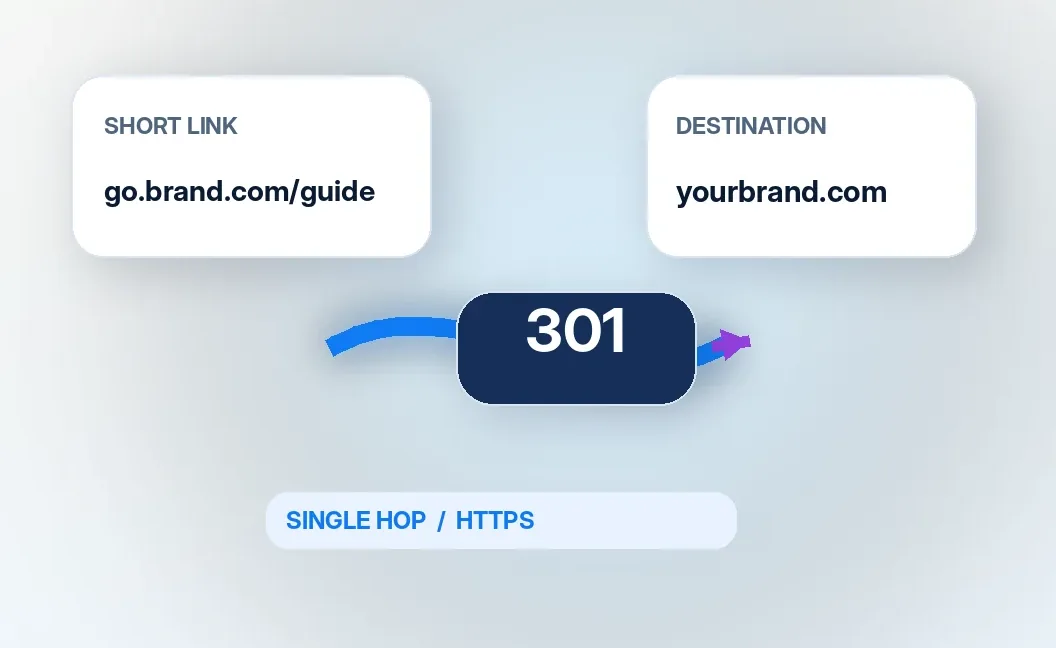
| On your site, pointing to a page you moved | 301 redirect from the old URL to the new one, then update the link |
| On your site, pointing to someone else’s page | Update to the new address, a better source, or an archived copy |
| On someone else’s site, pointing to you | 301 redirect the old URL; ask the site owner to update if it matters |
| In an email already sent, a PDF, print or a QR code | Only fixable if the link goes through an address you control: change its destination |
| A short link whose destination died | Edit the destination, or fail over to a backup page |
For redirects, use a permanent 301 when a page has moved for good; see 301 vs 302 redirects for when a temporary redirect is the better choice. Avoid long chains: each extra hop is another thing that can break.
How do I prevent link rot?
You cannot stop other sites from changing. You can make sure every link you publish goes through something you control, and that you hear about breaks first.
Publish addresses you can repoint. Put campaign, print and partner links behind a short link on your own domain. When the page moves, you change the destination once and every copy of the link (emails, PDFs, posters) works again. For QR codes, use dynamic codes for the same reason; see static vs dynamic QR codes.
Do not let printed links expire. BN’s dashboard advises that printed QR codes and sent SMS links usually should not expire. If you do set an expiry, Link Health lists links expiring within 7 days and lets you extend them in bulk by 30 days, 90 days or a year.
Keep old codes working when you rename. When you change a short link’s code in BN Shortener, the option “Keep old code as redirect to new code” leaves the old address working.
Own your fallback pages. On your own short domain you can set a “Link not found” page and an “Expired link” page, so even a dead code lands on something helpful instead of a bare error.
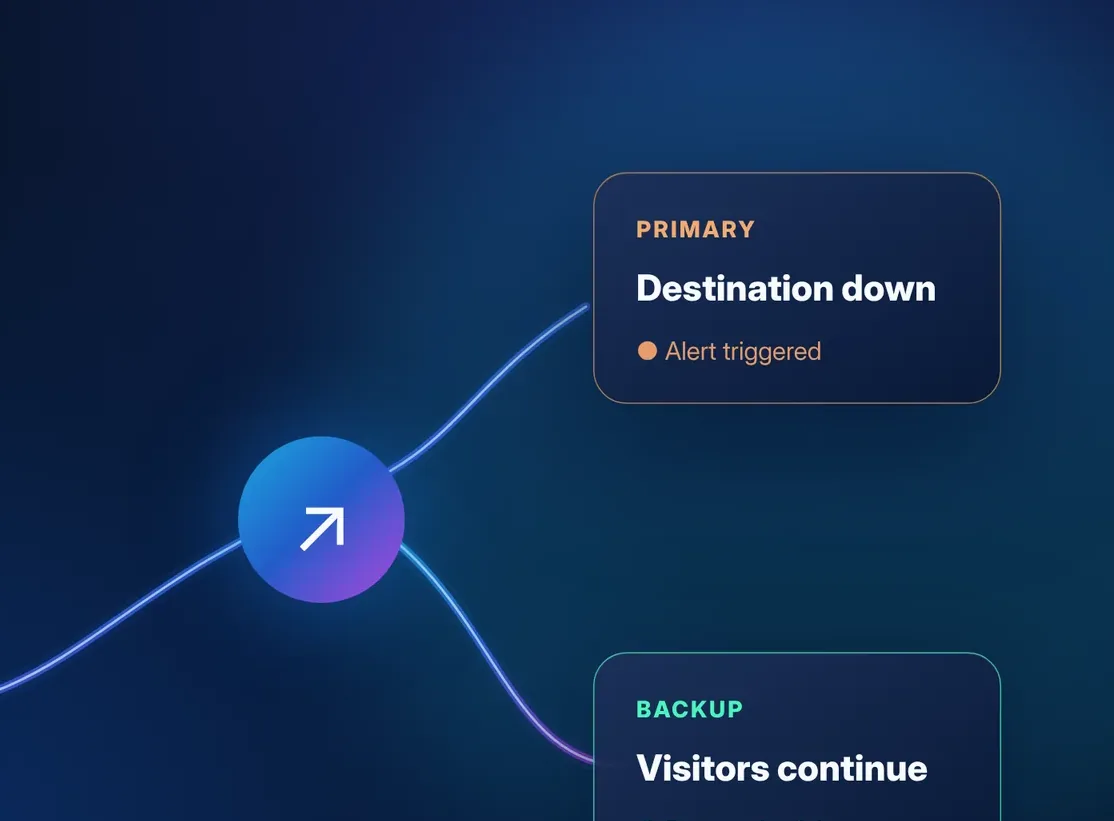
Monitor destinations and keep a backup ready. This is where Link Guardian comes in:
- It checks each monitored destination every 15 minutes and re-checks 3 minutes after a failure.
- An incident opens after 2 failed checks in a row (error response, timeout, a domain that does not resolve, an SSL/TLS problem, connection failure, redirect loop, or a non-public address) and closes after 2 good checks. Slow responses (over 8 seconds) and sites that block automated checks are warnings, not outages.
- Incidents show the traffic at risk (“N visits in 24 h”) and a severity based on that traffic.
- You set a backup URL per link. Failover sends visitors to the backup without changing the link’s real destination; auto-failover (opt-in) switches over by itself and switches back after 2 good checks. Guardian never picks a backup on its own.
- Alerts go by email to the owner and up to 10 more addresses, and to a Slack-compatible webhook, with escalation if nobody acknowledges.
- Traffic alerts warn you when a busy link’s clicks from people suddenly drop over 6 hours, by email or the
link.traffic_dropwebhook, which can be the first sign that the page behind it broke even when it still answers HTTP 200.
Monitoring is part of the paid plans: Pro covers 25 monitored links and Business 250 (Free has none). For a walkthrough, see how to keep a short link working if its destination goes down.
Work from one list. BN’s Link Health page collects everything that needs attention: destinations that are down, links blocked or flagged by the security scan, Launch Check “not ready” results, links expiring soon or expired recently, busy links without monitoring (50+ people in 4 weeks) and links that have gone quiet. A weekly Link Health email sends the critical issues and warnings.
Can your link shortener cause link rot?
Yes, and it is worth asking before you print anything. A shortener is a dependency: if it shuts down, deletes inactive links or stops serving links when you stop paying, every short link you published breaks at once. Questions to ask any provider:
- What happens after a downgrade or cancellation? BN Shortener’s rule is that plan limits only restrict creating new items: every link, QR code and page already made keeps working and stays editable, and no ads are added.
- What happens when I delete by mistake? In BN, a deleted link goes to Trash and stops redirecting, but it can be restored with its code, analytics and settings for 30 days.
- Can I leave with my links? BN exports every link as JSON or CSV, and imports from other shorteners; see how switching works.
- Can I use my own domain? If your links live on your domain, you can move them to another service later and keep every address.
Link rot prevention checklist
- Campaign, print and partner links go through short links on your own domain.
- QR codes on anything printed are dynamic.
- Printed and SMS links have no expiry, or a monitored one.
- Moved pages get a single 301 redirect; old short codes are kept as redirects.
- Your own site is crawled monthly and after every migration.
- Links that carry traffic are monitored, with a backup URL and alerts that reach a person.
- You know what your link provider does on downgrade, deletion and export.
Start free
You can create short links on your own domain, dynamic QR codes and Launch Check results on BN Shortener’s free plan; Link Guardian monitoring comes with Pro ($15 a month) and Business ($49 a month). Start free at b1.lc and see what each plan includes.
Sources
- When Online Content Disappears, Pew Research Center, 2024-05-17. Checked 2026-10-23.
- Link rot study, Ahrefs, 2024-02-02. Checked 2026-10-23.
- How HTTP status codes, and network and DNS errors affect Google Search, Google Search Central, 2026-02-04. Checked 2026-10-23.
- Google URL Shortener links will no longer be available [updated], Google for Developers Blog, 2025-08-01. Checked 2026-10-23.
- Dynamic Links deprecation FAQ, Firebase (Google), 2026-10-22. Checked 2026-10-23.
- What is link rot?, Bitly, 2026-04-13. Checked 2026-10-23.