Open Graph image size: what Facebook, LinkedIn, X and Slack ask for
The og:image size each platform documents: 1200 x 630 for Facebook, 1200 x 627 for LinkedIn, 2:1 for X, plus file limits, the tags to add and how to refresh a stale card.
Key takeaways
- 1200 x 630 pixels is the one size that satisfies Facebook, LinkedIn and X's large card; under 5 MB keeps it inside the strictest limit.
- X's large image card is 2:1, so a 1200 x 630 image loses about 15 pixels at the top and bottom; keep important content in the middle.
- LinkedIn shows images narrower than 401 pixels as small thumbnails, and Facebook shows small images much smaller.
- Add og:image:width and og:image:height: Facebook says they help it render the image on the first share.
- Platforms cache images by URL, so to change a card's image, publish it at a new address and refresh the preview.
When someone shares your link, the platform fetches your page, reads its Open Graph tags and builds a card: a picture, a title and a line of description. The picture does most of the work, and getting its size wrong means a cropped logo, a tiny thumbnail or no image at all. Each platform documents its own numbers, and they almost agree. This guide collects them from each platform’s own pages, as published on 24 October 2026, and gives one size that works everywhere.
What size should an Open Graph image be?
Use 1200 x 630 pixels, a ratio of about 1.91:1, saved as JPG or PNG under 5 MB. That one image meets Facebook’s and LinkedIn’s recommendations and fits X’s large card with a small crop.
| Platform | Recommended size | Ratio | Minimum | File limit | Source |
|---|---|---|---|---|---|
| Facebook (and other Meta apps) | At least 1200 x 630 | About 1.91:1 | 200 x 200; 600 x 315 for the large post | 8 MB | Meta for Developers |
| At least 1200 x 627 | 1.91:1 | Below 401 px wide shows as a thumbnail | Under 5 MB | LinkedIn Help | |
| X (summary_large_image) | Up to 4096 x 4096 | 2:1 | 300 x 157 | Under 5 MB | X Developer Platform (archived Feb 2026) |
| Slack | Not documented | Not documented | Not documented | Not documented | Slack Developer Docs |
X’s documentation also lists the formats it accepts: “JPG, PNG, WEBP and GIF formats are supported. Only the first frame of an animated GIF will be used. SVG is not supported.” Slack’s docs say it “looks for common OpenGraph and X (formerly known as Twitter) Card metadata” but give no image size, so an image that works for Facebook and X is the safe choice there too.
Which tags does a share card need?
The Open Graph protocol at ogp.me lists four required properties for every page: og:title, og:type, og:image and og:url. For the image, it also defines structured properties:
og:image:widthandog:image:height: “The number of pixels wide” and high.og:image:alt: “A description of what is in the image (not a caption).”og:image:secure_url: an alternate address for pages that need HTTPS.
LinkedIn says it reads four tags: og:title, og:image, og:description and og:url. X reads its own twitter: tags first and falls back to Open Graph: its markup reference lists og:image as the fallback for twitter:image and og:title for twitter:title. To get the large card on X, add twitter:card with the value summary_large_image.
A complete set looks like this:
<meta property="og:title" content="Spring sale: 20% off" />
<meta property="og:description" content="Three days only, on every plan." />
<meta property="og:image" content="https://example.com/og/spring-1200x630.png" />
<meta property="og:image:width" content="1200" />
<meta property="og:image:height" content="630" />
<meta property="og:image:alt" content="Spring sale banner with 20% off in large type" />
<meta property="og:url" content="https://example.com/spring" />
<meta property="og:type" content="website" />
<meta name="twitter:card" content="summary_large_image" />
Our free Open Graph tag generator writes these tags for you and previews the card.
Where is the safe zone on a 1200 x 630 image?
No platform publishes a safe zone, but the ratios tell you where crops happen. A 1200 x 630 image shown at X’s 2:1 ratio becomes 1200 x 600, so about 30 pixels are lost, roughly 15 at the top and 15 at the bottom if the crop is centered. Platforms can also show the card smaller on phones, which makes small text unreadable.
Practical rules that follow from that:
- Keep logos and text at least 60 pixels from every edge.
- Use a few large words, not a paragraph. Aim for text you can read with the image at a third of its size.
- Put the most important element in the middle third.
- Avoid putting the title inside the image if it repeats the og:title; the card shows the title anyway.
Should every page have its own share image?
Yes, where you can. X’s documentation for the large image card is blunt about it: “You should not use a generic image such as your website logo, author photo, or other image that spans multiple pages.” A unique image per page tells people what they will get before they click, and it stops every link from your site looking the same in a feed.
You do not need a designer for each one. A simple system works:
| Page type | Share image idea |
|---|---|
| Blog post or guide | The title in large type on a brand-colored background, plus one small illustration |
| Product page | The product photo on a plain background, with the product name |
| Event page | Date, place and the event name, readable at thumbnail size |
| Home page | Your logo and one line on what you do (the one place a logo-led image fits) |
| Sale or campaign | The offer in a few words (“20% off, three days”) |
Build one 1200 x 630 template per page type and swap the words. Save photos as JPG and images with text or flat colors as PNG, and compress them: a few hundred kilobytes loads faster for every crawler than a file near the 5 MB limit.
What should the alt text say?
Write alt text for the share image the way you would for any image: what it shows, in one sentence. The Open Graph protocol says that if a page specifies an og:image, “it should specify og:image:alt”, and describes it as “A description of what is in the image (not a caption).” X has its own twitter:image:alt tag, with a maximum of 420 characters, for people who use screen readers.
Good: “Spring sale banner with 20% off in large white type on a green background.” Weak: “banner” or a repeat of the page title.
Why does the image not show on the first share?
Facebook explains this directly. Its crawler caches image details the first time a page is shared, so “the first share may not render the image”. The fixes it gives: pre-cache the page through the Sharing Debugger, or set og:image:width and og:image:height so the image can render before it has been downloaded.
LinkedIn adds another cause: if the image meets the requirements but still does not appear, your site may be blocking LinkedIn from fetching it, or the image may sit in a protected directory. Check that your firewall, bot protection or login wall lets crawlers fetch both the page and the image.
Do square or small images work?
They work, but they lose impact. Facebook says the minimum is 200 x 200 pixels and suggests at least 600 x 315 for the larger link post; smaller images “display, but much smaller”. LinkedIn shows images narrower than 401 pixels as thumbnails beside the text instead of a wide picture above it. So a square logo as og:image tends to produce a small card on both.
If all you have is a square image, place it in the middle of a 1200 x 630 canvas with your brand color around it. It takes a minute and turns a thumbnail into a full-width card.
How do you change an image that is already cached?
Facebook says images are cached by URL. So:
- Save the new image under a new file name, for example
spring-v2-1200x630.png. - Update
og:image(andtwitter:imageif you set it) to the new address. - Leave the old image online: Facebook warns that existing shares may still reference it.
- Ask each platform to fetch the page again with its own debugging tool.
Updating the image does not change cards already posted; those have to be refreshed separately. Our guide to link previews not showing walks through the usual faults platform by platform.
Can a short link have its own share card?
Yes. When you share a short link, the platform follows it to your page and reads that page’s tags. But sometimes you want a different card for one campaign, or the destination page has no good image. BN Shortener lets you set a custom social preview on a link: an OG title, description and image (1200 x 630 recommended, with width and height), and separate X card settings that fall back to the OG values.
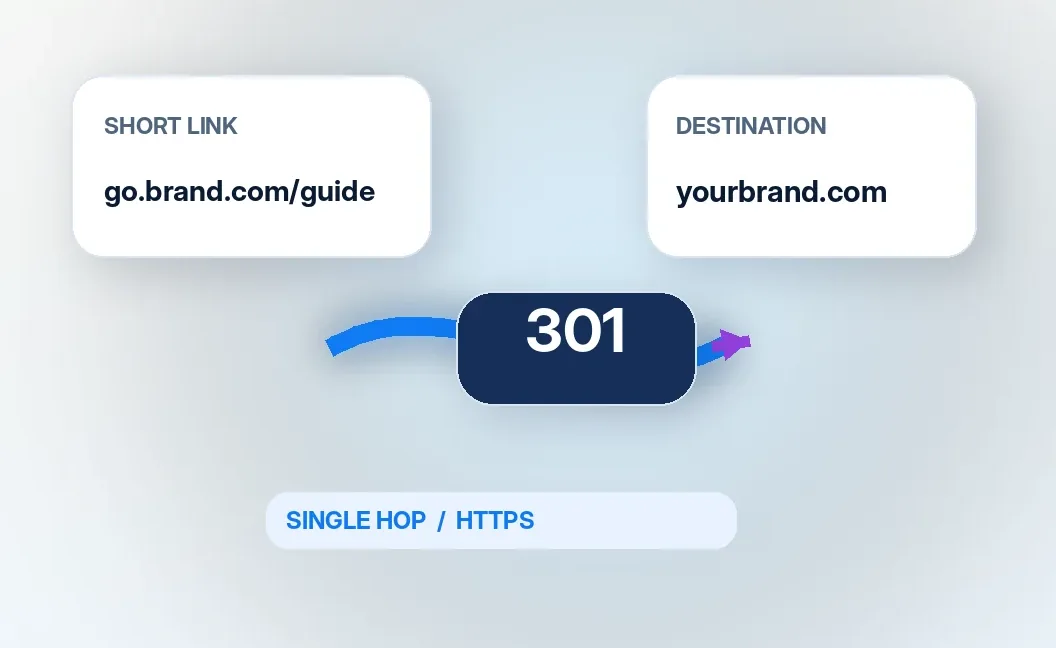
One trade-off to know: if you set a custom preview card, search crawlers get the preview page instead of the 301 redirect. Leave the card off links where the 301 matters for SEO. Our guide to whether short links hurt SEO explains why that matters.
What is the checklist for a good share image?
- 1200 x 630 pixels, JPG or PNG, under 5 MB (ideally far less).
- Text and logo at least 60 pixels from the edges, readable when small.
-
og:imageis an absolute HTTPS address that opens in a private window. -
og:image:width,og:image:heightandog:image:altare set. -
twitter:cardissummary_large_imageif you want the big card on X. - Crawlers are not blocked by a login, firewall or bot challenge.
- You checked the card in our link preview checker, which shows the card for WhatsApp, Facebook, LinkedIn, X and Slack.
- A new image gets a new file name.
If links get flagged or lose their cards on social media, see why links get flagged on social media.
Start free
Write your tags with the free Open Graph tag generator and check them with the link preview checker. When you want short links with their own share cards, start free at b1.lc: the free plan includes 100 new links a month. Pro is $15 a month ($144 a year).
Sources
- The Open Graph protocol, ogp.me, undated. Checked 2026-10-24.
- Images in link shares, Meta for Developers, undated. Checked 2026-10-24.
- Make your website shareable on LinkedIn, LinkedIn Help, undated. Checked 2026-10-24.
- Summary card with large image (archived copy, captured 4 February 2026), X Developer Platform, 2026-02-04. Checked 2026-10-24.
- Cards markup tag reference (archived copy, captured 1 February 2026), X Developer Platform, 2026-02-01. Checked 2026-10-24.
- Unfurling links in messages, Slack Developer Docs, undated. Checked 2026-10-24.