Why links get flagged on social media, and how to keep yours clean
Why Facebook, Instagram, X, LinkedIn and TikTok block or warn on links: spam signals, deceptive redirects, shared shortener domains. How a custom domain helps.
Key takeaways
- Meta's spam policy names the link patterns it acts on: cloaking, misleading links, deceptive redirects, like-gating and domain impersonation.
- Reputation is tracked per domain. Spamhaus even has a category for abused legitimate redirectors and URL shorteners, so a shared shortener can be hurt by other people's spam.
- A custom domain gives your links a reputation of their own; it does not excuse spammy behaviour, but it stops you inheriting someone else's.
- Keep the path short and honest: one redirect, a destination that matches the post, HTTPS, no interstitials or ad walls.
- If a link is blocked by mistake, use the platform's own reporting route; Meta's developer FAQ points to its Help Centre for links flagged in error.
A link that worked yesterday now shows a warning, will not post, or loses its preview. Platforms rarely explain why in detail, but they do publish the rules their filters enforce. This guide goes through those rules, platform by platform, explains why shared short domains are a special risk, and lists what you can do to keep your links clean. For how short links work in the first place, see what a URL shortener is.
Why do social platforms flag links?
Links are the main way spam, scams and malware spread on social networks, so every platform screens them. The screening looks at three things:
- The behaviour around the link. How often it is posted, by whom, how new the account is, whether the same text repeats.
- The path the link takes. Redirects, interstitial pages and whether the final page matches what the post promised.
- The reputation of the domains on that path. Including the short link’s domain, every domain in the redirect chain and the destination.
Any one of them can trigger a warning, a reduced reach or a block. The fixes differ, so it helps to know which one you hit.
What do the platforms’ own rules say?
Meta (Facebook and Instagram)
Meta’s spam policy is the most detailed. It says Meta does not allow content designed to “deceive, mislead, or overwhelm users in order to artificially increase viewership”, and lists the link patterns it treats as deceptive:
| Pattern | Meta’s description, in short |
|---|---|
| Cloaking | Showing Meta’s review systems a different URL or page than people see |
| Misleading links | A link that promises one kind of content and delivers something substantially different |
| Deceptive redirect behaviour | A page that requires an action (captcha, ad, “click here”) and then changes domain, or that automatically redirects to a substantially different domain |
| Like or share gating | Requiring a like, share or follow to see content |
| Deceptive landing pages | Pop-ups, pop-unders, clickjacking or traps when you try to leave |
| Domain impersonation | Typos or lookalike names that pretend to be a known brand |
The same policy covers behaviour: posting or sharing “at very high frequencies”, and it notes that Meta may restrict accounts posting less often “when other indicators of Spam (e.g., posting repetitive content)” are present.
Meta’s developer FAQ adds a practical point. If a link has no preview or cannot be shared at all, “your link may have been flagged by our content filtering system”, and if you believe that is an error, you can report it through Meta’s Help Centre with the URL.
On Instagram, the link sticker in stories has its own account rule: Instagram says new accounts and accounts that repeatedly break its Community Guidelines do not get the sticker. See how to add a link to an Instagram story.
X
The X Rules include a section on platform manipulation and spam: you may not use X “in a manner intended to artificially amplify or suppress information or engage in behavior that manipulates or disrupts people’s experience”. X’s detailed spam policy page refused our requests on 23 October 2026, so we do not quote it here.
LinkedIn’s Professional Community Policies say: “Do not spam members or the platform”, covering “untargeted, irrelevant, obviously unwanted, unauthorized, inappropriate commercial or promotional, or gratuitously repetitive messages”. Separately, they prohibit scams, phishing and sharing “malicious software that puts our members, platform, or services at risk”. It also asks members not to use the invitation feature to send promotional messages to strangers.
TikTok
TikTok’s help page on profile links explains that, to protect people from “scams, phishing, malware, and other harmful content”, TikTok uses safety measures “that limit how people can browse external link chains within the TikTok in-app browser”, across all accounts. People may be asked to open the page in their own browser instead. TikTok’s advice: “We recommend that creators add direct links so people can access the intended site in just a few steps.” More in how to add a link to your TikTok bio.
Why are shared short link domains a risk?
Reputation systems track domains. When a domain appears in spam or phishing, it is the domain that gets a bad score, not the one link.
A public shortener’s domain is shared by everyone who uses it. If one user sends a phishing campaign through it, filters may start treating every link on that domain with suspicion, including yours. This is a known problem: Spamhaus, which publishes a Domain Blocklist (DBL) that mail and security filters can query, has a dedicated return code for it. Its documentation lists 127.0.1.103 as “abused legit redirector / url shortener”, a category for legitimate redirect and shortening domains that spammers have abused.
Long redirect chains add to the risk. A link that passes through a shortener, then a tracking domain, then an affiliate redirect, then the shop collects the reputation of every hop, and it starts to look like the “automatically redirects users to a substantially different domain” pattern in Meta’s policy.
How does a custom domain help?
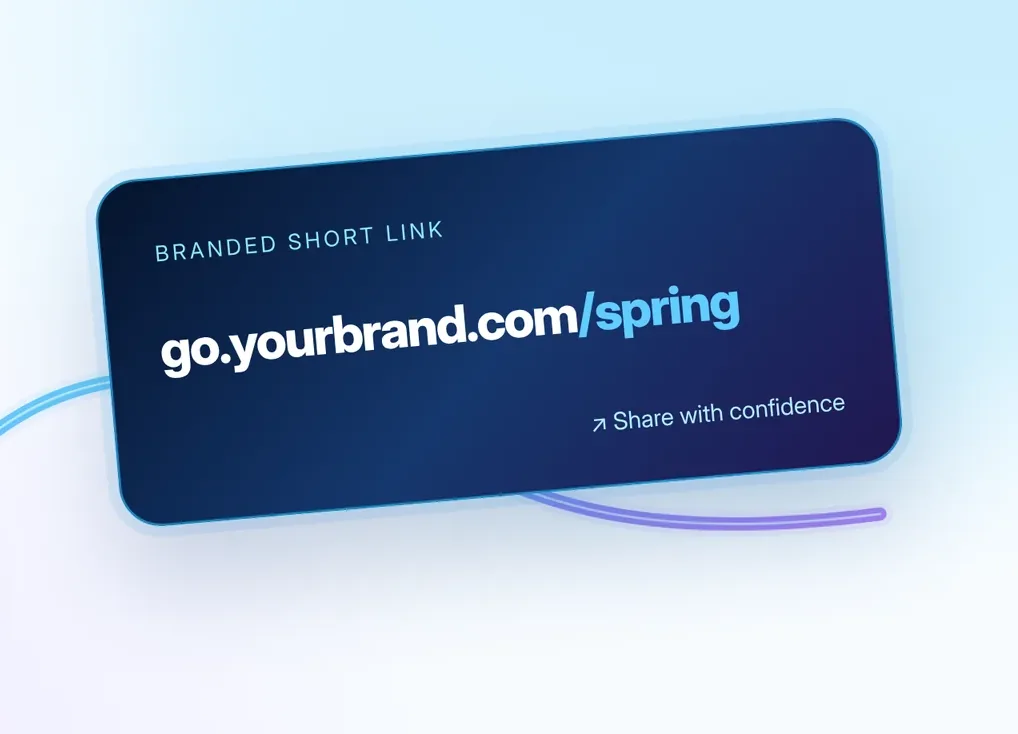
A short link on your own domain, such as go.yourbrand.com/spring, changes the reputation question from “what do other people do on this shortener?” to “what do you do on your domain?”
| Shared short domain | Your own short domain | |
|---|---|---|
| Whose behaviour shapes its reputation | Every user of the service | Only you |
| Tells people where they are going | No | Yes, your brand name is in the link |
| Risk of inheriting someone else’s listing | Real | None from other users |
| Protects you from your own bad links | No | No |
That last row matters. A custom domain is not a pass. If you point it at misleading pages, post it hundreds of times an hour or hide where it goes, it will earn its own bad reputation, and faster, because nothing dilutes it. For setup, see how to use your own domain for short links and what a branded link is.
How do I keep my links from being flagged?
Use this checklist before a campaign:
- One hop. Short link straight to the final page. Remove extra tracking redirects where you can.
- The page matches the post. Same product, same price, same offer, as Meta’s “misleading links” rule expects.
- No gates or traps. No “like this to see more”, no pop-ups that block leaving, no ad wall before the content.
- HTTPS everywhere, with a valid certificate.
- Your own domain for links you post often.
- Natural posting. No bursts of the same link and text, no mass messages to strangers.
- A clean destination. Check it against threat feeds before you post.
- A working preview. A card with the right title and image looks less like spam; see why a link preview is not showing.
What should I do if my link is already flagged?
Work from the cause outwards, and do not simply repost the same link with a new short code: if the destination is the problem, a new wrapper will be flagged too, and it looks like evasion.
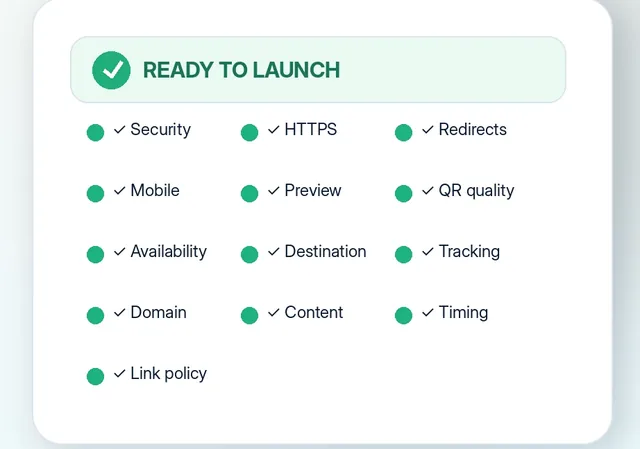
- Check the destination. Run it through a link checker such as the free Link Checker, which tests security, the destination, redirects, HTTPS, mobile loading, the preview and UTM tags. If the site was hacked or carries malware, fix that first.
- Shorten the path. Remove extra redirects and tracking hops so the link goes straight to the page.
- Compare the page with the post. If the post promises a free guide and the page asks for payment first, change one of them.
- Check the domain’s reputation. If the short domain is shared and has been abused, move your links to your own domain.
- Ask for a review where the platform offers one. Meta’s developer FAQ says to report a link you believe was flagged in error through its Help Centre, with the URL.
- Slow down. If you were posting the same link in many places at once, spread it out and vary the text.
How does BN Shortener help keep links clean?
BN Shortener (the service behind Shortlen, at b1.lc) is built to keep its own domains and yours clean:
- Every destination is scanned when a link is created and on every change, against PhishTank, URLhaus, SURBL, urlscan.io and AlienVault OTX (and Google Web Risk when enabled). Dangerous destinations are refused, and all active links are rescanned daily.
- Warn first, then block. On an established link, a single-source high verdict first triggers a warning to the owner rather than an instant block, and the owner can request a review that a person looks at.
- A public abuse form at b1.lc/abuse.html: confirmed dangerous links are disabled straight away.
- Launch Check tests the redirect chain (loops, HTTPS downgrades, too many hops) and notes when visitors end on a different domain. See the Launch Check feature page.
- Anyone can see where a link goes by adding
+to it, for exampleb1.lc/AbC9+, without opening the destination. - One custom domain on the Free plan, so your links do not have to share a domain at all.
For more on the safety side, read are URL shorteners safe?.
Start free
Clean links come from honest pages, short paths and a domain whose reputation is yours. Start free at b1.lc: the Free plan includes one custom domain, 100 new links a month, threat-scanned destinations and Launch Check on every link you create (for bulk imports, run it from the Launch Check page). See the pricing page for what Pro and Business add.
Sources
- Spam (Community Standards), Meta Transparency Center, undated, with change log. Checked 2026-10-23.
- Link Sharing FAQ, Meta for Developers, 2018-05-18. Checked 2026-10-23.
- The X Rules, X Help Center, undated. Checked 2026-10-23.
- LinkedIn Professional Community Policies, LinkedIn, undated. Checked 2026-10-23.
- Adding a website link to your profile, TikTok Support, undated. Checked 2026-10-23.
- Expanding Sharing Links in Stories to Everyone, Instagram (about.instagram.com), 2021-10-27. Checked 2026-10-23.
- Changes in Spamhaus DBL DNSBL return codes, The Spamhaus Project, 2014. Checked 2026-10-23.
- Available zones (DBL return codes), Spamhaus Technology documentation, undated. Checked 2026-10-23.