How to add a link to an Instagram story (and see who taps it)
Add a link to an Instagram story with the link sticker, who can use it, why it may be missing, and how to tag and shorten story links so every tap is counted.
Key takeaways
- The link sticker is how you put a tappable link in a story: open the sticker tray, tap Link, paste the URL and place it.
- Instagram says every account can use it except new accounts and accounts that repeatedly break its Community Guidelines.
- Change the sticker text to say what people get, such as "read the recipe" or "shop the look"; Instagram's own guide suggests exactly that.
- Add UTM tags (utm_source=instagram, utm_medium=social, a campaign and a utm_content per story) so each story is visible in GA4.
- Wrap the tagged link in a short link to count taps per story, keep the sticker tidy and change the destination after the story is posted.
The link sticker is how you put a tappable link in an Instagram story. It is open to almost every account, and it takes about ten seconds to add. What most people skip is the part after the tap: knowing which story sent the visit and what the visitor did next. This guide covers both.
One note on sources: Instagram’s help centre pages would not load for us on 23 October 2026, so the rules below come from Instagram’s own announcements on about.instagram.com, which we did open. Where something could not be confirmed, we say so.
How do I add a link to an Instagram story?
Instagram’s announcement of the link sticker gives these steps, and its 2026 guide to stories describes the same flow:
- Capture or upload the photo or video for your story.
- Tap the sticker tool in the top bar to open the sticker tray.
- Tap Link, paste your URL and tap Done.
- Optional: change the sticker text. Instagram’s 2026 guide says you can “customize the sticker text to make the link feel inviting, like ‘shop the look,’ ‘read the recipe’ or ‘watch the trailer.’”
- Place the sticker where people will see it, and tap it to cycle through colour versions.
- Share the story.
Anyone watching your story can tap the sticker to open the link.
Who can use the link sticker?
When Instagram first introduced links in stories, it says “the feature was limited to verified accounts or those with a certain number of followers”. On 27 October 2021 it expanded “the ability to add links in Stories to all accounts”, saying people could share “regardless of your account size”.
There are two exceptions, in Instagram’s words: “new accounts and accounts that repeatedly share things like hate speech and misinformation, or other content that violates our Community Guidelines will not have access to the Link sticker.”
| Situation | Can you add a link sticker? |
|---|---|
| Personal, creator or business account in good standing | Yes |
| Account with few followers | Yes, the follower threshold was removed in 2021 |
| Brand-new account | Not at first, per Instagram |
| Account with repeated Community Guidelines violations | No, per Instagram |
We could not confirm from a page Instagram publishes how new “new” is, how many link stickers one story can hold, or the maximum length of the sticker text, so we leave those out.
Why is the link sticker missing?
Work through this list before you contact support:
- Update the app. Sticker options change with app versions.
- Check you are in the story camera, not the post or reel composer.
- Check the account’s age. New accounts do not get the sticker straight away.
- Check the account status in the app’s settings for any Community Guidelines strikes.
- Check the link itself. A link that platforms flag as spam may be refused. Our guide on why links get flagged on social media explains what triggers that.
How do I track clicks from an Instagram story?
A story link sends visits to your site, but without tags many analytics setups cannot tell them apart from other Instagram traffic, or file them as Referral or Direct. Two layers fix this: UTM tags on the destination, and a short link as the sticker URL.
Layer 1: tag the destination with UTM parameters
UTM parameters are labels in the URL that web analytics read. For a story, a sensible set is:
| Parameter | Value | Why |
|---|---|---|
utm_source | instagram | The platform, always spelled the same way |
utm_medium | social | The channel type, so GA4 groups it with your other social traffic |
utm_campaign | spring-sale | The campaign the story belongs to |
utm_content | story-1023-recipe | Which story, so you can compare them |
A tagged destination looks like https://yourbrand.com/recipes/pesto?utm_source=instagram&utm_medium=social&utm_campaign=spring-sale&utm_content=story-1023-recipe. Google’s documentation of the GA4 default channel group explains how source and medium decide which channel a visit lands in, which is why the spelling has to stay consistent.
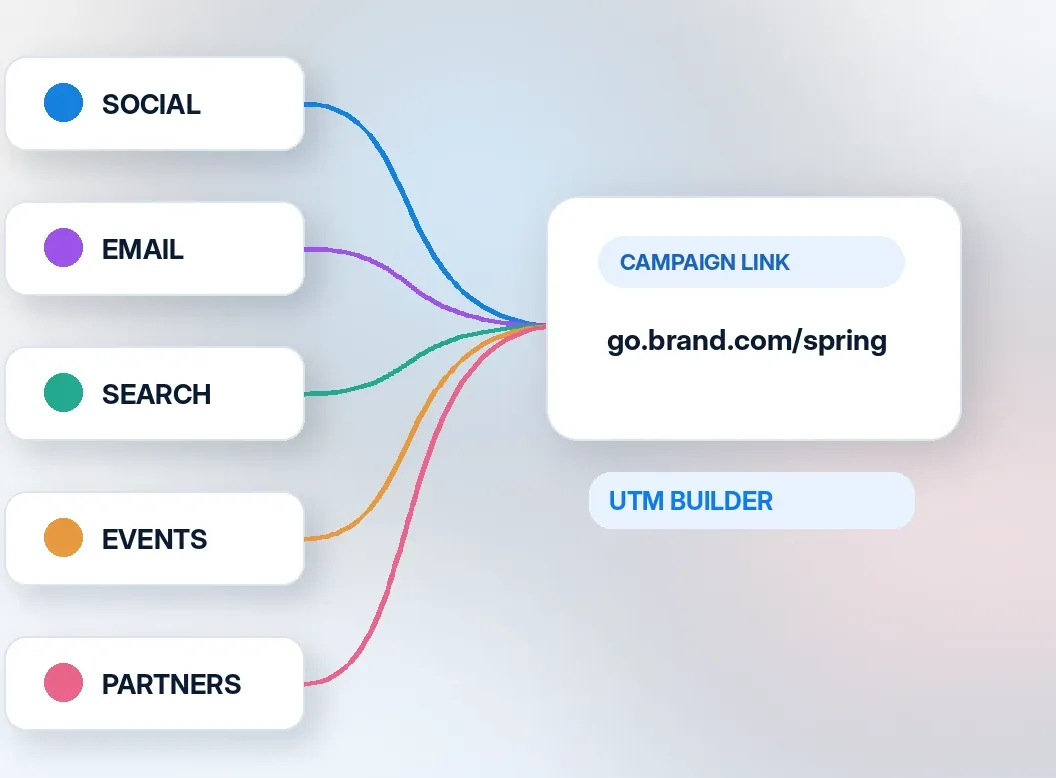
Build it with the free UTM builder, or tag a week of stories at once with the bulk UTM builder. Agree on spellings before you start; our UTM naming conventions guide has a ready set. For the full method, see how to tag links with UTM.
Layer 2: use a short link as the sticker URL
A UTM-tagged link is long and easy to break when you paste it on a phone. A short link solves that and three other problems:
- It counts taps per story. Your web analytics only sees visits that reach a page with your tag on it. The short link counts every tap, even if the page is slow, the visitor bounces before the analytics script loads, or the destination is not your site at all (a marketplace listing, a booking page).
- You can change the destination after posting. A story lasts 24 hours, but Instagram says a Highlight stays on your profile until you remove it. If the product sells out or the offer ends, point the short link somewhere new and the sticker follows.
- It is readable.
go.yourbrand.com/pestotells people where they are going. Our guide to what a branded link is covers why that matters.
With BN Shortener (the service behind Shortlen, at b1.lc), set up story links like this:
- Create a short link with the UTM-tagged URL as its destination. Use a readable alias, such as
pesto-1023. - Make one short link per story. Duplicating a link copies its settings, so you only change the alias and
utm_content. - Tag the story links with the campaign name, so you can filter them together. On Pro, campaigns add totals, goals and the top links in one view.
- After 24 hours, compare. BN Shortener counts people by default and records bots and link previews separately, so the numbers are taps by humans.
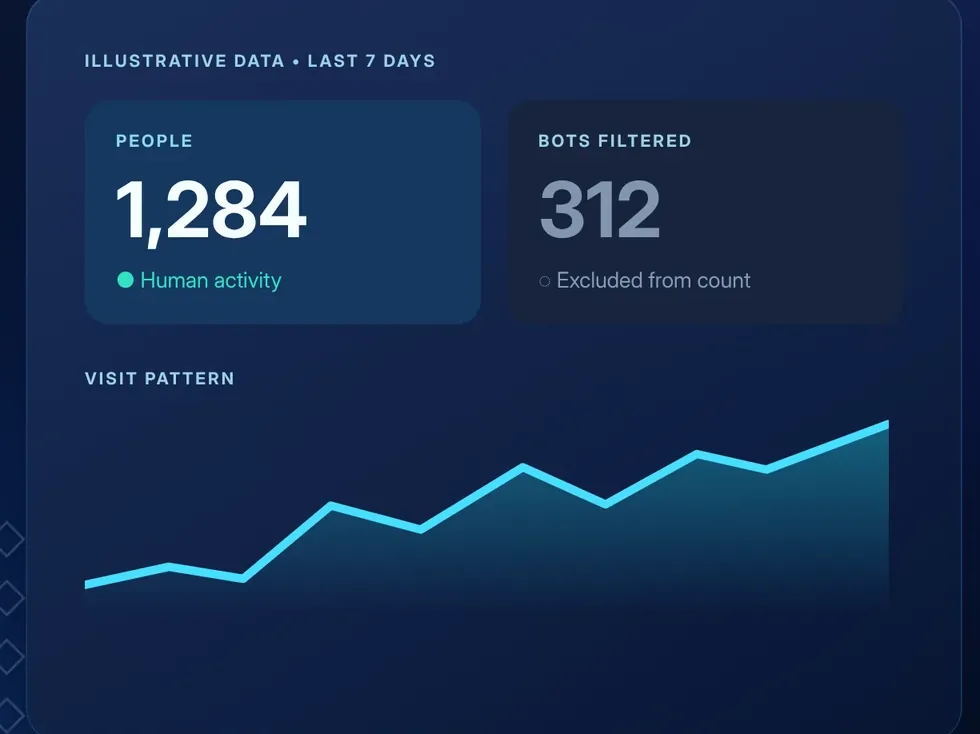
Our guide on how to track clicks on a short link explains what each analytics card shows.
Where do story visits show up in GA4?
With the tags above, story visits are easy to find. Google’s documentation of the GA4 default channel group says a visit counts as Organic Social when the source matches its list of social sites, or when the medium is one of social, social-network, social-media, sm, social network or social media. Channel definitions are not case sensitive. So utm_medium=social puts story visits in Organic Social, next to your other social traffic.
To compare stories:
- Open Reports > Acquisition > Traffic acquisition.
- Change the primary dimension to Session source / medium and search for
instagram. - Add a secondary dimension that shows your
utm_contentvalue, so each story gets its own row. - Add your key events, such as sign-ups or purchases, to see which story led to results, not just visits.
One habit keeps this clean: use instagram as the source everywhere, never ig one week and insta the next, because each spelling becomes its own row in the report and your totals split.
Should the sticker link to the exact page or a bio page?
Link to the exact page that matches the story. If the story shows a recipe, the sticker should open that recipe, not your homepage or a list of links. Every extra tap loses people, and a page that does not match the story feels like a bait and switch.
A bio page is the right destination for your profile link, which has to serve every visitor at once. For stories, keep the path to one tap. The exception is a story that promotes several things at once, such as a “this week’s new arrivals” round-up, where a short page with the items is the honest destination.
What should the sticker say?
The default sticker shows the domain. Custom text almost always works better, because it tells people what they will get. Some patterns that follow Instagram’s own examples:
- Action plus object: “Get the recipe”, “Book a table”, “Shop the look”.
- The specific thing: “Size guide”, “Full menu”, “Episode 12”.
- A reason to tap now: “Ends Sunday”, “Last 20 seats” (only if true).
Place the sticker away from the edges, where the reply bar and profile name sit, and make sure it does not cover the part of the image that explains the offer.
Story link checklist
Before you post:
- The destination loads on a phone, quickly, with no pop-up blocking the content.
- The UTM tags use your agreed spellings, all lower case.
- The sticker URL is a short link, one per story.
- The sticker text says what people get.
- The page matches the story: same product, same price, same offer.
- If the story goes into a Highlight, the link can be edited later.
BN Shortener’s Launch Check runs automatically on every new link and tests the destination’s security, reachability, redirects, HTTPS, mobile loading and UTM tags before you share it. See the Launch Check feature page.
Start free
You can add a link sticker in seconds; counting what it brings in takes a little set-up once. Start free at b1.lc: the Free plan includes 100 new short links a month, click analytics that count people, the UTM builder and one custom domain. Pro and Business add more links, QR codes and domains; the pricing page lists what each plan includes.
Sources
- Expanding Sharing Links in Stories to Everyone, Instagram (about.instagram.com), 2021-10-27. Checked 2026-10-23.
- How to use Instagram Stories: The complete 2026 guide, Instagram (about.instagram.com), 2026-07-02. Checked 2026-10-23.
- [GA4] Default channel group, Google Analytics Help, undated. Checked 2026-10-23.