Link preview not showing? Fixes for Facebook, LinkedIn, X, WhatsApp, Slack
Why a shared link shows no card or the wrong image, and how to fix it on Facebook, LinkedIn, X, WhatsApp, Slack, Discord and Outlook, from each app's own docs.
Key takeaways
- Previews come from Open Graph tags in the page's HTML; the protocol's four required properties are og:title, og:type, og:image and og:url.
- Crawlers do not run JavaScript reliably: X's developer team says card tags must be static in the HTML, and robots.txt must let the crawler fetch the page and the image.
- Facebook recommends images of at least 1200 x 630 pixels, close to 1.91:1, under 8 MB, and caches images by URL, so a new image needs a new URL.
- Refresh the card where the platform lets you: Facebook's Sharing Debugger, LinkedIn's Post Inspector; X removed previews from its Card Validator in 2022, so test in the post composer.
- WhatsApp wants an og:image under 600 KB and at least 300 px wide; Slack caches a fetch for about 30 minutes and ignores robots.txt; Discord embeds need the Embed Links permission; Outlook previews can be switched off per mailbox.
- A short link can carry its own preview: if you set a custom preview in BN Shortener, social crawlers get that card whatever the redirect type, and a free checker shows the card before you post.
You paste a link into a post and get a bare URL, a grey box or last month’s picture. The card is built from a few tags in the page’s HTML, fetched by each platform’s crawler and then cached, so a preview can fail at three points: the tags, the fetch or the cache. This guide shows how to find which one and how to refresh each platform.
Where does a link preview come from?
When you share a link, the platform sends its crawler to the URL, reads the page’s <head> and builds a card from the Open Graph tags it finds. The Open Graph protocol lists “four required properties for every page”:
<meta property="og:title" content="Spring menu: what's new" />
<meta property="og:type" content="website" />
<meta property="og:image" content="https://yourbrand.com/img/spring-menu-1200x630.jpg" />
<meta property="og:url" content="https://yourbrand.com/menu/spring" />
Add og:description for the line under the title. X reads its own twitter:card tags and, per its developer team, falls back to Open Graph tags when they are missing. Meta’s webmaster guide adds that without Open Graph tags, its crawler “uses internal heuristics to make a best guess”, which is how you end up with a logo cropped badly or a random paragraph as the description.
The free Open Graph generator writes the whole block and previews the card.
Why is my link preview not showing?
Work through the causes in this order, because each one hides the next.
| Symptom | Likely cause | Fix |
|---|---|---|
| Bare URL, no card at all | No Open Graph tags, or tags added by JavaScript | Put static tags in the HTML <head> |
| No card, tags look fine | Crawler blocked by robots.txt, a firewall or a bot check | Allow the platform’s crawler to fetch the page |
| Card with no image | Image blocked, too large, relative URL or slow server | Use an absolute https image URL, under 8 MB, reachable by crawlers |
| Small square image | Image smaller than 600 x 315 | Use at least 1200 x 630 |
| Old title or image | The platform cached an earlier version | Refresh the cache (see below) |
| No preview and the link cannot be shared | The platform’s filters flagged the link | See our guide on flagged links |
The tags are missing or added too late
X’s developer team is blunt about this: “The crawler and validator cannot execute JavaScript and the tags must be static.” Single-page apps and some tag managers add meta tags after the page loads, which crawlers never see. View the page source (not the inspector) and check the tags are there.
The crawler cannot fetch the page or image
X’s troubleshooting post lists the usual blocks: robots.txt rules that stop its crawler, a host that blocks its IP ranges, a missing or invalid Content-Type header, SSL problems, and images on a different domain whose own robots.txt blocks crawlers. Meta’s guide adds that its crawler only accepts gzip and deflate encodings, and suggests loading the page with Facebook’s user agent to see whether your server treats it differently.
How do I see what the crawler sees?
Meta’s webmaster guide suggests a simple test: load the page with the crawler’s user agent, facebookexternalhit/1.1 (+http://www.facebook.com/externalhit_uatext.php), then load it again as a normal mobile browser. If the page loads for the browser but not for the crawler, Meta says the problem is how your server handles that user agent. Developers can do the same from a terminal; X’s troubleshooting post suggests curl -v -A Twitterbot <url> and checking that the twitter:card tags appear in the <head> and that the server answers 200 with a valid Content-Type. If the crawler gets a captcha page, a login wall or an error, that is your problem, not the tags.
The image does not meet the platform’s rules
From Meta’s “Images in Link Shares” page:
- Minimum 200 x 200 pixels; maximum file size 8 MB.
- Use at least 1200 x 630 pixels for the best display, as close to 1.91:1 as possible.
- Below 600 x 315, the image shows as a small square.
- Use absolute URLs. The Sharing Debugger rejects relative ones.
- Add
og:image:widthandog:image:height, so the image can render on the very first share.
The platform cached an older card
Platforms store what they fetched. Meta caches images by URL, so “use a new URL for the new image or the image won’t be updated”, and changing tags only affects future shares. X says card data is “cached for up to 7 days before being refreshed”. Fixing the page is not enough on its own: you also have to ask for a new fetch.
How do I refresh the preview on each platform?
| Platform | Tool | What it does |
|---|---|---|
| Facebook and Messenger | Sharing Debugger (developers.facebook.com/tools/debug) | Shows the tags the crawler scraped, errors and warnings, and triggers a new scrape. You must be logged in to Facebook. |
| Post Inspector (linkedin.com/post-inspector) | Shows missing data, when LinkedIn last fetched the page, and lets you request a re-scrape. | |
| X | The post composer | Paste the link into a new post; the card appears without posting. The Card Validator no longer shows previews. |
| WhatsApp, Slack, Discord, Outlook | No public refresh tool that we could find | Fix the page, then check the card with a preview checker and share again. Details per app below. |
Facebook, step by step:
- Open the Sharing Debugger and paste the exact URL you will share.
- Read the warnings. Missing
og:imageor a relative URL shows up here. - Click to scrape again after each fix.
- For posts already published, Meta’s FAQ says to open the post’s menu and choose Refresh share attachment.
Note one limit from Meta’s FAQ: once a shared link has more than 50 interactions, its title is frozen and cannot be changed. Other properties can still be updated.
X: in August 2022 X’s developer team wrote that it had “removed the preview functionality from the Card Validator” and that you should check the card in the post composer instead. The validator page remains for logs. If the card still does not appear, X suggests adding a unique parameter to the URL as a hint for its crawler to revisit, and warns that changes can take time.
How do I fix the preview in WhatsApp, Slack, Discord and Outlook?
Chat and email apps have no debugger you can run, so the fix is to meet their requirements and share again. What each one documents:
| App | What it reads | What its docs add | What to check |
|---|---|---|---|
og:title, og:description, og:url, og:image in the HTML head | Image under 600 KB, at least 300 px wide, width-to-height ratio 4:1 or less; if no preview appears after about 10 seconds, recheck the tags | Compress the og:image; a 2 MB banner gets no picture | |
| Slack | oEmbed, X (Twitter) Card and Open Graph tags | Fetches as little of the page as it can, caches the result across Slack for about 30 minutes, and does not follow robots.txt; user agent Slackbot-LinkExpanding | Wait half an hour after a fix; make sure a firewall or bot shield does not block that user agent |
| Discord | The page’s preview tags (Discord publishes no crawler documentation that we found) | Links are auto-embedded only for people with the Embed Links permission in that channel | The channel’s permissions, and each person’s own setting for showing link previews |
| Outlook.com and Outlook on the web | The site’s name, description and thumbnail | Link preview is on by default; it can be turned off under Settings > Mail > Compose and reply > Link preview, and then links show as plain links | Whether the sender has the setting on; a page with no description or image |
Sources: Meta’s WhatsApp link previews page, Slack’s robots and unfurling pages, Discord’s permissions reference and Microsoft’s Outlook link preview help, all opened on 24 October 2026.
Two patterns cover most chat-app failures: an image that is too heavy (WhatsApp) and a security layer that answers bots with a challenge page instead of your HTML (all of them). Our free Open Graph generator writes the tags; the checker below shows the WhatsApp and Slack card before you send.
What about short links and previews?
A short link adds one hop between the platform and your page. That is fine when the crawler can follow the redirect to the destination and read its tags. It goes wrong when a shortener shows crawlers an interstitial page or an ad, so the card describes the shortener rather than your page.
BN Shortener (the service behind Shortlen, at b1.lc) handles this in two ways:
- A custom card wins. If you set a custom preview, social crawlers get that card whatever the redirect type (standard, 301, 302 or 307); without one, they follow the redirect and read your page’s own tags. Search crawlers also get the preview page instead of the 301, so leave the card off links where the 301 matters for SEO.
- You can write the card yourself. Each link has a Social tab with an OG title (up to 200 characters), description (up to 500) and image URL (1200 x 630 recommended), plus the X card type and separate X title, description and image. It shows live preview cards for Facebook and LinkedIn and for X. This is useful when you link to a page you do not control, such as a marketplace listing or a PDF, and its own tags are poor.
Before you post, two tools catch problems early:
- The free Link Preview Checker at b1.lc/tools/preview-checker.html shows the card WhatsApp, Facebook, LinkedIn, X and Slack would show for any page, lists the preview tags it found and tells you what to fix: missing og:title, og:description or og:image, an image that does not load or is not an image, http images and very long titles. It allows 20 checks an hour per visitor.
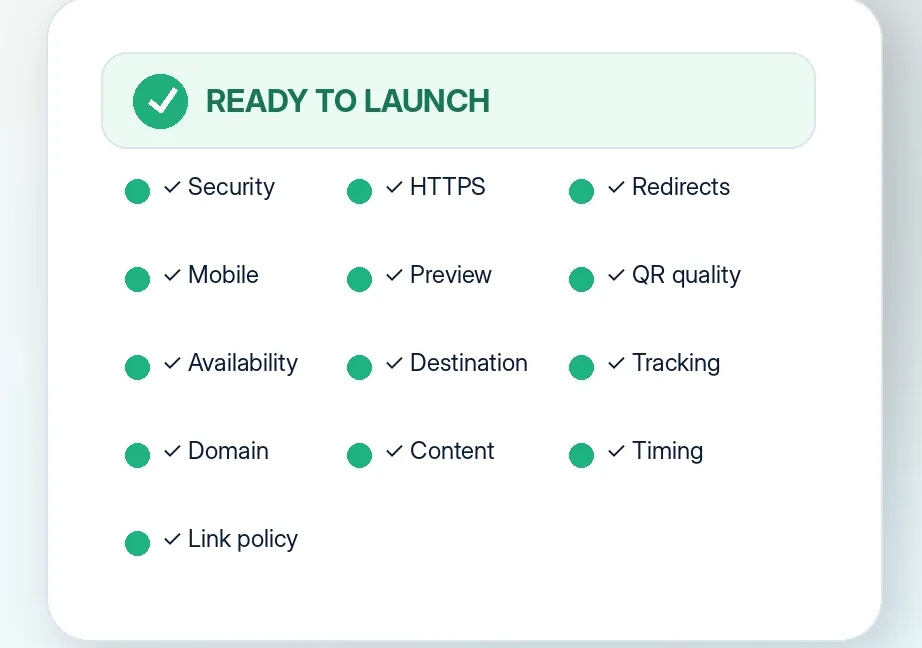
- Launch Check, which runs automatically on every new BN Shortener link, includes a “Social and messaging preview” check. It looks at the custom preview first, then the page’s own tags, and warns on a broken preview image. See the Launch Check feature page.
BN Shortener also counts link previews apart from people. When a chat app or social network fetches your link to build a card, that fetch is recorded as a bot, not as a click, so your numbers stay honest. More on that in how to track clicks on a short link.
Link preview checklist
-
og:title,og:type,og:imageandog:urlare in the HTML source, not added by JavaScript. -
og:descriptionis one or two plain sentences. - The image URL is absolute, https, at least 1200 x 630, under 8 MB, with width and height tags.
- robots.txt and any bot protection let the platforms’ crawlers fetch the page and the image.
- The page answers with status 200 and a valid Content-Type.
- After any change: Sharing Debugger for Facebook, Post Inspector for LinkedIn, composer test for X.
- A changed image has a new file name.
- The short link you share passes the preview check too.
If the card is right but the link itself gets refused, the problem is reputation rather than tags. Our guides on checking a link before you send it and link best practices cover that side.
Start free
Check any page now with the free Open Graph generator and the Link Preview Checker. To give every short link its own card and check it automatically, start free at b1.lc: custom social previews and Launch Check are part of every plan, including Free. Pro and Business add more links, QR codes and domains; see the pricing page.
Sources
- The Open Graph protocol, ogp.me, undated. Checked 2026-10-23.
- A Guide to Sharing for Webmasters, Meta for Developers, 2026-06-30. Checked 2026-10-23.
- Images in Link Shares, Meta for Developers, 2026-06-30. Checked 2026-10-23.
- Link Sharing FAQ, Meta for Developers, 2018-05-18. Checked 2026-10-23.
- Sharing Debugger, Meta for Developers, undated. Checked 2026-10-23.
- Post Inspector, LinkedIn, undated. Checked 2026-10-23.
- Card Validator - preview removal, X Developers community (X staff post), 2022-08-02. Checked 2026-10-23.
- Card error, unable to render, or no image: READ THIS FIRST, X Developers community (X staff post), 2016-03-07, with later updates. Checked 2026-10-23.
- Link Previews (WhatsApp Business Platform), Meta for Developers, undated. Checked 2026-10-24.
- Slack's robots (Slackbot link expanding), Slack API, undated. Checked 2026-10-24.
- Unfurling links in messages, Slack Developer Docs, undated. Checked 2026-10-24.
- Permissions (EMBED_LINKS), Discord Developer Documentation, undated. Checked 2026-10-24.
- Use link preview in Outlook.com and Outlook on the web, Microsoft Support, undated. Checked 2026-10-24.