Can one QR code open multiple links? Four ways that work
A QR code holds one link, so no code opens several at once. Use a link page, smart rules by device or country, rotation or a code you repoint. How to choose.
Key takeaways
- A QR code stores one text string; phones open one web address from it, never a list.
- A link page (link in bio) is the way to let the person scanning choose between several links.
- Smart rules choose for them: App Store or Google Play by phone type, a local page by country, a lunch or dinner menu by hour.
- Link rotation spreads scans across several destinations, for example several sales numbers on WhatsApp.
- Every method needs a dynamic code, a short link inside the code, so the logic can change after printing.
You have one spot on the flyer and four things to share: the website, the booking page, Instagram and a menu. So you search for a QR code with multiple links. The honest answer is that no QR code opens several links at once. The good news is that you do not need it to. A code that opens the right short link can show a choice, pick the destination for each person, or spread scans across several pages. This guide explains the four ways and when each one fits.
Can one QR code hold several links?
No. A QR code stores one piece of text. The ZXing barcode project, whose formats phone cameras follow, describes what that text can be: a web address, an email draft, a phone number, a text message, a contact card, a map location, Wi-Fi details or a calendar event. Each is a single payload. When the text is a web address, the phone offers to open that one page. There is no standard format that holds a list of web addresses for a phone to open.
You could squeeze several addresses into a code as plain text, but the phone would just show the text. Nobody can tap through it, and a dense code is harder to scan. The fix is to put one short link in the code and let the short link do the work.
What are the four ways to share multiple links with one code?
| Method | Who decides | Good for | Needs |
|---|---|---|---|
| Link page | The person scanning | Flyers, cards, packaging, event signs | A bio page with one button per link |
| Smart rules | Your rules | App downloads, countries, languages, opening hours | Smart rules on the code or link |
| Rotation | Your weights | Several sales agents, several stores, load sharing | Link rotation |
| Repointing | You, over time | Events and campaigns that change in stages | Any dynamic code |
All four need a dynamic code: a code that holds a short link rather than the final address. If you are new to the idea, read static vs dynamic QR codes first.
When should the person scanning choose? Use a link page
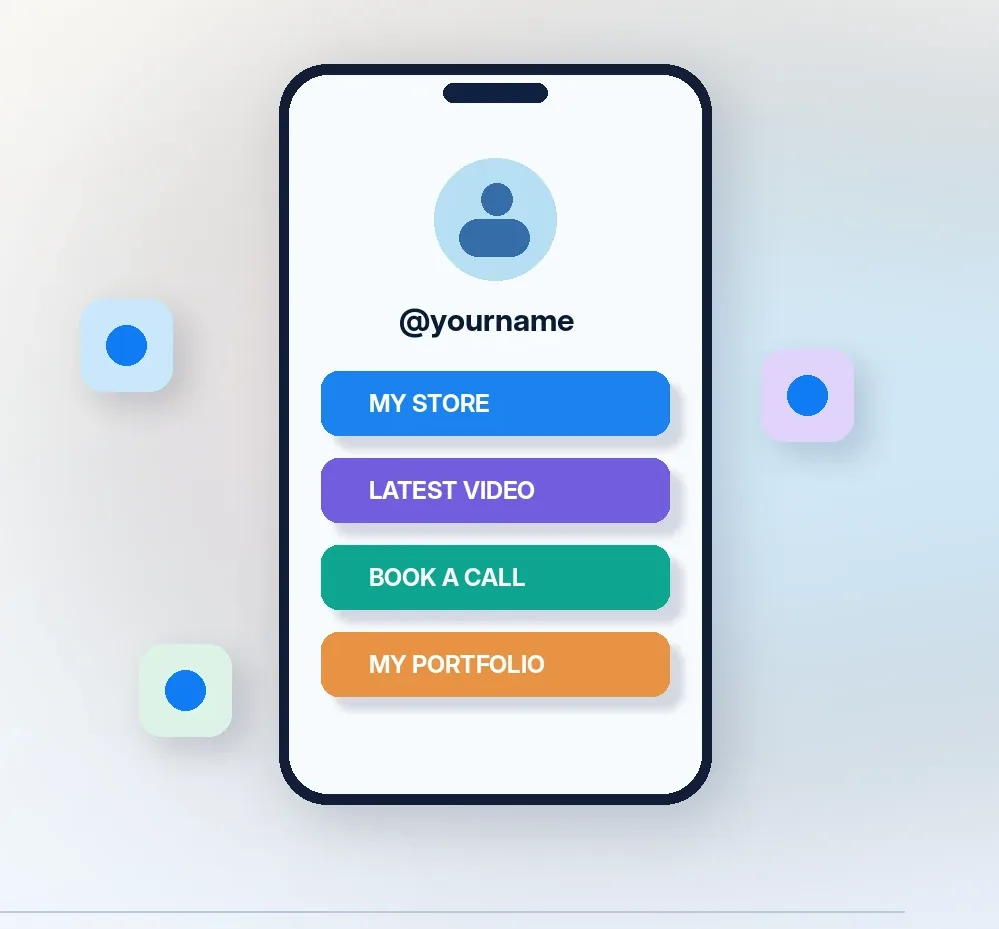
A link page, often called a link in bio, is a small mobile page with a stack of buttons. Point your code at it and the person scanning picks what they want: book a table, see the menu, follow on Instagram, call. This is the right method when different people want different things and you cannot guess which.
BN Shortener’s bio pages live at an address like b1.lc/@yourname and offer link buttons, a Google Map, a video or music embed, an image grid, a product card, an email sign-up (which can sync to Mailchimp, Klaviyo or Kit) and a contact form. Blocks can be shown or hidden by device, country, language or days and hours, so the same page can show a dinner booking button only in the evening. The free plan includes one bio page; our guide to making a link-in-bio page walks through it.
Keep the page short. Nielsen Norman Group’s QR guidelines say to link to the specific page people need rather than a homepage, and a page with 15 buttons is a homepage in disguise. Three to six buttons, labeled with the same words as the printed piece, works well.
When should you choose for them? Use smart rules
Sometimes the right destination depends on who is scanning, and you already know the rule. Smart rules send each scan to a different address based on facts about the visit:
- Device or operating system. iPhone to the App Store, Android to Google Play, desktop to your website. This is the classic “one QR code for both app stores”.
- Country. A visitor in France goes to the French store, everyone else to the international one.
- Language. The phone’s first language picks the page translation.
- Time. A breakfast menu until 11:00, lunch until 16:00, then dinner. Each rule has its own time zone.
In BN Shortener, smart rules are listed on Pro, and QR codes have their own smart rules as well as short links. Rules are checked in priority order and the first match wins, so put the most specific rule first and always keep a sensible default destination. A rule tester lets you try a pretend visitor before you print. Our guide to smart links by device and country covers the setup.
When should scans be spread out? Use rotation
Rotation sends each new visitor to the next destination in a list. It suits jobs where several destinations are equally right and you want to share the load: several sales agents, several branches, or a waiting list across several forms. BN Shortener’s link rotation can go round robin, random or weighted, keep returning visitors on the same destination, follow opening hours in a time zone and cap each target per day. Targets can be WhatsApp numbers with a prepared message, which makes a WhatsApp rotator for a sales team. For WhatsApp links themselves, see our WhatsApp link generator.
When do the links change over time? Repoint the code
For events and campaigns, the right link often changes in stages: a registration form before, the live schedule during, the recordings after. You do not need three codes. Print one dynamic code and change where it leads at each stage. This works with any dynamic code on any plan, including the 5 dynamic codes on BN Shortener’s free plan. Our guide to event QR codes shows a full timeline.
Which method should you pick?
Ask two questions. Does the person scanning know better than you what they want? Then show a link page. Can a simple fact about the scan (phone type, country, language, hour) decide the destination? Then use smart rules. If neither, but you want the load shared, use rotation. And if the answer changes over the months, repoint the code.
You can also combine them. A smart rule can send Arabic-language phones to an Arabic link page and everyone else to an English one, each with its own buttons.
How do you print a multi-link code that works?
The printing rules are the same as for any code. DENSO WAVE, which invented the QR code, requires “a four-module wide margin at all sides of a symbol”. NN/g suggests at least 2 cm by 2 cm for close-up scanning, larger for signs, and dark code on a light background. Because a dynamic code holds a short link, its pattern stays simple and scans well even when small.
Before printing, run this checklist:
- The code holds a short link, not the final address, so you can change it.
- The text beside the code says what people will find (“Menu, booking and Instagram”).
- Every button or rule leads to a page that works on a phone.
- There is a default destination for anyone who matches no rule.
- You scanned it with an iPhone and an Android phone, on mobile data.
- If you use time rules, the time zone is the one where the code is printed.
- The code is at least 2 cm wide with a clear margin.
If a test scan fails, check the margin, the contrast and the printed size first.
How do you see which links people choose?
With a link page, the page’s own numbers tell you what the code is used for. BN Shortener’s bio page analytics show views, clicks, unique visitors and click-through rate, the top blocks by clicks, and the top countries, devices and referrers, counting people rather than bots. If nobody taps the fourth button after a month, remove it; if one button gets most of the taps, move it to the top or send the code straight there. With smart rules, each rule shows how often it matched, which tells you how many scans came from iPhones versus Android phones, or from each country.
What does this look like for different businesses?
| Business | Printed on | Method | What the code does |
|---|---|---|---|
| Restaurant | Table tents | Smart rules by time | Breakfast, lunch or dinner menu by the hour |
| App maker | Packaging, posters | Smart rules by device | App Store, Google Play or a web page |
| Musician | Merch, posters | Link page | Spotify, YouTube, tour dates, newsletter |
| Estate agent | For-sale signs | Link page | Photos, floor plan, book a viewing, call |
| Sales team | Trade-show stand | Rotation | A WhatsApp chat with the next free agent |
| Conference | Badges and signs | Repointing | Registration, then the schedule, then the recordings |
| Exporter | Product labels | Smart rules by country | The product page in each country’s language |
Each row uses one printed code. The method decides who picks the destination: the person scanning, your rules, your weights or you over time.
What about “multi-URL” QR generators?
Some generators sell a “multi-URL” or “multi-link” QR code type. Under the hood, these use the same methods described here: the code opens a hosted page or a redirect that picks a destination. Before you print one, check who hosts that page, whether you can change it later, and whether the code keeps working if you stop paying. With BN Shortener, links and dynamic codes keep working when a paid plan ends; plan limits only restrict creating new ones.
Start free
Start free at b1.lc with one bio page and 5 dynamic QR codes, and add smart rules on Pro ($15 a month or $144 a year). To try a plain code first, use the free QR code generator, or read more on QR code features.
Sources
- Barcode Contents, ZXing project wiki (GitHub), undated. Checked 2026-10-24.
- 13 QR-Code Usability Guidelines, Nielsen Norman Group, 2024-02-09. Checked 2026-10-24.
- Points for setting QR Code symbol size (module size and margin), DENSO WAVE (QRcode.com), undated. Checked 2026-10-24.