Personalized URLs (PURLs): one link per recipient, done safely
What a personalized URL is, how PURLs track direct mail and SMS per recipient, the privacy rule most PURLs break, and how to make one link per person at scale.
Key takeaways
- A PURL is one unique link per recipient; its main job is to measure who responded, not just how many.
- Name-based PURLs such as yourbrand.com/JaneSmith are easy to read and easy to guess; a random code tells a stranger nothing.
- Data in a URL leaks into browser history, server logs and referrer headers even over HTTPS, so never put names, emails or phone numbers in the link.
- Under the GDPR, information that can identify someone indirectly, including an online identifier, is personal data; a link you can trace to one person usually counts.
- BN Shortener can create links in bulk from a CSV or the API, and BroadNet messaging links give each message its own 9-character link without ever storing phone numbers.
A campaign link tells you how many people responded. A personalized link tells you who. That is the whole appeal of PURLs, and also their risk: done carelessly, a PURL puts a customer’s name in a URL that ends up in logs and chat previews. This guide explains what PURLs are, where they work, the privacy rules to follow, and how to make one link per person without writing code.
What is a personalized URL?
A personalized URL (PURL) is a unique web address made for one recipient. Postalytics, a direct mail platform, defines it as “a unique URL, no more than 50 characters long, printed on a piece of mail” and used “to track the online response of direct mail campaigns.” The same idea works in SMS, email, sales outreach and event invitations.
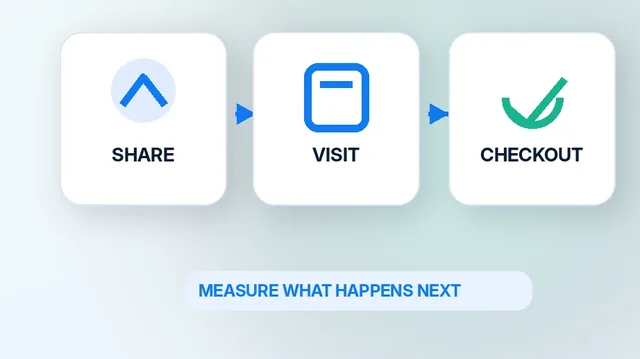
When the recipient visits, you know three things a shared link cannot tell you: that this particular person responded, when, and what they did next. That makes PURLs useful for:
- Direct mail response. Which households in a mailing visited the site, and which did not, so you can follow up.
- SMS and email offers. Which message each click came from, so a reply campaign only goes to people who have not acted.
- Sales outreach. Knowing a prospect opened the proposal you sent them.
- Invitations. Which invitees looked at the event page.
What do PURLs look like?
There are three common styles, and the choice decides how private the link is:
| Style | Example | Pros | Cons |
|---|---|---|---|
| Name in the path | yourbrand.com/JaneSmith | Feels personal; easy to type from paper | Reveals the name; guessable; collides for common names |
| ID in the query string | yourbrand.com/offer?cid=48213 | Easy to generate | IDs in order are guessable; looks technical; often stripped or edited |
| Random short code | go.yourbrand.com/k7m2q9xw4 | Reveals nothing; hard to guess; short | Less personal-looking; typing it from paper takes care |
For anything sent by SMS or email, the random code wins: nobody types it, and it leaks nothing. For print, a short random code on a branded domain is a sensible middle ground, ideally with a QR code beside it so few people need to type it.
Why should personal data stay out of the URL?
Because a URL is not a private place. OWASP, the web security community, explains that sensitive data in a URL is exposed through the Referer header, web logs, shared systems, browser history and browser cache, and that “Simply using HTTPS does not resolve this vulnerability.”
For a PURL, that means a name, email address, phone number or account number in the link can turn up:
- in the logs of your shortener, your website and any tool in between;
- in the referrer sent to every third-party script on the landing page;
- in a link preview when the recipient forwards the message;
- on the screen of anyone who sees the printed card.
The rule is simple: the link carries a meaningless code; the meaning lives in your own system.
What does the GDPR say?
If you mail or message people in the EU, the GDPR’s definitions matter. Article 4 defines personal data as “any information relating to an identified or identifiable natural person”, where a person can be identified “directly or indirectly”, including by “an online identifier”. A PURL you can trace back to one person in your CRM is very likely to fall under that, even with a random code.
The same article defines pseudonymisation: processing personal data so it “can no longer be attributed to a specific data subject without the use of additional information.” A random code with the mapping kept separately is exactly that. It reduces risk; it does not take the data out of scope. Treat click data on PURLs like the rest of your customer records, set a retention period, and check your approach with whoever handles privacy for you.
How do I create one link per recipient?
You do not need a PURL platform to do this. The steps below use BN Shortener (the service behind Shortlen, at b1.lc), but the principle applies to any tool that creates links in bulk.
For direct mail and email:
- Export your recipient list with an internal ID per person (not their name or email in the link).
- Build a CSV with one row per recipient: the destination (the same landing page for everyone, or a page per segment), a title such as the internal ID, and a tag for the campaign.
- Create the links in bulk. BN imports up to 1,000 rows per CSV with a dry run first, or the API creates up to 1,000 links per request. See how to bulk shorten links from a CSV and using a URL shortener API.
- Use codes nobody can guess. BN’s private links (Pro and higher) use 9-character random codes, about 10^14 combinations, instead of 4-character ones. A guessing guard also blocks anyone trying many unknown codes in a short time.
- Store the short link next to the recipient’s ID in your CRM or mail file, then merge it into the print file or message template.
- Read the results per link: people only, unique visitors and the time of each click, with bots and previews recorded apart.
For SMS through BroadNet (Enterprise):
BN’s messaging links were built for one link per message. A batch request takes up to 10,000 recipients per call and gives each message its own 9-character link (about 10^14 possible codes, since codes are matched without regard to case). Each recipient is identified by BroadNet’s message ID, plus an optional reference stored only as a one-way hash. BN does not accept phone numbers or email addresses at all, so it never stores who received a message. Sending the same message ID again returns the same link, so retries are safe. Results come back per batch: delivered, previewed, clicked and converted. See SMS links and how to track SMS links.
How do I measure a PURL campaign?
The point of one link per person is a cleaner answer to “did this work?”. Four measures cover most campaigns:
- Response rate: recipients whose link was used by a person (not a bot or preview), divided by recipients reached. For SMS through BroadNet, the batch funnel reports this against delivered messages when receipts exist.
- Time to response: how long after the drop or send people acted. BroadNet batch reports include the average time to first click and first clicks by hour for 72 hours.
- Conversion: whether the visit led to a sign-up or purchase. Turn on conversion tracking so each person’s click carries a signed
bn_cidcode your site can report back; see how to track conversions from short links. - Lift over a control: send a small, random part of the list a generic link (or no offer) and compare. Without a control you know who responded, but not how many would have anyway.
Then act on it: follow up only with people who did not respond, and stop sending to segments that never do.
What are the limits of PURLs?
PURLs are powerful, but be honest about what they prove:
- A visit is not an identity. People forward messages and hand mail to family members. A PURL visit means “someone with this link”, not “this person”.
- Never use a PURL to sign someone in or to show account details without a password. If the link leaks, so does the account.
- Scanners and previews visit too. Email security tools and chat apps can open a link before the person does. Count people, not every request; see why short link clicks run high.
- Print is permanent. A mailed PURL may be used months later. Decide what the link should do after the campaign, and set an expiry page rather than an error. See expiring and password-protected links.
PURL checklist
- The link contains a random code, never a name, email, phone number or sequential ID.
- Codes are long enough not to be guessed (private links or messaging links).
- The mapping from code to person lives only in your own system.
- The landing page does not show personal data based on the link alone.
- Third-party scripts on the landing page are reviewed, since they receive the referrer.
- Click data has a retention period and a named owner.
- People and bots are reported separately.
- The links are on your own domain, and printed ones also have a QR code.
- You decided what happens after the campaign ends.
If you generate readable back-halves for segments rather than people, the slug generator and our guide to choosing a good custom back-half will help.
Start free
You can start free at b1.lc, create links in bulk and see which ones people clicked, with bots kept apart. Private links are on Pro and higher, and BroadNet messaging links are part of Enterprise; talk to sales if you send SMS at volume.
Sources
- What is a pURL and how do I use them?, Postalytics support, undated. Checked 2026-10-23.
- Information exposure through query strings in URL, OWASP, undated. Checked 2026-10-23.
- Art. 4 GDPR: Definitions, gdpr-info.eu (text of Regulation (EU) 2016/679), 2016-04-27. Checked 2026-10-23.