Why are my short link clicks so high? Bot clicks explained
Email scanners, link previews and crawlers open your links before people do. See where bot clicks come from, how to spot them and how to count only people.
Key takeaways
- A click is any request to the short link. Scanners, preview fetchers and crawlers make requests too, so raw counts include machines.
- Microsoft documents that Safe Links scans URLs before delivery and detonates links without a good reputation in the background; Proofpoint sandboxes links before delivery and at click time.
- Bot clicks have tells: they arrive seconds after a send, hit every link in a message, come from data-centre networks and carry crawler user agents.
- Inflated clicks do real damage: wrong A/B winners, false 'clicked' segments in email automation and click rates nobody can repeat.
- BN Shortener counts people by default and records bots, crawlers and link previews as their own number, so nothing is hidden and nothing is inflated.
You send a newsletter to 2,000 people and the short link shows 1,400 clicks in the first minute. Nobody is that keen. Most of those requests came from machines that open links for their own reasons: to check them for malware, to build a preview card, or to index the page. This guide explains where those clicks come from, how to recognise them, and how to report numbers that describe people.
Where do bot clicks on short links come from?
A short link cannot see who is behind a request. It sees a request for b1.lc/AbC9, answers with a redirect, and records what it can about the visitor. Anything that requests the link looks like a click unless the tool classifies it. Four kinds of software do most of this:
| Source | When it fires | What it looks like in your data |
|---|---|---|
| Email security scanners | Before delivery, in the background, and again when the person clicks | A burst of clicks seconds after the send, often on every link in the email, from cloud networks |
| Link preview fetchers | When the link is pasted into a chat, post or message | One or a few requests per share, with a named user agent, before anyone taps |
| Search and SEO crawlers | Whenever they find the link on a public page | Steady low traffic at odd hours, crawler user agents, no screen or language data |
| Monitoring and testing | When you, a colleague or a tool checks the link | Clicks from your own office or cloud provider, often from one IP |
Email security scanners
Business email often passes through a security gateway that inspects links. Microsoft’s documentation for Defender for Office 365 says Safe Links scans URLs before the message is delivered, whether or not they are rewritten, and that URLs without a valid reputation are “detonated asynchronously in the background”. When a person later clicks, the rewritten link is checked again before the browser is sent on. Proofpoint describes a similar pattern: suspicious messages can be held for sandbox analysis before delivery, and “URLs in delivered messages are re-written and sandboxed at time of click.”
Detonating or sandboxing a link means opening it in a controlled environment. For your analytics that is a request to the short link, usually from a data-centre network, often within seconds of the send. If your list is mostly company addresses, expect a lot of these.
Link preview fetchers
When someone pastes a link into Slack, WhatsApp, LinkedIn or a Meta app, the platform fetches the page to show a title, description and picture. Slack’s developer documentation says plainly that its servers “must fetch every URL in a message” to decide what kind of content it is. Meta’s crawler documentation says its crawler, which identifies itself as facebookexternalhit/1.1, crawls content shared on Meta’s apps to build the preview and caches what it finds.
One share can produce more than one request: the platform may fetch again for a different device, a later re-share or a cache refresh.
Crawlers and tools
Search engines, SEO tools and AI crawlers follow links they find on public pages. Short.io’s blog names Ahrefs, SEMrush and Bytespider among them. They are rarely a big share for a link sent privately, but a link printed on a public web page will collect them for as long as the page exists.
How much of my traffic is bots?
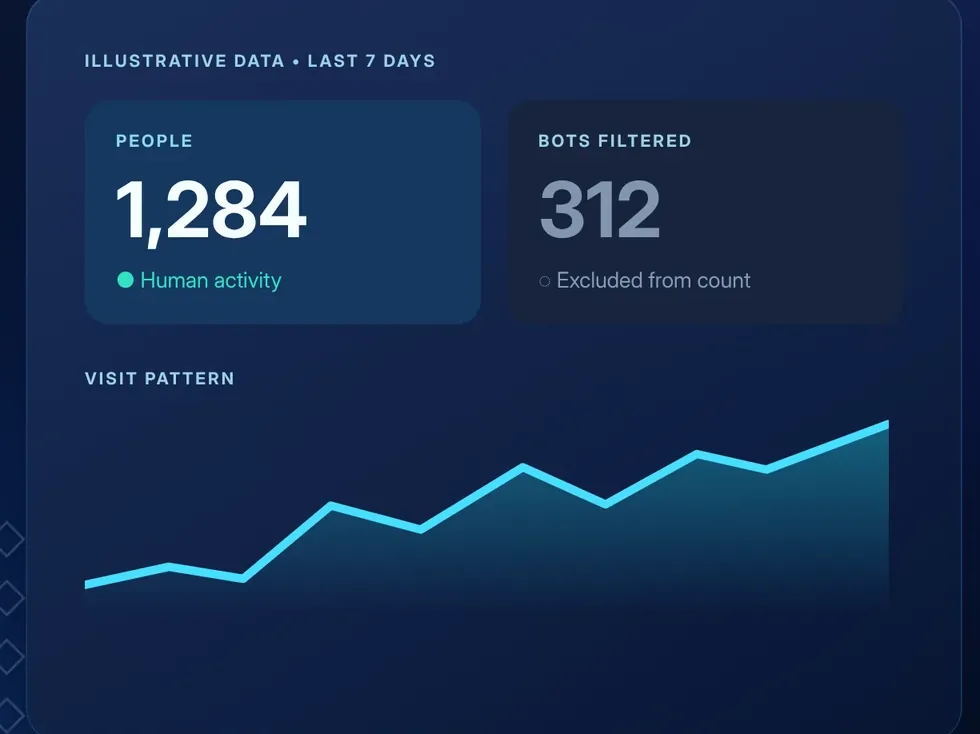
There is no honest single number. It depends on the channel, the audience and how the tool classifies requests. A link emailed to corporate inboxes will see far more scanner traffic than the same link in a consumer SMS. Short.io’s blog, published 26 March 2026, goes as far as saying “Bots will consistently be over 99% of your traffic”; that is one vendor’s statement about its own data, and we have no way to check it. What you can check is your own split: compare people and bots on your last few campaigns and you will know your baseline.
How can I tell a bot click from a person?
Most automated requests share a few tells. None is proof on its own; together they are a strong signal.
- Timing. A spike within seconds of the send, before people could have read the message.
- Every link at once. The same visitor opens every link in the email within a second or two, including the unsubscribe and the footer.
- Network. The internet provider is a cloud host or security company rather than a mobile carrier or home broadband provider.
- User agent. The request names itself:
facebookexternalhit,Slackbot,WhatsApp,LinkedInBot, or a known crawler. - Missing human details. No screen resolution, no browser language, no time zone from the page.
- Geography that makes no sense. Clicks from a country you never sent to, all from one city where a data centre sits.
- No visit afterwards. GA4 shows no session for the click, because the scanner never ran the page’s tag.
The advertising industry treats this as a known problem: IAB and ABC maintain an International Spiders and Bots List, updated monthly, that measurement companies use to filter known automated traffic out of their counts.
Why do inflated clicks matter?
A big number feels harmless, but it leads to bad decisions:
- Click rates nobody can repeat. A 70% click rate on a newsletter sets a target the next campaign will miss.
- Wrong A/B winners. If one variant went to a list with more corporate addresses, scanners can hand it the win. See how to A/B test a short link for how to run a fair test.
- False “clicked” segments. Email automations that send a follow-up to everyone who clicked will message people who never opened anything.
- Lead scores and sales alerts that fire on a scanner’s visit.
- Click limits and expiry that trigger early, in tools that count bots towards the limit.
The fix is not to delete the automated requests. It is to classify them and report people by default.
How does BN Shortener count people, not bots?
Every number in BN Shortener (the service behind Shortlen, at b1.lc) counts people by default. Bots, crawlers and link previews, including WhatsApp, Slack, social cards and carrier scanners, are recorded separately and left out of the totals, with the Exclude Bots toggle on by default. Nothing is thrown away:
- Bot clicks are always reported as their own number, next to clicks, unique visitors, VPN clicks and mobile clicks in each link’s analytics.
- You can include them on request: switch the toggle off, add
include_bots=1to the overview,exclude_bots=falseper link, or?include_bots=1in API v3 stats. - The Technical tab shows a Bot & Crawler Analysis card, Traffic Quality, VPN and proxy detection, screen resolutions, languages and the raw user agent strings, so you can check a suspicious spike yourself.
- The dashboard home shows Human Clicks, or All Requests when you include bots.
The same rule runs through the rest of the product. A link’s click limit counts people only, so a scanner cannot use it up. Conversion tracking adds a signed click code to people’s clicks only; bots never get one. App Links are never used for bots or previews. For SMS sent through BroadNet, link previews, bots and carrier scanners are counted as previews and people as clicks, as described in how to track SMS links.
One limit is worth saying plainly: no classifier is perfect. A scanner that runs a full browser from an ordinary network can look like a person. That is why the steps below also check what happens after the click.
What should I do about bot clicks?
Work through this checklist for any campaign you report on:
- Report people (human clicks) and unique visitors as your headline numbers, and show the bot count beside them.
- Compare link clicks with GA4 sessions for the same campaign; a large gap points to automated requests.
- Tag the destination with UTMs using the UTM builder so GA4 can confirm real visits.
- Look at the first five minutes after a send separately; that is where scanner bursts sit.
- Ask your email platform whether its “clicked” segment filters security scanners before you build automations on it.
- Judge campaigns by what people do next: sign-ups and sales. See how to track conversions from short links.
- When you test your own links, preview them instead of opening them: add
+to a BN short link (for examplehttps://b1.lc/AbC9+) to see where it goes; nothing is counted. - If a link has a long, messy destination, clean it with the URL parser so stray click IDs do not muddle the analysis.
For more on what each click records and how to read a report, see how to track clicks on a short link and the analytics feature page.
Start counting people
If your current tool gives you one big number, you are reporting machines along with people. You can start free at b1.lc: click analytics on every plan count people by default, with bots, crawlers and previews kept on their own line. Pro and Business add smart links, A/B tests, conversions and monitoring; the pricing page shows what each plan includes.
Sources
- Complete Safe Links overview for Microsoft Defender for Office 365, Microsoft Learn, 2026-10-14. Checked 2026-10-23.
- Malicious links: stop URL-based attacks before they start, Proofpoint, 2024-05-06. Checked 2026-10-23.
- Unfurling links in messages, Slack developer docs, undated. Checked 2026-10-23.
- The Meta web crawlers, Meta for Developers, undated. Checked 2026-10-23.
- IAB/ABC International Spiders and Bots List, IAB, undated. Checked 2026-10-23.
- Bot vs. human traffic: how it works and what you can do about it, Short.io blog, 2026-03-26. Checked 2026-10-23.
- How to set up link expiration (temporary URL), Short.io docs, undated. Checked 2026-10-23.