Deep link vs universal link vs deferred deep link: the differences explained
Deep link vs universal link vs deferred deep link vs App Link and dynamic link: a comparison table, verification, fallbacks and setup behind a short link.
Key takeaways
- A deep link opens a specific screen in an app, such as a product page, rather than the app's home screen.
- Custom schemes (myapp://) only work when the app is installed; Universal Links and Android App Links are normal HTTPS links that fall back to your website.
- Universal Links and App Links are verified through files on your domain: apple-app-site-association and assetlinks.json in the /.well-known/ folder.
- Deferred deep linking (remembering the screen through an install) needs an SDK inside the app; a plain link cannot do it alone.
- Put the deep link behind a short link on your own domain so one address works in email, SMS, QR codes and ads, and you can see how many people opened the app through it (opens that iOS or Android hand straight to an installed app never reach the redirect).
A deep link sends someone straight to a specific screen inside a mobile app: the product they tapped, the order they want to track, the episode they were halfway through. Done well, the same link also works for people without the app. This guide explains the three kinds of deep link, how iPhone and Android decide whether to open your app, what happens on the fallback path, and how to set one up behind a short link you can put anywhere.
Deep link vs universal link vs deferred deep link: what is the difference?
The terms overlap: “deep link” is the umbrella, and the others are particular ways of building one.
| Deep link (custom scheme) | Universal Link (iOS) | Android App Link | Deferred deep link | Dynamic link (Firebase) | |
|---|---|---|---|---|---|
| What it is | Any link to a screen in an app, classically myapp:// | Apple’s verified HTTPS deep link | Google’s verified HTTPS deep link | A deep link that survives an install | Google’s hosted deep-link service |
| Looks like | myapp://product/42 | https://go.yourbrand.com/p/42 | https://go.yourbrand.com/p/42 | Any link, plus an SDK in the app | https://example.page.link/… |
| App installed | Opens the screen | Opens the screen, no browser step | Opens the screen, no chooser | Opens the screen | Opened the screen |
| App not installed | Fails unless a redirect page catches it | Opens your web page | Opens your web page | Store, then the screen after first launch | Store or web, then the screen |
| Proves you own the domain | No | Yes, apple-app-site-association | Yes, assetlinks.json | Depends on the service | Google’s domain |
| Needs code in the app | A URL handler | Associated Domains entitlement | An intent filter with autoVerify | Yes, an SDK | The Firebase SDK |
| Status in October 2026 | Works | Works | Works | Offered by link services with SDKs | Shut down 25 August 2025 |
In short: a universal link (and its Android twin, the App Link) is the safest deep link to publish, because it falls back to your website. A deferred deep link adds memory through the install, at the cost of an SDK. A dynamic link was Google’s packaged version of all this, and its links now return a 404. The sections below explain each part.
What is a deep link?
A deep link is a link that opens a particular location inside an app instead of the app’s home screen. The word “deep” is borrowed from the web, where a deep link points to an inner page rather than the home page.
There are several ways to build one, and the differences matter because they decide what happens when the app is missing:
| Type | Looks like | Opens the app when installed | Without the app | Verified against your domain |
|---|---|---|---|---|
| Custom URL scheme | myapp://product/42 | Yes | Fails or shows an error, unless something catches it | No |
| Universal Link (iOS) | https://go.yourbrand.com/p/42 | Yes, without a browser step | Opens the page in the default browser | Yes, apple-app-site-association |
| Android App Link | https://go.yourbrand.com/p/42 | Yes, without a “which app?” dialog | Opens the page in the browser | Yes, assetlinks.json |
| Deferred deep link | Any of the above plus an SDK | Yes | Sends to the store, then opens the screen after install | Depends on the SDK |
On Android, “deep link” is also the platform’s own name for any link an app registers to handle. Android’s documentation describes App Links as “an enhanced deep linking capability that verifies deep links to your own website”, and notes that plain deep links “are subject to the system disambiguation dialog” (the “open with” chooser).
How do Universal Links and Android App Links work?
Both systems answer the same question: is this app really allowed to open links for this website? They answer it with a small file that only the website owner can publish.
On iPhone and iPad (Universal Links):
- The app lists your domain in its Associated Domains entitlement (for example
applinks:go.yourbrand.com). - You publish a file named
apple-app-site-associationathttps://go.yourbrand.com/.well-known/apple-app-site-association, listing the app and the paths it handles. - Apple’s documentation is strict about hosting: “You must host the file using https:// with a valid certificate and with no redirects.”
- Since iOS 14 and macOS 11, devices do not fetch the file from your server. They ask an Apple-managed content delivery network, which “requests the apple-app-site-association file for your domain within 24 hours”, and devices check for updates “approximately once per week after app installation”.
- When someone taps a matching link, Apple says the system opens it “directly to your app without routing through the person’s default web browser or your website”. If the app is not installed, “the system opens the URL in their default web browser, allowing your website to handle it.”
On Android (App Links):
- The app declares an intent filter for your domain with
android:autoVerify="true". - You publish a Digital Asset Links file at
https://go.yourbrand.com/.well-known/assetlinks.jsonwith the app’s package name and the SHA-256 fingerprint of its signing certificate. - Android checks the file and, once the domain is verified, opens matching links in the app with no chooser dialog. Google notes that App Links are “supported on Android 6 and later, on devices that have Google services.”
- If verification fails, the domain is not linked automatically; the app has to ask the person to associate it in the system settings.
The practical consequence: Universal Links and App Links only work on a domain you control, because you have to publish those files. A shared short domain cannot carry them for every company’s app.
What happens when the app is not installed?
This is where most deep link campaigns lose people. The four outcomes, from worst to best:
- Custom scheme with no fallback. The phone has nothing registered for
myapp://, so the tap does nothing or shows an error. Never put a bare custom-scheme link in an email, SMS or ad. - Universal Link or App Link. The page opens in the browser. That is fine if the web page is a real, useful page; it is a dead end if the path only exists in the app.
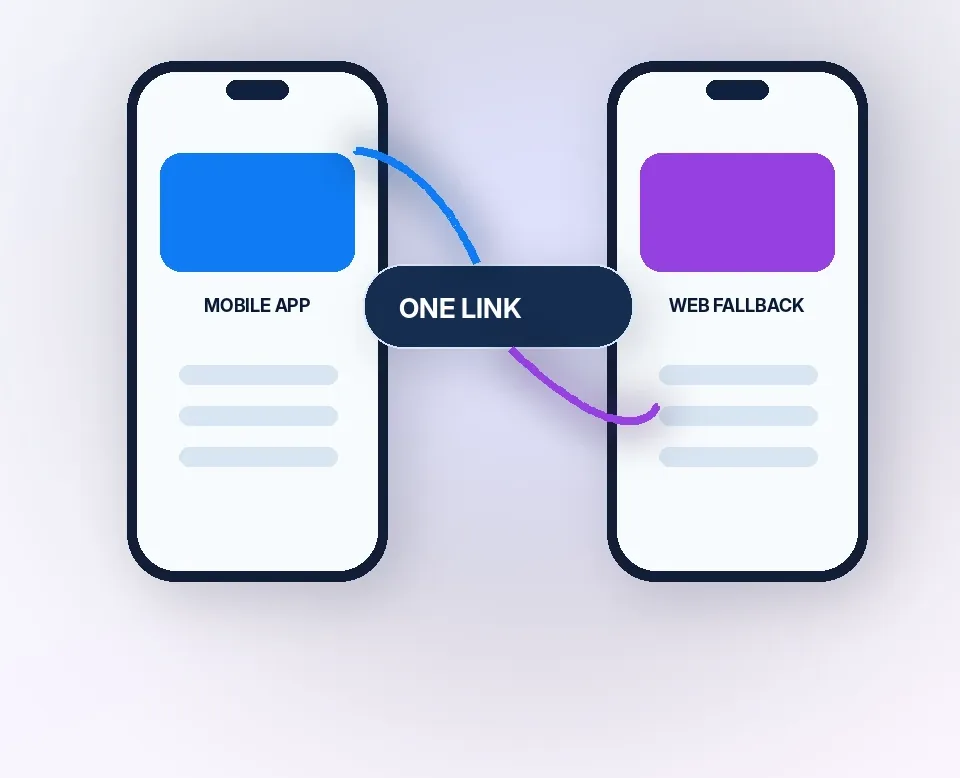
- A redirect page that tries the app, then falls back. A link service attempts the custom scheme (or an Android intent), waits briefly, and then sends the person to a fallback you chose: the web page, the App Store or Google Play listing, or another URL.
- Deferred deep link. The person goes to the store, installs, and the app opens on the intended screen at first launch.
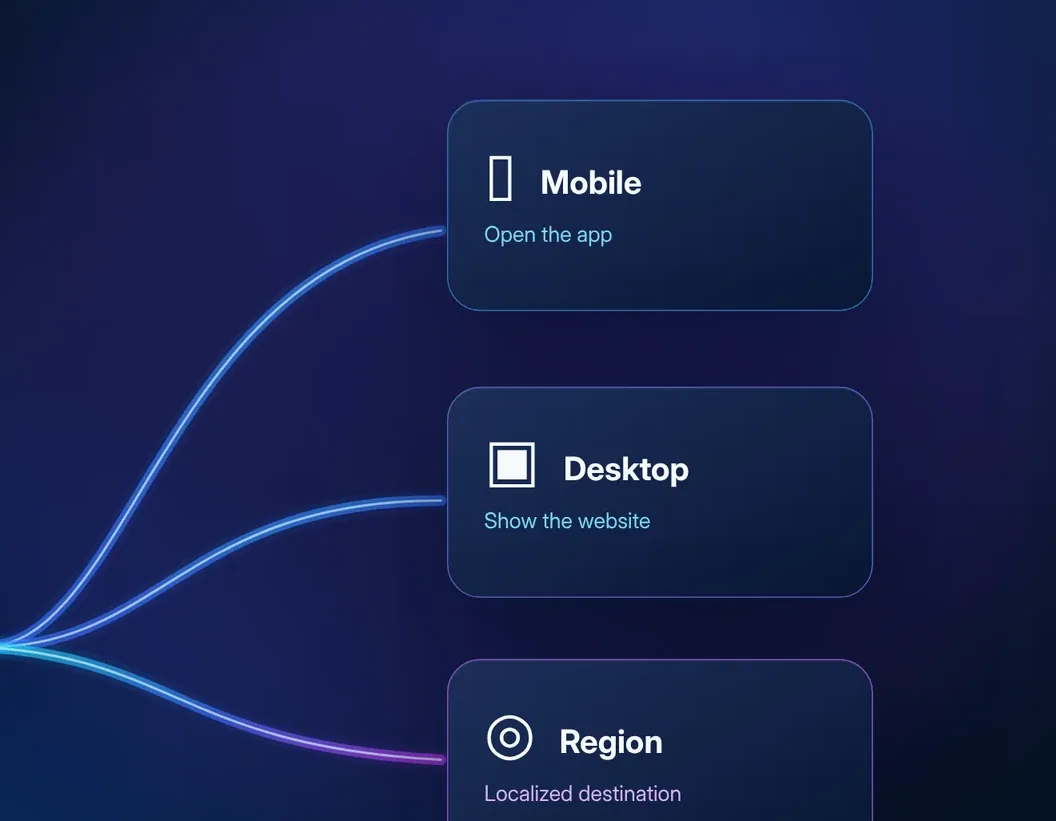
Choose the fallback per platform. A shopper on a laptop should get the web product page; an iPhone user without the app may be better served by the App Store page if the app is the point of the campaign.
What is deferred deep linking, and do you need it?
Deferred deep linking carries the intended destination through an install. The link service records where the person wanted to go, sends them to the store, and after the first launch an SDK inside the app asks the service for that destination and opens it.
Two things follow from how it works:
- It needs code in the app. A link alone cannot reach into a freshly installed app; the app has to ask.
- It matters most for acquisition. If most of your audience already has the app (re-engagement emails, order updates, loyalty offers), standard deep links with a good fallback cover nearly everyone.
Be clear about what your tool does. BN Shortener’s native iOS and Android SDKs are coming soon; until they ship, apps talk to BN through the REST API. So a BN link today opens the app when it is installed and otherwise follows the fallback you set (web page, store page or custom URL); it does not restore a screen after an install.
Why deep links break
Most broken deep links come from a short list of causes:
- The association file is wrong or unreachable. A redirect on the file, an expired certificate, a missing path or a typo in the Team ID or package name stops verification.
- The change has not propagated. Apple’s CDN can take up to a day to fetch a new file and devices refresh weekly, so testing five minutes after an edit proves little.
- The platform behind the link shuts down. Google’s Firebase Dynamic Links shut down on 25 August 2025; Google’s FAQ says clicked links “will return a HTTP 404 status response to end users”. Links printed on packaging and posted in old emails broke with it. Owning the domain the link lives on is the best protection.
- The fallback is a dead end. The app path works, but the web URL behind it 404s, so everyone without the app hits an error.
How do I set up a deep link behind a short link?
A short link on your own domain gives you one address for every channel, the verification files in the right place, and a measurable fallback. In BN Shortener’s App Links it works like this:
- Add a custom domain such as
go.yourbrand.comand verify it. Universal Links and Android App Links need your own domain: BN serves the apple-app-site-association and assetlinks.json files for your links and QR codes there, never on the shared b1.lc domain. See how to use your own domain for short links. - Register the app under Integrations > App Links (up to 20 apps per account). Enter the iOS bundle ID, Team ID, App Store ID and custom URL scheme; the Android package name, custom scheme and up to 5 SHA-256 certificate fingerprints; and a fallback for iOS, Android and desktop.
- Pick each fallback: the web page, the store page (built from the App Store or Google Play ID) or a custom URL.
- Create the short link and, on its App tab, choose the app and the “Screen in the app” path, for example
product/42oroffers?id=7. - Test before sending. Launch Check tests the app fallbacks for iOS, Android and desktop together with the link’s other destinations, so a broken fallback shows up before your campaign does.
On a click from a phone, BN’s redirect page tries to open the app at that screen (the iOS custom scheme, or an Android intent URL so Chrome opens the app or the fallback by itself) and falls back after 1.8 seconds. Desktop visitors go straight to the desktop fallback if one is set. Links with an app keep this redirect page even if you choose a 301, 302 or 307 redirect type, because a plain server redirect cannot try the app; see 301 vs 302 redirects for when each type fits.
A few safety rules are built in: the app step is never used for bots or link previews, unsafe schemes such as javascript: or data: are refused, and dynamic URL QR codes can use the same app routing, so a code on a poster opens the app screen too.
How do I measure whether deep links work?
Clicks alone hide the important number. What you want to know is how many people actually reached the app screen. BN reports, per app (last 30 days) and in each link’s stats:
- Attempts: phone clicks where the app was tried.
- Opened in the app: attempts that reached the app.
- Fell back: attempts that went to the fallback.
- Open rate: the share that opened the app. Opens that iOS or Android hand straight to an installed app through Universal Links or App Links never reach the redirect, so BN cannot count them; use your app’s own analytics for those.
A low open rate on a campaign aimed at existing customers usually means a broken association, a wrong fingerprint after an app re-signing, or an audience that has not installed the app. If the audience is new, compare the fallback’s store-page visits with installs in your app store console. For routing by device or country on top of the app step, see smart links by device and country.
Deep link checklist
- The link is an HTTPS address on a domain you control, not a bare
myapp://scheme. - The apple-app-site-association file is served over HTTPS with a valid certificate and no redirects.
- assetlinks.json lists the right package name and every signing certificate fingerprint you use.
- Every platform has a fallback that is a real page: web for desktop, web or store for phones.
- The path in the app (
product/42) exists in the current app version. - You tested on a real iPhone and a real Android phone, with and without the app installed, after the files had time to propagate.
- The link is measured: opened in the app versus fell back.
Start free
You can register an app, add your own domain and create deep links on BN Shortener’s free plan, then check the open rate in each link’s analytics. Start free at b1.lc, or see what Pro and Business add.
Sources
- Allowing apps and websites to link to your content, Apple Developer Documentation, undated. Checked 2026-10-23.
- Supporting associated domains, Apple Developer Documentation, undated. Checked 2026-10-23.
- Supporting universal links in your app, Apple Developer Documentation, undated. Checked 2026-10-23.
- Handling Android App Links, Android Developers, 2026-10-16. Checked 2026-10-23.
- Verify Android App Links, Android Developers, 2026-10-16. Checked 2026-10-23.
- Dynamic Links deprecation FAQ, Firebase (Google), 2026-10-22. Checked 2026-10-23.