URL shortener API: free APIs compared, and how to use one from code
Free URL shortener APIs compared (Bitly, Rebrandly, Short.io, TinyURL, BN Shortener), what to check, and curl, Python and Node examples to create links.

Key takeaways
- A shortener API does three jobs: create links, change them later, and report who clicked. Check all three before you choose one.
- BN Shortener's REST API lives at https://b1.lc/api/v1 and is included on every plan; the Free tier allows 1,000 requests a minute.
- Send the key in the X-API-Key header, never in a URL, and give each integration its own key with only the permissions it needs.
- Add an Idempotency-Key to every write so a retry after a timeout never creates a second link.
- Use bulk endpoints for volume and webhooks for clicks, instead of looping single calls or polling statistics.
- Python (pip install bn-shortener) and TypeScript (npm install @bn-shortner/shortener) SDKs are published, alongside plain HTTP and the bn command line.
A URL shortener API lets your application create short links, change where they point and read their clicks without anyone opening a dashboard. This guide explains what a good shortener API should give you, then walks through working requests against the BN Shortener API (the service behind Shortlen) in curl, Python and Node, including the parts most tutorials skip: retries, rate limits and errors.
What does a URL shortener API do?
At its simplest, a shortener API turns a long URL into a short one. In production you need more than that. A useful API covers three jobs:
- Create: shorten a URL, optionally with your own back-half, your own domain, a title, tags and tracking.
- Manage: change the destination later without changing the short link, expire it, disable it, move it into a campaign.
- Measure: report clicks by date, country, device and referrer, ideally with bots and link previews filtered out.
Typical uses are product features (a “share” button that creates a link per user), marketing automation (one tagged link per email, ad or SMS), and internal tooling (a CMS that shortens every new article). If you only ever need the first job once, a dashboard is enough. If you need any of them repeatedly, an API saves hours and removes copy-paste mistakes.
What should you check before choosing a shortener API?
Most comparison posts list vendors. A checklist travels better, because plans change:
| Check | Why it matters | BN Shortener |
|---|---|---|
| API on the free plan | You can build and test before paying | Yes, every plan (“Basic API access” on Free) |
| Rate limit | Decides how fast a batch job can run | 1,000 requests/minute on Free; 3,000 Pro; 10,000 Business; 100,000 Enterprise |
| Bulk endpoint | One request instead of a thousand | Up to 1,000 links per request |
| Safe retries | A timeout should not create duplicates | Idempotency-Key on every POST, PUT, PATCH and DELETE |
| Error format | Your code can switch on a stable type | RFC 9457 problem details, 27 documented error types |
| Custom domains | Links on go.yourbrand.com | Yes, added in the dashboard, used by name in the API |
| Click data quality | Bots and previews inflate counts | People only by default; bots reported separately |
| Webhooks | Push instead of polling | 32 events, signed deliveries (Pro and higher) |
| Specification | Generate clients, import into Postman | OpenAPI 3.1, 182 operations, Postman collection |
Two more questions are worth asking any provider: what happens to existing links if you downgrade (BN’s answer: plan limits only restrict creating new items, existing links keep working), and whether destinations are checked for phishing before a link goes live (BN scans every destination against threat sources such as PhishTank, URLhaus and SURBL when the link is created and on every change).
Free URL shortener APIs compared
What each provider’s own pricing page listed for its free plan, checked on 24 October 2026. Limits are measured differently (per month, per minute, per second, per account lifetime), so read each row in its own unit.
| Provider | API on the free plan | Free-plan limit, as listed | Worth knowing |
|---|---|---|---|
| BN Shortener | Yes, the same endpoints as paid plans | 1,000 requests a minute; 100 new links a month | Bulk create up to 1,000 links per request; people-only click counts |
| Bitly | Yes | 1,000 API requests a month | The Free plan is listed “with ads” |
| Rebrandly | Yes | 100 calls a minute; 10 links a month | Paid plans raise the link allowance |
| Short.io | Rate limit listed for every plan | 50 requests a second; 1,000 links by API or bulk; 1,000 branded links over the account’s lifetime | The lifetime cap is one-time, not monthly |
| TinyURL | Publishes an API that needs an account token | Not confirmed: the pricing page did not load as text when we checked | Check the plan before building on it |
For a hobby script that makes a few links a week, any of these works. For a product feature or a campaign tool, the limits that bite are links per month and requests per minute, and the question that matters long term is what happens to links made through the API when you stop paying. Our guides to shortening YouTube, Amazon and Google Drive links show common things people automate.
How do I get an API key?
- Start free at b1.lc and verify your email.
- In the dashboard open Integrations > API (the API Portal) and create a key.
- Give it only the permissions it needs. There are five: read, write, delete, webhooks and admin. New keys default to read + write, which is right for a script that creates links.
- Copy the key once into an environment variable. It is shown only at creation; BN stores a hash.
export BN_API_KEY="bn_live_..."A few habits that save trouble later: one key per integration (so you can rotate or revoke one without breaking the others), an expiry date and allowed IP ranges on keys created through the API (POST /api/v1/keys) for contractors or experiments, and the account-wide country rules for integrations that only ever run from your servers. You can keep up to 25 active keys per account.
If you are building something other people connect to their own BN account, do not ask them for a key. Use OAuth 2.1 instead: authorization code with PKCE, or the device flow (they approve a code at b1.lc/device). Access tokens last one hour, refresh tokens 90 days, and users can disconnect your app at any time.
How do I create a short link with the API?
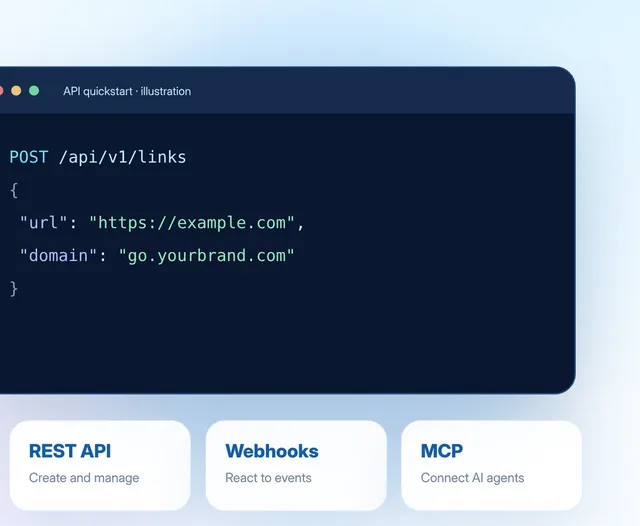
One request. The key goes in the X-API-Key header, never in the URL.
curl -X POST https://b1.lc/api/v1/links \
  -H "X-API-Key: $BN_API_KEY" \
  -H "Content-Type: application/json" \
  -d '{"url": "https://example.com/autumn-sale", "title": "Autumn sale", "tags": ["email", "autumn"]}'
The answer is a standard envelope with success, data and meta:
{
  "success": true,
  "data": {
    "id": 1612,
    "short_code": "AbC9",
    "short_url": "https://b1.lc/AbC9",
    "domain": "b1.lc",
    "original_url": "https://example.com/autumn-sale",
    "title": "Autumn sale"
  },
  "meta": { "request_id": "req_e3dd900343c76f6ff76f8495", "api_version": "v1" }
}
A random code is 4 characters, so the whole link, b1.lc/AbC9, is 10 characters long. Before the link goes live the destination is threat-scanned, and a Launch Check runs in the background.
The fields you will use most
| Field | What it does |
|---|---|
url (required) | The destination, http or https |
custom_code | Your own back-half, up to 50 characters, e.g. spring-sale |
domain | b1.lc (default), b0.lc, or one of your verified custom domains |
title | A label for you; detected from the page when empty |
tags | Labels for filtering, e.g. ["email", "autumn"] |
private | A 9-character code nobody can guess (Pro and higher; not with custom_code) |
conversion_tracking | Adds a click code (bn_cid) so your site can report sales and sign-ups |
gs1_gtin | A product barcode number for a GS1 Digital Link QR code |
The create-link reference lists the rest (expiry, password, campaign, UTM tags, redirect type and more). If you are deciding between redirect types, our guide to 301 vs 302 redirects explains the trade-offs.
How do I call it from Python or Node?
These examples use plain HTTP; the SDKs do the same retries for you. Both reuse the same Idempotency-Key on a retry, which is the detail that keeps a flaky network from creating duplicate links.
Python (with the requests package):
import os, time, uuid, requests

API = "https://b1.lc/api/v1"
KEY = os.environ["BN_API_KEY"]

def shorten(url, **fields):
    idem = str(uuid.uuid4())          # one key per logical request
    for attempt in range(4):
        r = requests.post(
            f"{API}/links",
            json={"url": url, **fields},
            headers={"X-API-Key": KEY, "Idempotency-Key": idem},
            timeout=10,
        )
        if r.status_code == 429 or r.status_code >= 500:
            time.sleep(int(r.headers.get("Retry-After", 2 ** attempt)))
            continue
        if not r.ok:
            problem = r.json()        # RFC 9457 problem details
            raise RuntimeError(f"{problem['type']}: {problem.get('errors')}")
        return r.json()["data"]["short_url"]
    raise RuntimeError("gave up after retries")

print(shorten("https://example.com/autumn-sale", title="Autumn sale", tags=["email"]))
Node 18+ (built-in fetch):
const res = await fetch("https://b1.lc/api/v1/links", {
  method: "POST",
  headers: {
    "X-API-Key": process.env.BN_API_KEY,
    "Content-Type": "application/json",
    "Idempotency-Key": crypto.randomUUID(),
  },
  body: JSON.stringify({ url: "https://example.com/autumn-sale", custom_code: "autumn-sale" }),
});
const body = await res.json();
if (!res.ok) throw new Error(`${body.type}: ${JSON.stringify(body.errors)}`);
console.log(body.data.short_url);
How do I read clicks?
Use the link’s id from the create response:
curl "https://b1.lc/api/v1/links/1612/stats?period=7d" -H "X-API-Key: $BN_API_KEY"period takes 7d, 30d, 90d, 1y or all. The data.summary object has total_clicks, unique_clicks, bot_clicks, mobile_clicks and more, plus a daily timeline. Three options are worth knowing:
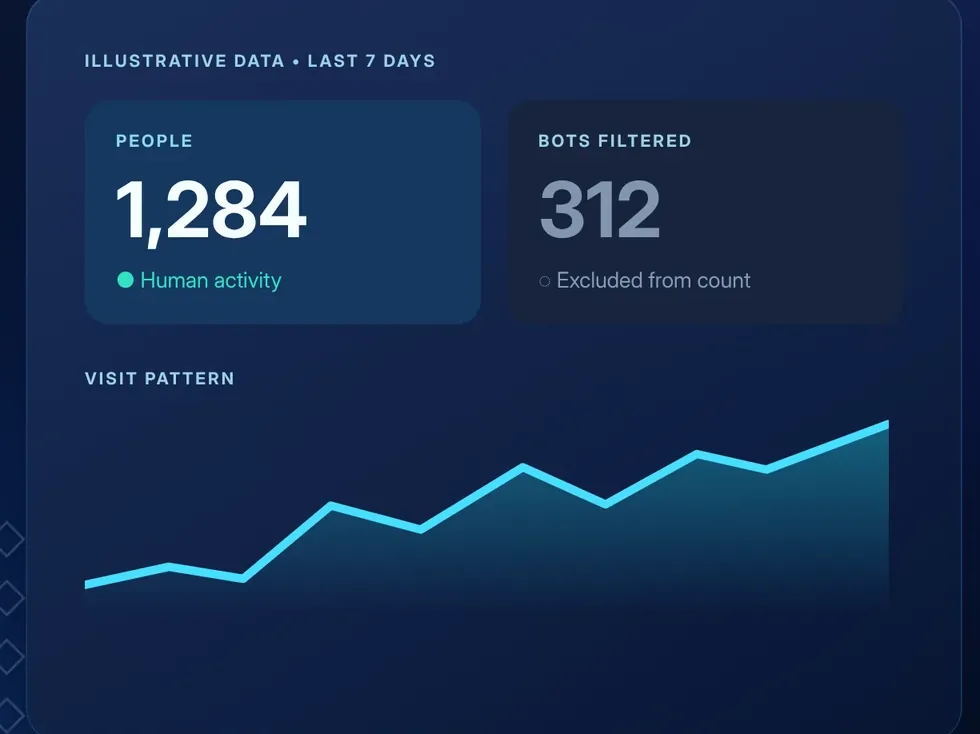
- People only by default. Bots, crawlers and link previews (the fetch WhatsApp or Slack makes to draw a card) are left out. Add
include_bots=trueif you want them in the totals; they are always reported as their own number either way. - Drill-down filters.
country=DE,device=Mobileorreferrer=instagram.comnarrow every figure. - Compare.
compare=trueadds the same-length period just before, so a weekly report can show the change without a second call.
For a live view there is a Server-Sent Events stream at GET /api/v1/links/{id}/clicks/stream, and a click export as CSV or JSON. Link stats also include an ai_assistants figure for visits from ChatGPT, Claude, Perplexity and other assistants; see how to track traffic from ChatGPT.
How do I create many links at once?
Do not loop over the single-create endpoint. POST /api/v1/links/bulk takes a links array of up to 1,000 objects with the same fields as a single link, and answers with one result per item, in order, so you can retry only the ones that failed:
curl -X POST https://b1.lc/api/v1/links/bulk \
  -H "X-API-Key: $BN_API_KEY" -H "Content-Type: application/json" \
  -H "Idempotency-Key: 5b0a3c1e-2f7d-4e61-9a7b-0c4d8e2f1a63" \
  -d '{"links": [{"url": "https://shop.example.com/shoes", "title": "Shoes"},
                 {"url": "https://shop.example.com/bags", "title": "Bags"}]}'
Each result has index, success and, when it worked, data.short_url. For moving links from another shortener’s CSV, POST /api/v1/links/import has a dry-run mode; our guide to bulk shortening links from a CSV covers both, plus the no-code options.
What happens when something goes wrong?
Every error is an RFC 9457 problem with Content-Type: application/problem+json. Switch on type, which is stable, not on the human-readable title or detail:
{
  "type": "https://b1.lc/docs/errors/validation-failed",
  "title": "Validation Failed",
  "status": 422,
  "errors": [{ "field": "url", "code": "INVALID_URL", "message": "URL must use http:// or https:// scheme" }],
  "trace_id": "req_e3dd900343c76f6ff76f8495"
}
The ones to handle explicitly:
| Status and type | Meaning | What your code should do |
|---|---|---|
401 missing-api-key / invalid-api-key | No key, or a wrong or revoked one | Stop and alert; retrying will not help |
403 insufficient-permissions | The key lacks read, write, delete or admin | Fix the key’s permissions |
409 code-exists | Your custom_code is taken | Pick another code or let BN choose |
422 validation-failed | A field is invalid; see errors[] | Fix the input |
422 security-blocked | The destination is on a threat list | Do not retry; check the URL |
402 plan-limit-reached | The request would pass a plan limit | Surface to a human |
429 rate-limit-exceeded | Too many requests this minute | Wait Retry-After seconds, then continue |
Every response carries X-RateLimit-Limit, X-RateLimit-Remaining and reset headers, so a batch job can slow down before it hits the wall. Quote the trace_id if you contact support.
Safe retries in one paragraph
Networks drop answers. If you resend a create request without protection, you may get two links. Send Idempotency-Key with a unique value (a UUID) on writes: BN stores the first answer for 24 hours and replays it for a retry with the same key, marked Idempotency-Replayed: true. The same key with a different body returns 422; the same key while the first request is still running returns 409 with Retry-After. The header is being standardised at the IETF, and the BN docs page on safe retries has the full table.
How do webhooks fit in?
Polling statistics every minute wastes your rate limit. Webhooks push events to your endpoint instead: link.clicked, link.created, qr.scanned, link.converted, guardian.incident_opened and 27 others. Deliveries are signed with an X-BN-Signature header (t=...,v1=..., HMAC-SHA256) and a GitHub-style X-Hub-Signature-256 header, retried with growing delays (up to 6 hours apart), and can be redelivered from the log. A webhook is switched off after 10 failed deliveries in a row, so watch your endpoint. Verify signatures exactly as the webhooks documentation describes before you trust a payload.
Is there an SDK or a command line?
- bn command line: available today. Download it from
b1.lc/cli/bn(one file, Python 3.9+, Linux, macOS and Windows, with a published checksum). It covers shortening, stats, QR codes, Launch Check, bulk files and any raw API call (bn api GET /usage), with--jsonoutput and exit codes that work in CI. - Python SDK:
pip install bn-shortener(PyPI); it also installs thebncommand line. TypeScript SDK:npm install @bn-shortner/shortener(npm, Node 20+, browsers, Workers). The docs show SDK code next to curl. - Also released: the MCP local bridge
npx -y @bn-shortner/shortener-mcp, the n8n community noden8n-nodes-bn-shortener, and the GitHub Actionuses: BN-Shortner/bn-shortener-action@v1(not in the Marketplace yet). Source code is at github.com/BN-Shortner, and every SDK, plugin and connector is listed with its status on the integrations page. - Every docs page has code in six languages, an OpenAPI 3.1 file and a Postman collection to download, and
llms.txtfor AI coding tools.
If you would rather ask an assistant than write code, the same account works through MCP: see manage links with AI assistants.
A production checklist
- Key in an environment variable or secret store, with only the permissions it needs.
-
Idempotency-Keyon every write, reused on retries. - Retry on 429 and 5xx with
Retry-After; never retry 401, 403 orsecurity-blocked. - Errors parsed by
type, field problems read fromerrors[]. - Bulk endpoint for anything over a handful of links.
- Webhooks for clicks, with signatures verified, instead of polling.
-
X-BN-Client: yourapp/1.0header so usage per integration shows up inGET /usage. - Custom domain set up in the dashboard before you send its name in
domain.
Start building
The API, the bn command line and the MCP server are all usable today, on the Free plan too; webhooks come with Pro and higher. Create a free account at b1.lc, make a key, and your first short link is one curl command away. See what each plan includes and the developer platform for the full picture.
Sources
- Quickstart, BN Shortener developer docs, undated. Checked 2026-10-23.
- Create Link (API reference), BN Shortener developer docs, undated. Checked 2026-10-23.
- Authentication and permissions, BN Shortener developer docs, undated. Checked 2026-10-23.
- Safe retries with Idempotency-Key, BN Shortener developer docs, undated. Checked 2026-10-23.
- Errors, BN Shortener developer docs, undated. Checked 2026-10-23.
- RFC 9457: Problem Details for HTTP APIs, IETF / RFC Editor, 2023-07. Checked 2026-10-23.
- The Idempotency-Key HTTP Header Field (draft-ietf-httpapi-idempotency-key-header-08), IETF HTTPAPI Working Group, 2026-10-22. Checked 2026-10-23.
- Bitly pricing (API requests per plan), Bitly, as published on 24 October 2026. Checked 2026-10-24.
- Rebrandly pricing (API calls per plan), Rebrandly, as published on 24 October 2026. Checked 2026-10-24.
- Short.io pricing (API rate limit and link automation), Short.io, as published on 24 October 2026. Checked 2026-10-24.
- 429 Too Many Requests, MDN Web Docs, 2026-06-22. Checked 2026-10-23.