
QR code not working? A step-by-step guide to finding the fault
Why a QR code will not scan or opens an error: contrast, size, quiet zone, damage, inverted colors, dense data, then the redirect, plan and page behind it.
Key takeaways
- Split the problem first: a code that never triggers the camera is a print fault; a code that scans but shows an error is a link fault.
- Most print faults are low contrast, a code too small for the distance, a missing quiet zone, inverted colors or too much data in the pattern.
- Most link faults are a redirect service that is down, a dynamic code whose paid plan ended, a destination that moved, or a destination blocked as unsafe.
- Decode the code from a photo before you blame the print: if the decoder reads it, the pattern is fine and the fault is downstream.
- Prevent repeats with a dynamic code you control, a printed proof tested on two phones, and monitoring of the destination.
A QR code that does nothing is frustrating because it gives no error message. The good news is that the causes are few and you can test each one in a minute. This guide sorts them into two groups, the printed pattern and the link behind it, and gives you a test for every one.
Does it fail to scan, or scan and fail to open?
Start here, because the answer halves the list. Point two different phones at the code. If neither camera shows a link or banner, the phone cannot read the pattern: that is a print fault. If a link appears but tapping it leads to an error, a warning or the wrong page, the pattern is fine: that is a link fault.
A third test settles doubtful cases. Photograph the code and drop the picture into our free QR code scanner or the BN Shortener QR Code Decoder. It reads the image in your browser, never uploads it, and shows what the code contains before you open anything. If it decodes, stop adjusting the print and look at the link.
| What you see | Most likely cause | Quick test |
|---|---|---|
| No reaction from the camera on any phone | Low contrast, inverted colors, no quiet zone | Decode a photo; check contrast and margin |
| Works close up, fails from where people stand | Code too small for the distance, or too dense | Measure distance and width (10:1 rule) |
| Works on a new phone, fails on an older one | Small modules from too much data | Count the characters in the encoded link |
| Link appears, page shows an error | Destination down or moved | Open the destination on a computer |
| Link appears, page says the code is inactive or expired | Plan ended, expiry date or scan limit reached | Check the account that made the code |
| Link appears, browser shows a security warning | Destination flagged as unsafe | Check the destination with a link checker |
| Link appears, nothing loads at all | Redirect service down | Try the short link on another network; check the service’s status page |
Is the problem the phone?
Rule out the scanner before you reprint anything.
- iPhone. Apple’s instructions are to open the Camera app (or the Scan Code control in Control Center), hold the device so the code appears, then tap the link.
- Pixel and other Android phones. Google’s Pixel help says to check that Camera scan suggestions is on in the Camera app’s settings, keep the entire code on screen, and wait a moment for the link bubble. The Quick Settings tile “Scan QR code” is a second route.
- Distance and focus. Many failures are simply the phone too close to focus or too far to resolve the modules. Move back slowly until the code fills about half the frame.
If one phone reads the code and another does not, the code is near its limits. Treat that as a print fault even though it “works”, because some of your audience has the weaker phone. Our guide on how to scan a QR code covers every device in detail.
Why won’t my QR code scan? The print faults
Low contrast
Scanners separate dark modules from a light background. Pale gray on white, brand blue on navy or any pair of similar tones makes that hard. The Nielsen Norman Group recommends a dark foreground on a light background, and notes that clear edges matter most in dark rooms and direct sunlight. BN Shortener’s Launch Check uses concrete thresholds for codes made in its builder: it fails a code below 3:1 contrast and warns below 4.5:1.
Inverted colors
A light code on a dark background looks stylish and fails often. NN/g’s guidance is to present codes “in light mode”, dark on light. Some scanners read inverted codes and some do not, so you cannot rely on it. If your design is dark, put the code on a light panel.
Too small for the distance
Use the 10:1 rule from NN/g: add about 1 cm of code width for every 10 cm of scanning distance, and never go below 2 x 2 cm. A 3 cm code on a poster read from 2 meters is a common cause of “it only works if you walk right up to it”. The QR code size guide has a full chart by format.
No quiet zone
DENSO WAVE, which invented the QR code, specifies that a QR code needs a four-module margin on all sides where nothing is printed. Designers often crop it, frame the code tightly or run text into it. The camera then cannot find where the code starts. Restore the white border; shrink the whole code slightly if space is tight.
Too much data
A long address with tracking tags needs more modules than a short one, and at the same printed size more modules means smaller modules. Small modules blur on older cameras and on textured paper. If the code holds a URL of 100 characters or more, regenerate it with a short link: a dynamic code from BN Shortener holds a short b1.lc/qr/ address, which keeps the grid coarse.
Damage, glare and curved surfaces
QR codes carry error correction. DENSO WAVE notes that Level M (15%) is the most frequently selected of the four levels; the usual figures for the others are about 7% for L, 25% for Q and 30% for H. That covers scuffs and small stains, not a torn corner. The three large corner squares matter most, so damage there usually ends the code. Glossy lamination causes glare under ceiling lights, and bottles or poles bend the grid. Test on the real surface under the real light.
A logo that covers too much
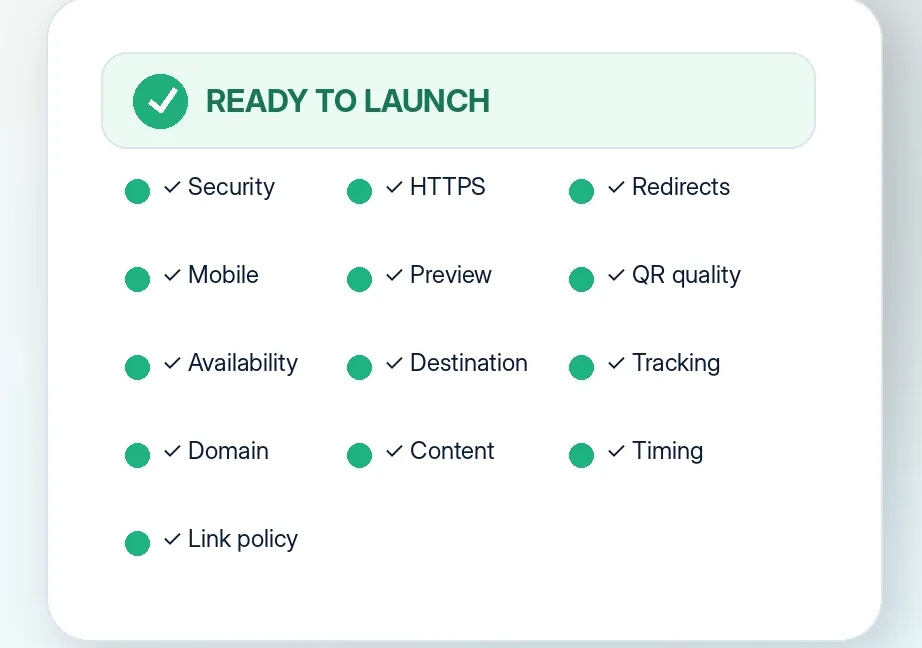
A logo hides modules, which only works if error correction is high enough to rebuild them. Launch Check warns when a logo is larger than 20% of the code with error correction L or M. Our logo guide explains the safe sizes.
Why does my QR code scan but not open?
When the decoder reads the code, the print is innocent. Look at the link.
The redirect service is down
A dynamic QR code holds a short address on the generator’s domain, and every scan passes through that service. If it is down, every code it serves fails at once. Try the short link in a browser on another network, and look for the service’s status page. BN Shortener publishes one at b1.lc/status.html, checked every minute, and its redirects run as their own service, separate from the dashboard. A static code skips this step, which is its one reliability advantage.
The paid plan behind a dynamic code ended
Some dynamic QR services switch codes off when a trial or subscription ends, and scanners then see a notice instead of your page. You cannot fix this from the printed code; you need the account. Our guide to codes that stop working after a free trial explains how to check who controls a code and how to rescue it. BN Shortener never does this: if a plan ends, existing QR codes and links keep working; only creating new ones is limited.
The code has an end date, a scan limit or a password
These are features, not faults, but they surprise people who forgot they set them. In BN Shortener a QR code can have an expiration date (“This QR code has expired”), a maximum number of scans (“This QR code has reached its scan limit”) and password protection. Open the code’s settings and check all three.
The destination moved or went down
The redirect works, but the page behind it returns “not found”, a server error or an expired certificate. A website redesign that changed URLs is the classic cause. Open the destination on a computer to confirm, then point the code somewhere that works. With a dynamic code you change the destination in the dashboard and every printed copy follows.
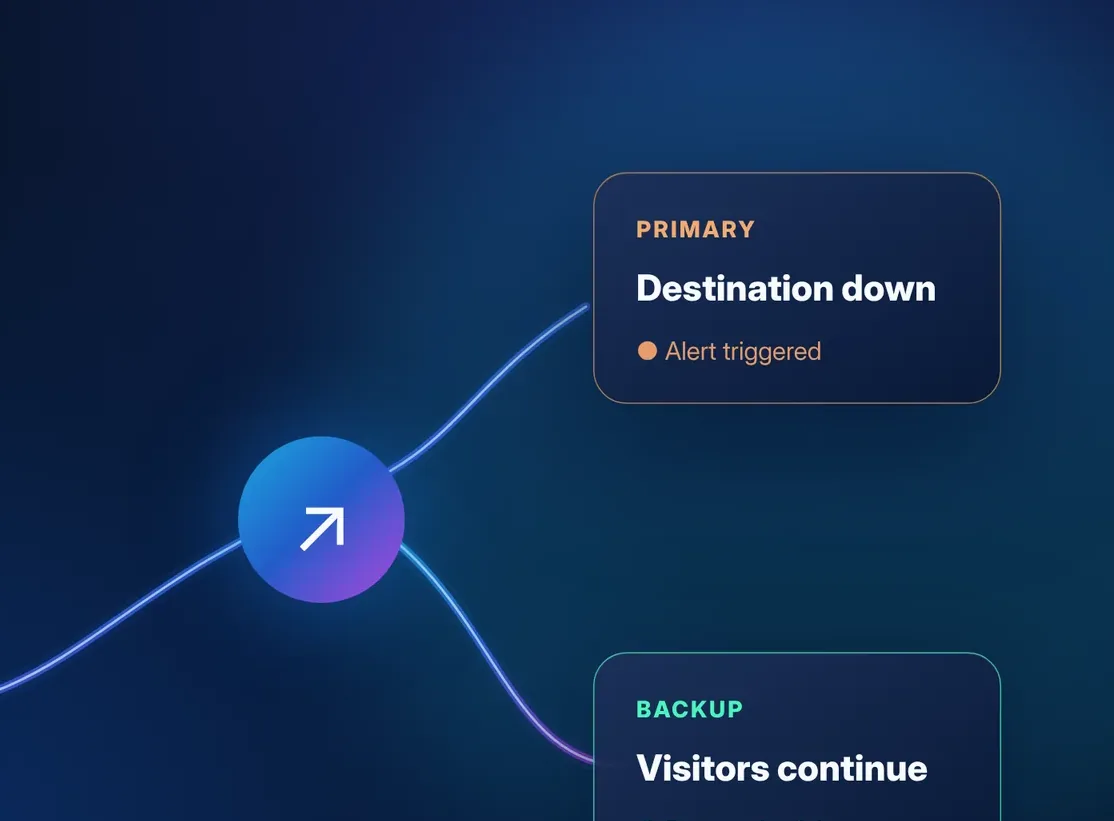
For codes that must not fail, monitor the destination. BN Shortener’s Link Guardian checks each monitored link every 15 minutes, opens an incident after two failed checks in a row, alerts you, and can send visitors to a backup URL you chose until the page recovers. It is part of Pro (25 monitored links) and Business (250).
The destination is blocked as unsafe
If a browser or the link service shows a security warning, the destination has been flagged. That can mean the site was hacked, or that a shared domain inherited a bad reputation. BN Shortener scans every destination against PhishTank, URLhaus, SURBL, urlscan.io and AlienVault OTX, and rescans active links daily. A blocked link shows a warning page, and the owner can request a review from Link Health. Check your site for compromise before you ask for a review.
A typo in the encoded link
Hand-built static codes sometimes encode htps:// or a missing letter. The decoder shows the exact text, so compare it character by character with the address you meant.
A fault-finding flow you can follow on site
- Scan with two phones, one iPhone and one Android. Note whether a link appears.
- If no link appears, photograph the code and run it through the decoder.
- If the decoder fails too, check contrast, inverted colors, quiet zone, size for the distance and damage, in that order. Reprint with the fixes.
- If the decoder reads it, copy the link it shows and open it in a desktop browser.
- If the link does not resolve, check the redirect service’s status and the account that owns the code (plan, expiry, scan limit, password).
- If the link resolves but the page fails, fix or change the destination.
- If you see a security warning, check the site, then request a review.
- Once fixed, scan the real printed code again from the real distance.
How to stop it happening again
- Use a dynamic code in an account you control, so you can change the destination without reprinting.
- Keep the encoded link short so modules stay large.
- Dark modules on a light background, with contrast of at least 4.5:1.
- Width of at least scanning distance divided by 10, and never under 2 cm.
- Four modules of empty margin on every side.
- Error correction Q or H when you add a logo, and keep the logo under 20% of the code.
- Print a proof at 100% and test it with two phones in the real light.
- Monitor the destination of any code printed in volume.
- Export your codes and links regularly so you are never locked to one account.
You can make a quick static code with our free QR code generator, which warns about weak contrast and inverted colors. For a code you can edit and track, use a dynamic one.
Make your next code easy to fix
A printed code that you can repair from a dashboard costs nothing extra to set up. BN Shortener’s free plan includes 5 dynamic QR codes with scan tracking, Launch Check for print quality and vector downloads; start free today at b1.lc, and upgrade to Pro or Business when you need more codes. See the QR code features for the details.
Sources
- 13 QR-Code Usability Guidelines, Nielsen Norman Group, 2024-02-09. Checked 2026-10-23.
- Points for setting QR Code symbol size (module size and margin), DENSO WAVE (QRcode.com), undated. Checked 2026-10-23.
- Error correction feature, DENSO WAVE (QRcode.com), undated. Checked 2026-10-23.
- Scan a QR code with your iPhone or iPad, Apple Support, undated. Checked 2026-10-23.
- Scan QR codes with your Pixel phone, Google Pixel Phone Help, undated. Checked 2026-10-23.
- QR Code Decoder, BN Shortener, undated. Checked 2026-10-23.