
How to make a digital business card: vCard QR, bio page or NFC
Three ways to make a digital business card: a vCard QR code that saves your contact, a bio page link you can update, or an NFC tag. Costs, trade-offs and steps.
Key takeaways
- A vCard QR code holds your details inside the code: one scan offers to save the contact, but you must reprint to change anything.
- A QR code that opens a bio page or contact page can be updated any time and can hold far more: links, a contact form, a booking button.
- A dynamic code gives you both: the printed code stays the same while the details behind it change, and every scan is counted.
- NFC adds tap-to-open; Apple says iPhone XS and later read NFC tags in the background, but always print a QR code too.
- Keep the code simple: fewer fields or a short link means bigger modules and faster scans on a small card.
A paper business card ends up in a drawer; a digital one ends up in a phone’s contacts or one tap from your portfolio. There are three common ways to make one, and they differ in what happens when your number, job or company changes. This guide compares them and shows how to make each, mostly for free.
What are the ways to make a digital business card?
| vCard QR code | QR code or link to a bio page | NFC tag or card | |
|---|---|---|---|
| What happens on a scan or tap | Phone offers to save your contact | Phone opens a page with your details and links | Phone opens the link stored on the tag |
| Update after printing | No (unless the code is dynamic) | Yes, edit the page | Only by rewriting the tag, unless it holds a short link |
| Works offline | Yes, the data is in the code | No, the page needs a connection | No, if the tag holds a web link |
| Room for extras | Small: contact fields only | Large: links, forms, video, booking | Whatever the link opens |
| Counts scans | No (unless dynamic) | Yes, with a tracked short link | Yes, with a tracked short link |
| Cost | Free | Free | The tag or card itself |
The short version: a vCard code is best when the goal is “save my number”; a page is best when the goal is “see my work and get in touch”; NFC is a nice extra on top of either.
How do I make a vCard QR code?
vCard is the standard format for electronic contact cards. The current specification, RFC 6350 (August 2011), defines vCard 4.0, and says every vCard “MUST include the VERSION and FN properties”, FN being the formatted name. Our free generator writes vCard 3.0, the version before it.
A minimal contact looks like this inside the code:
BEGIN:VCARD
VERSION:3.0
N:Haddad;Rana;;;
FN:Rana Haddad
ORG:Yourbrand
TITLE:Head of Sales
TEL;TYPE=CELL:+15551234567
EMAIL:rana@yourbrand.com
URL:https://yourbrand.com
END:VCARD
(The person and numbers are illustrative.) You do not have to write that by hand:
- Open the free vCard QR code generator.
- Enter your first and last name, then only the fields people need: company, title, one mobile, one email, website. The tool writes a vCard 3.0 contact.
- Download the code as SVG for print, or PNG for an email signature. You can also download a .vcf file to attach to emails.
- Test it with two phones before printing.
Everything you type is built in your browser and not uploaded.
Keep it short. Every field you add puts more data in the code, which means more, smaller modules. On a business card, where the code may be 2 to 2.5 cm wide, a dense code is harder to scan. Our guide on QR code size for print explains the module maths.
The catch: a static vCard code is frozen. New job, new number or a typo means new cards.
How do I make a business card that I can update?
Print a code that opens something you control. Two options:
Option 1: a static vCard code, or a dynamic code to a page
In BN Shortener (the service behind Shortlen, at b1.lc), the QR builder has a vCard content type with first name, last name, company, job title, email, mobile and work phone, website and address. For one-tap saving, make it a static vCard code (untick Dynamic): the phone offers to save the contact straight away. A dynamic vCard code today opens a plain page listing the details instead, so if you want a code you can update and measure, point a dynamic URL code at your bio page and put a “Save contact” button there. The Free plan includes 5 dynamic QR codes.
Option 2: a bio page as your card
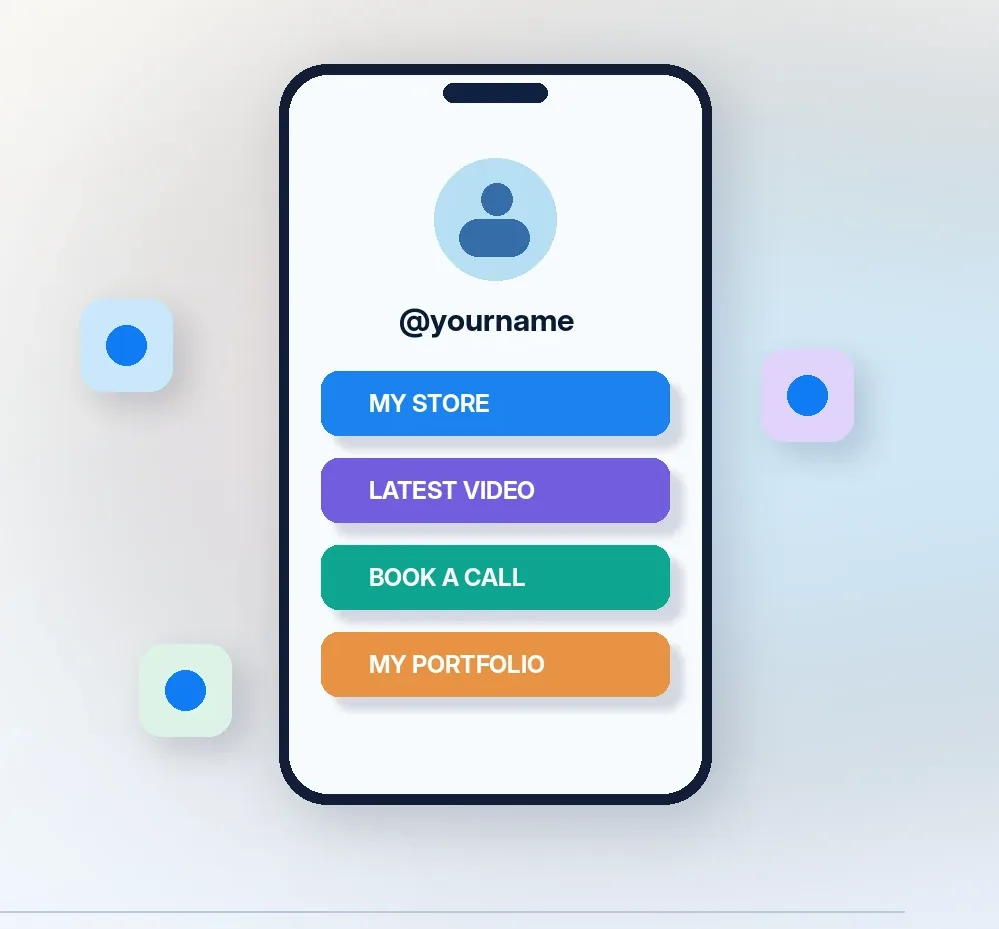
A bio page works well as a business card for people whose “contact” is more than a phone number: freelancers, consultants, sales teams, creators. With BN Shortener, each account gets a bio page at b1.lc/@yourname (1 on Free), built from blocks such as:
- Link buttons for your website, portfolio, booking page or latest case study.
- Social icons for LinkedIn, Instagram, WhatsApp, email and more.
- A contact form, so people can message you without you printing an email address. Messages are stored and emailed to your account address.
- An email sign-up if you run a newsletter.
- A video embed for a short introduction.
Then point a QR code, or a short link on your own domain such as go.yourbrand.com/rana, at the page. Change the page whenever you like; the printed card never goes out of date. Bio page analytics show views, clicks per button and where visitors came from. Our guide to making a link-in-bio page walks through the build.
A good combination: a bio page as the destination, with a “Save contact” button that links to a .vcf file on your own website, and a dynamic QR code on the card.
How does an NFC business card work?
An NFC card or sticker holds a small piece of data, usually a web link, which a phone reads when it is held close. Apple’s developer documentation says that on iPhones that support background tag reading, “the system scans for and reads NFC data without requiring users to scan tags using an app”, and that “iPhone XS and later support background tag reading”. Apple also notes times when background reading is unavailable, such as when Apple Pay Wallet is in use.
To make one:
- Buy blank NFC cards or stickers (or a ready-made NFC card; Beacons, for example, lists an NFC card on its Creator Max plan, as published on 23 October 2026).
- Use an NFC writing app to write a URL record to the tag.
- Write a short link you control, not the page address. If your page moves, re-point the short link instead of rewriting every tag.
- Print a QR code on the same card for phones that do not read NFC, and for sharing from a screen.
NFC is fast in person, but it does not work from a photo, a slide or an email signature, which is where QR codes and links take over.
How do I make cards for a whole team?
Making one code by hand is easy; making forty that match is where people lose an afternoon. With BN Shortener:
- Build one page per person, or one short link per person pointing at their contact page, such as
go.yourbrand.com/rana. - Prepare a CSV with a name column and a URL column, one row per person.
- Use Create from CSV in the QR builder. Each row becomes a QR code for a web address or a vCard contact, up to 2,000 rows at a time, and you can copy the design of an existing code so every card matches.
- Download them all as one ZIP (up to 200 at once; larger sets, up to 5,000, are built in the background), with a codes.csv listing each code, in PNG, JPEG, WebP, SVG, PDF or EPS, and hand the files to your printer.
When someone leaves, re-point their link to a general contact page instead of leaving a dead card in circulation. When someone joins, add one row. For shared workspaces with roles, see link management for teams.
Where else should my digital card appear?
The same link works far beyond the printed card:
- Email signature: a small QR code or, better, a short text link such as
go.yourbrand.com/rana. - Video calls: a QR code on a virtual background or a closing slide.
- Event badges and stands: a larger code, sized for the distance people stand at.
- LinkedIn and other profiles: the short link in your contact info.
- Proposals and invoices: a “meet the team” link at the end.
Use a separate short link for each place if you want to know which one people actually use.
Which option should I choose?
- “I want people to save my number in one step.” vCard QR code. Use a dynamic one if your details might change.
- “I want people to see my work and contact me.” A bio page behind a QR code and a short link.
- “I hand out cards at events every week.” Bio page plus QR code, with an NFC sticker as an extra.
- “My team needs matching cards.” One bio page per person, all on your own domain, such as
go.yourbrand.com/rana,go.yourbrand.com/sam. See what a branded link is.
Digital business card checklist
- Your name and at least one way to reach you are on the card.
- The code is at least 2 x 2 cm, dark on light, with a clear margin.
- The code is dynamic or points to a short link, if anything on it may change.
- The page opens fast on a phone and has a clear contact button.
- You scanned the printed proof with an iPhone and an Android phone.
- The same link appears in your email signature and LinkedIn profile.
- If you use NFC, a QR code is printed on the same card.
For more on choosing between code types, see static vs dynamic QR codes.
Start free
Make a static contact code now with the free vCard QR code generator. For a card you can update and measure, start free at b1.lc: the Free plan includes a bio page, 5 dynamic QR codes, one custom domain and 100 new short links a month. Pro adds 250 dynamic QR codes and 10 bio pages; see the pricing page and the QR codes feature page.
Sources
- RFC 6350: vCard Format Specification, IETF (RFC Editor), 2011-08. Checked 2026-10-23.
- Adding Support for Background Tag Reading, Apple Developer Documentation, undated. Checked 2026-10-23.
- Beacons Pricing Plans, Beacons Help Center, undated. Checked 2026-10-23.